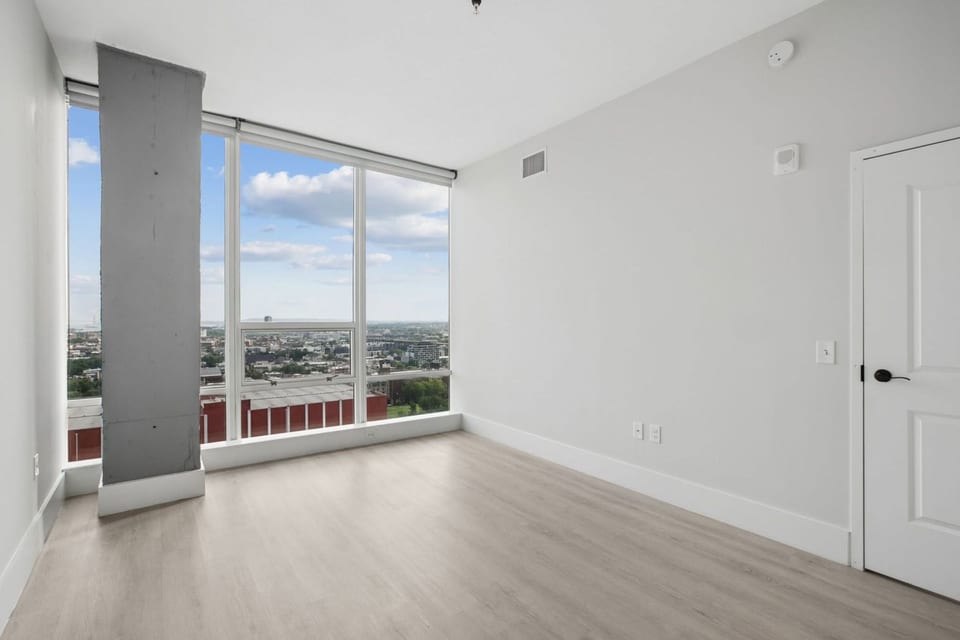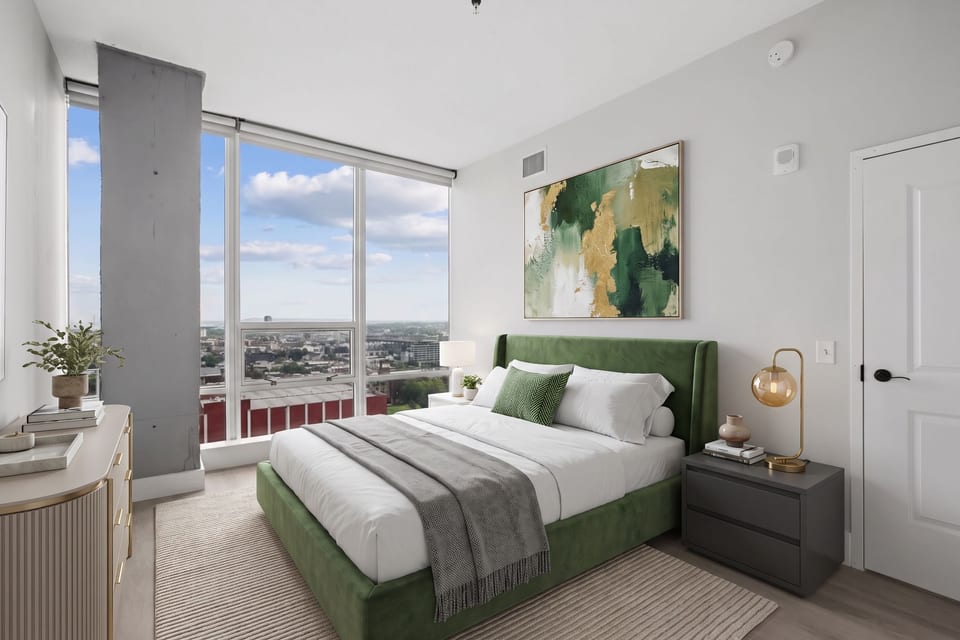
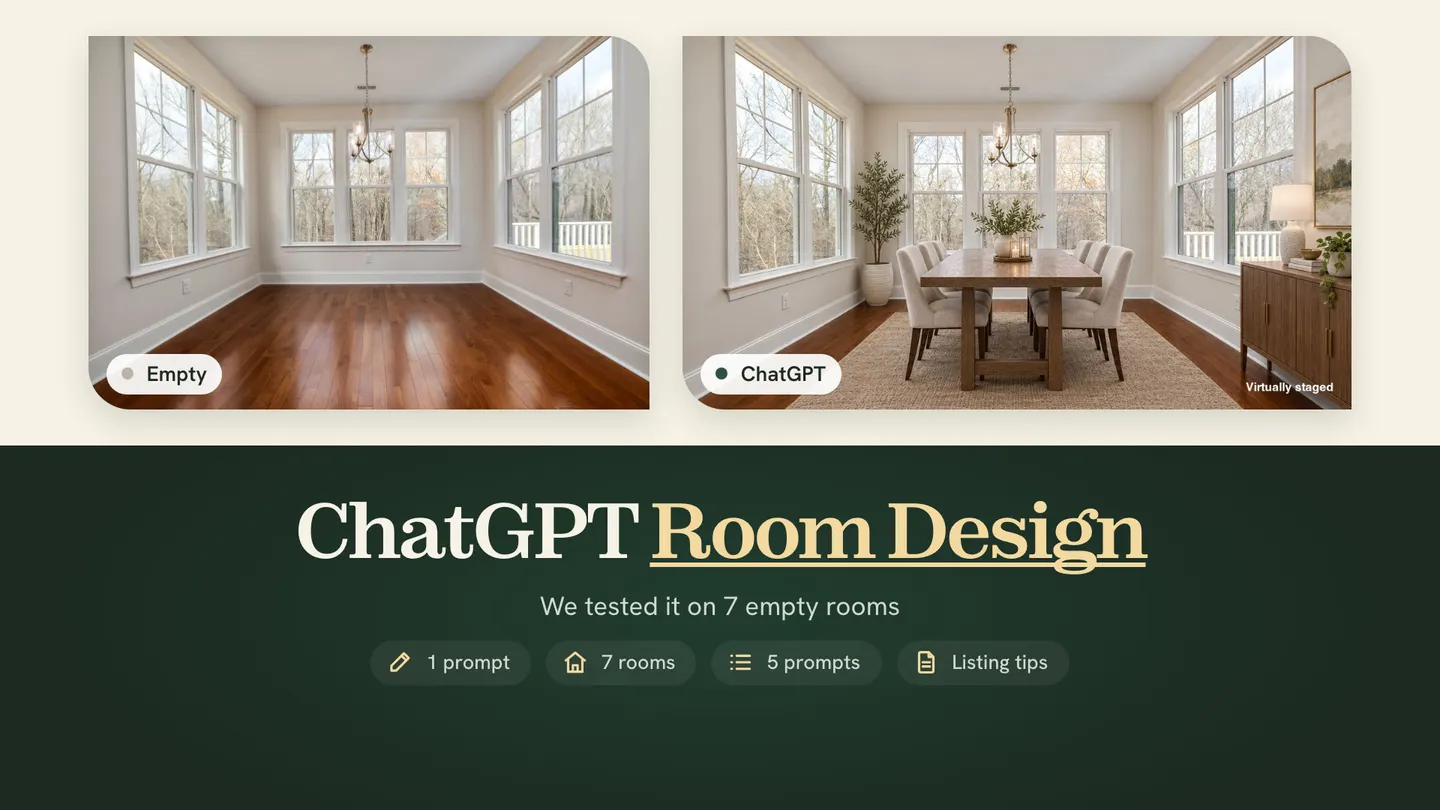
Can ChatGPT design a room from a photo? Yes, and it’s good at it. We gave ChatGPT’s image model 7 empty rooms and one prompt. It furnished all 7 in the style we asked for and kept every wall, window and door. The catch: results come back smaller, with part of the ceiling and floor cut off. Great for ideas; check before a listing.
We make TINTY, a virtual staging app for real estate agents, so we have a stake in this topic. That’s why we show every result, including our own, and tell you where ChatGPT did better. Test run and sources checked November 24, 2026.
Key takeaways
- The furniture looks real: every room came back in the style we asked for, with believable sizes and layouts.
- The room stays the same: walls, windows, doors, fireplaces and ceiling fans survived in all 7 rooms.
- The frame changes: every image came back at 1088 x 608 pixels in a wide 16:9 frame, with part of the ceiling and floor cut off.
- Ideas yes, listings with care: it’s a great tool for your own home. For a listing, compare the result with the original and label it.
On this page: How we tested · Room by room · What it got right · What it changed · How to use it · 5 prompts · Listing photos · Smart uses · ChatGPT or a staging app · FAQ
How we tested ChatGPT room design
We wanted a test anyone could repeat at home: one photo, one prompt, no retries.
- 7 empty rooms: 2 living rooms, 1 bedroom, 2 dining rooms and 2 home offices. All are free stock photos from Pexels, 3,000 to 7,200 pixels wide.
- One prompt: the same text for every room. We changed only the room type and the style (modern, Scandinavian or farmhouse).
- The model: ChatGPT Images 2.5, launched by OpenAI on September 8, 2026. We used its API version, GPT-Image-2.5 Flare, on fal.ai with default settings. The ChatGPT app can differ slightly.
- First result only: one run per room, no edits, no “try again.”
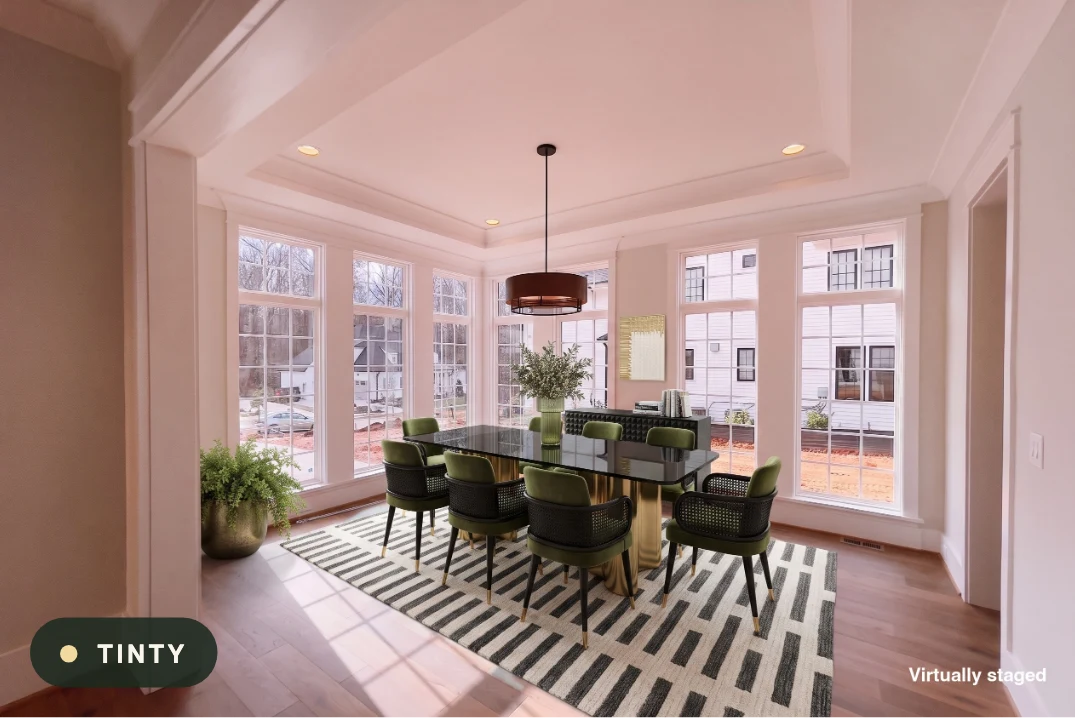
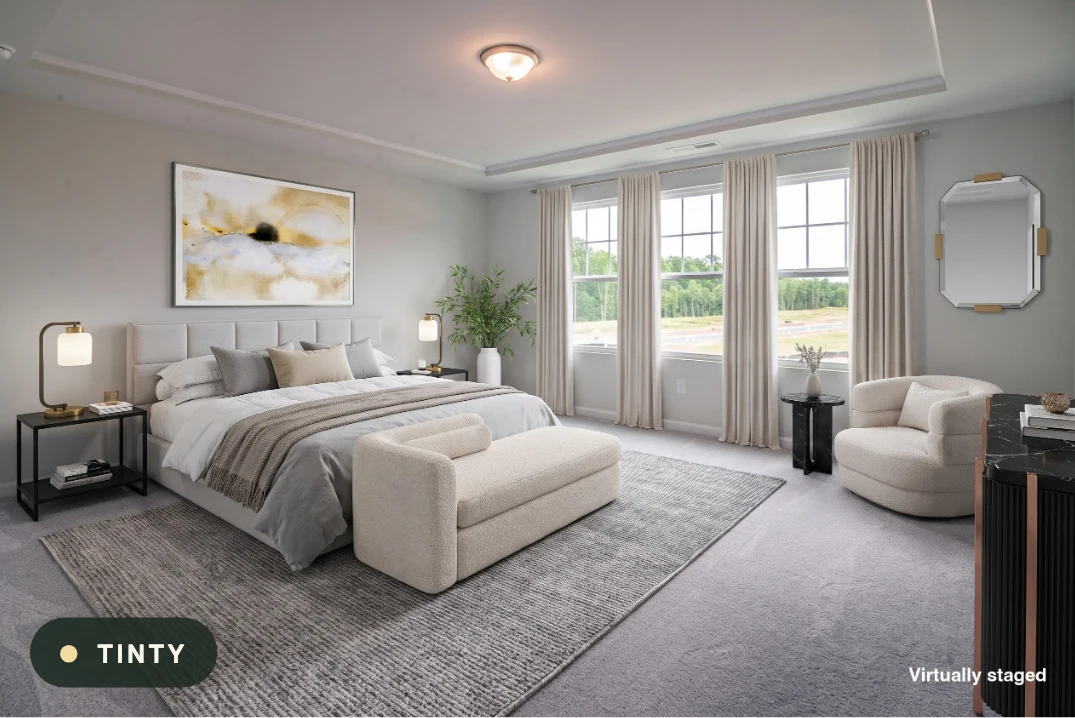
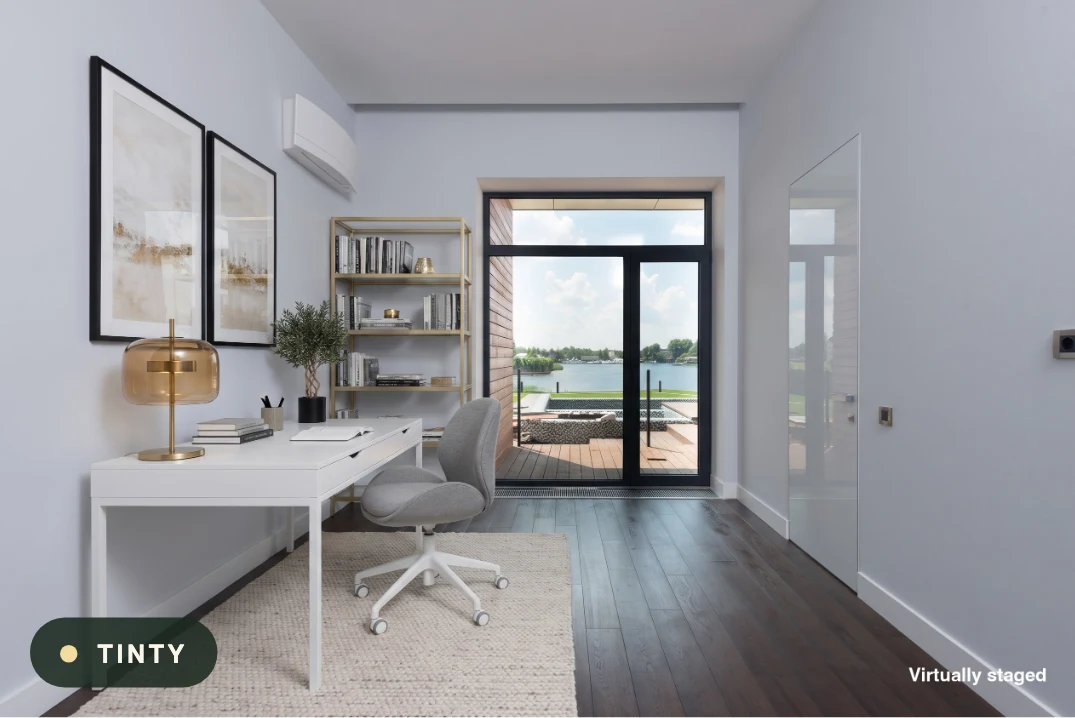
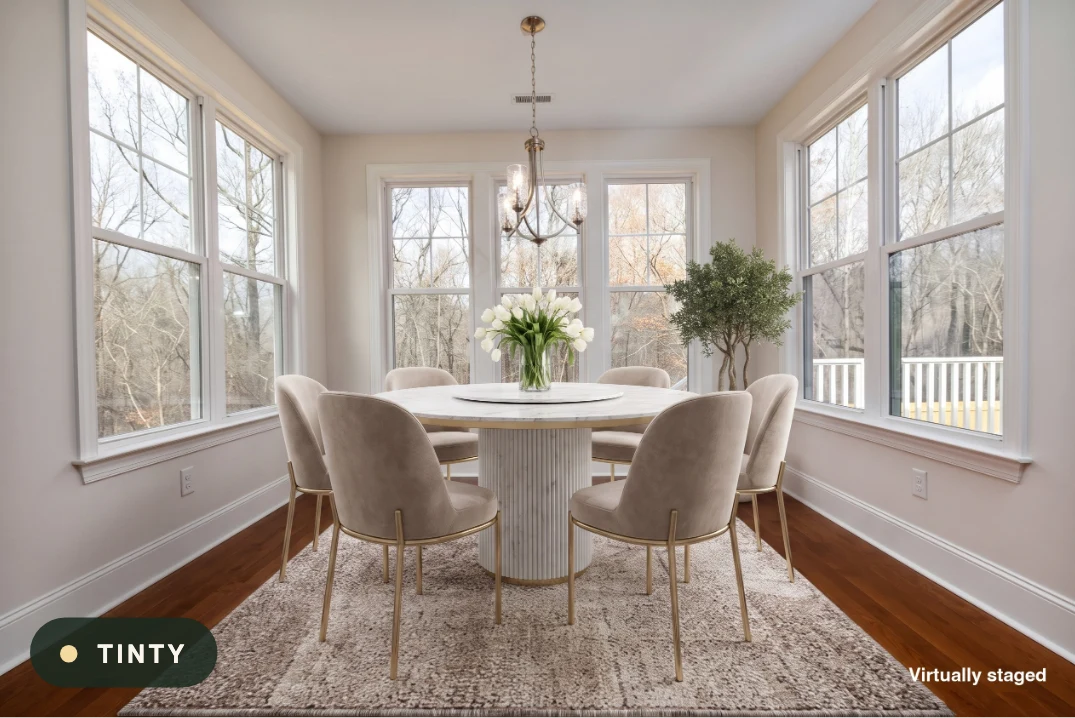
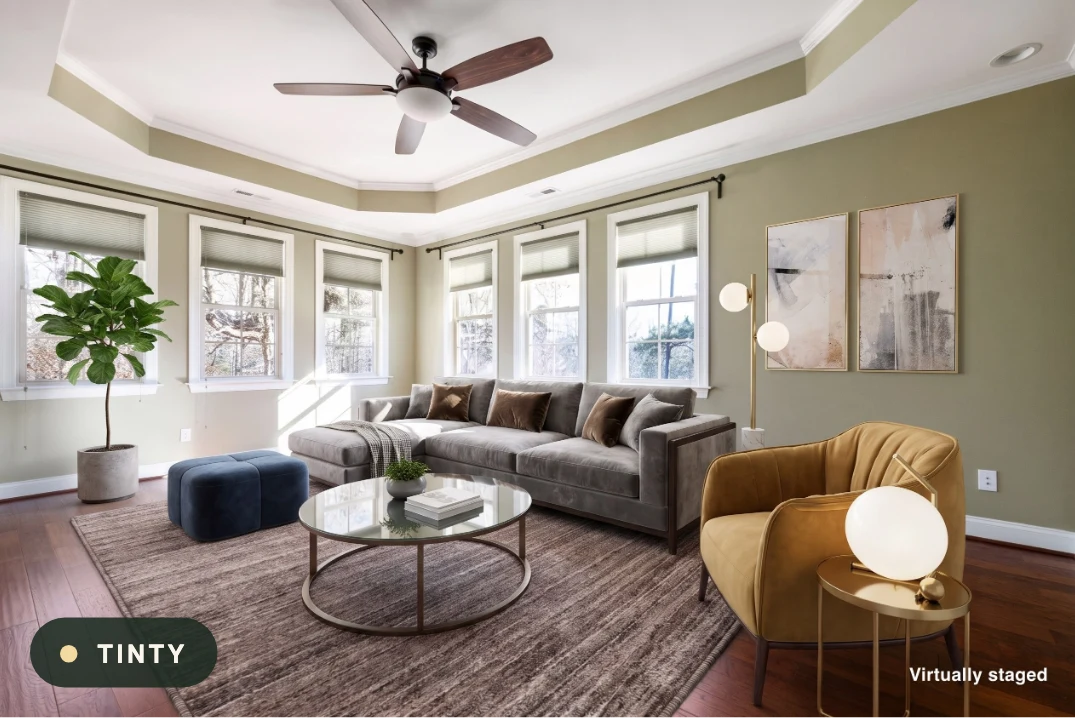
- TINTY too: we ran the same rooms through TINTY, our own app, with the closest style.
We chose empty rooms because they’re the most common staging job and the hardest test: the model has to invent everything without help from existing furniture.
Here is the prompt we used:
“Virtually stage this empty living room for a real estate listing. Add furniture and decor in a modern style. Keep everything else exactly the same: walls, windows, doors, floor, ceiling, lights, the view outside and the camera angle. Do not add or remove any architectural features.”
Then we put each result next to its original photo. We checked the walls, windows, doors, floor, ceiling and lights, the view outside, the camera angle and the image size.
The results, room by room
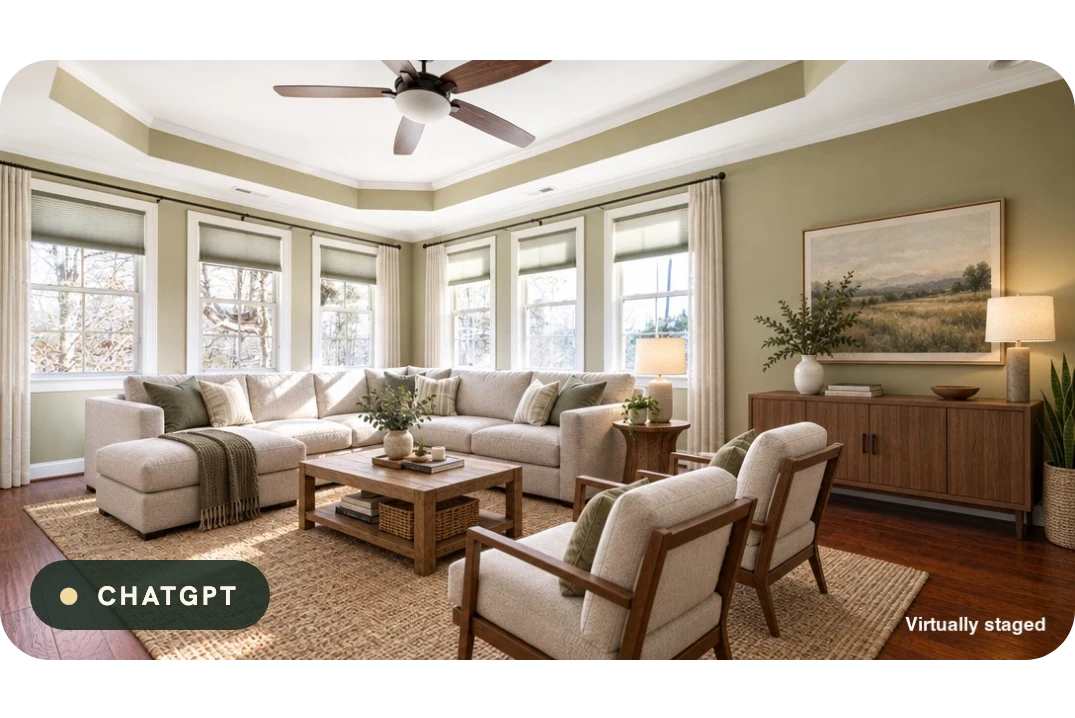
Here’s the short version for all 7 rooms. In five of them, the only change besides the furniture was the frame.
Furniture added, frame trimmed, nothing else:
- Living room, Scandinavian: fireplace, mantel and all four windows kept.
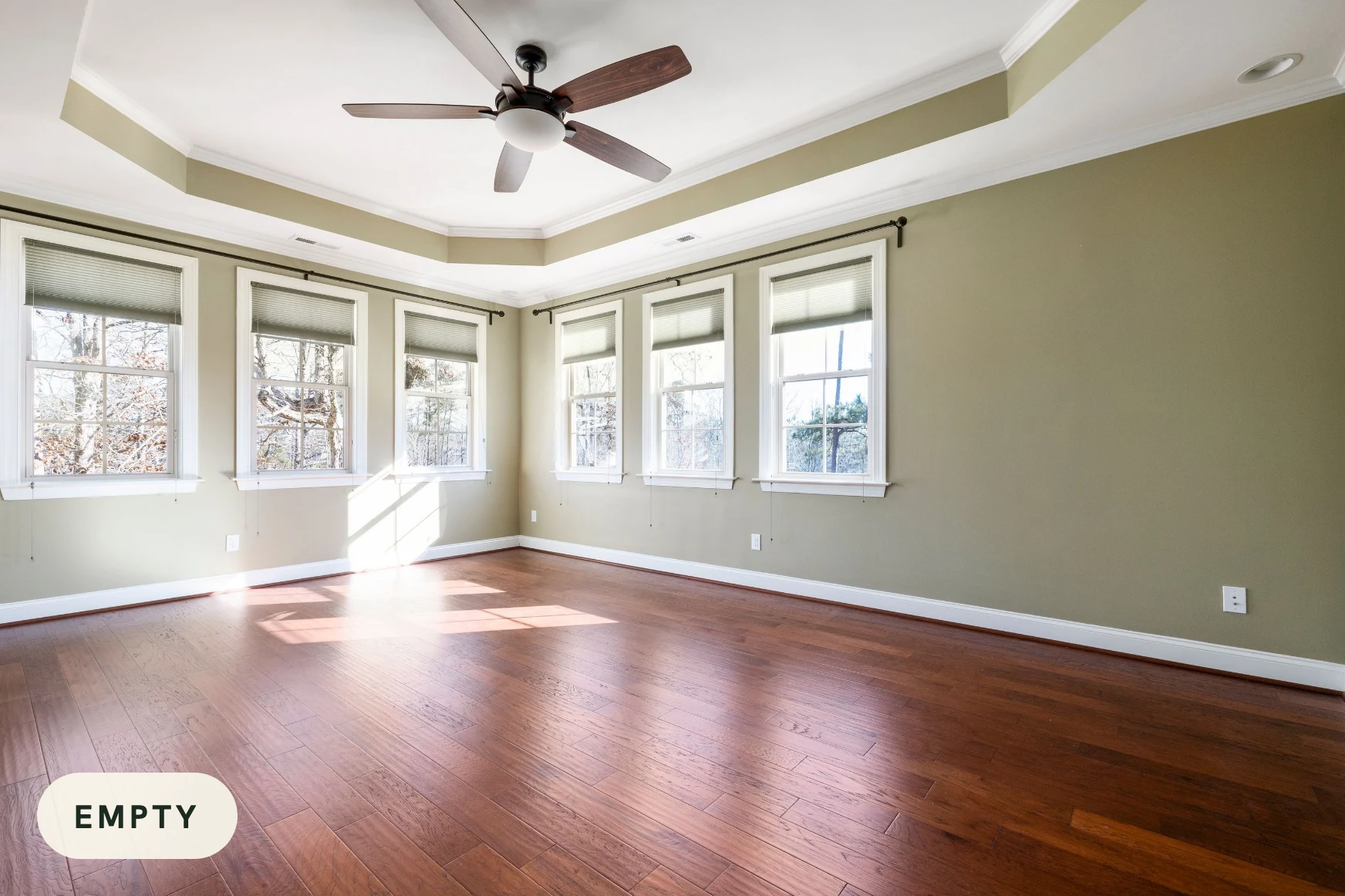
- Bedroom, modern: three windows, tray ceiling and light fixture kept.
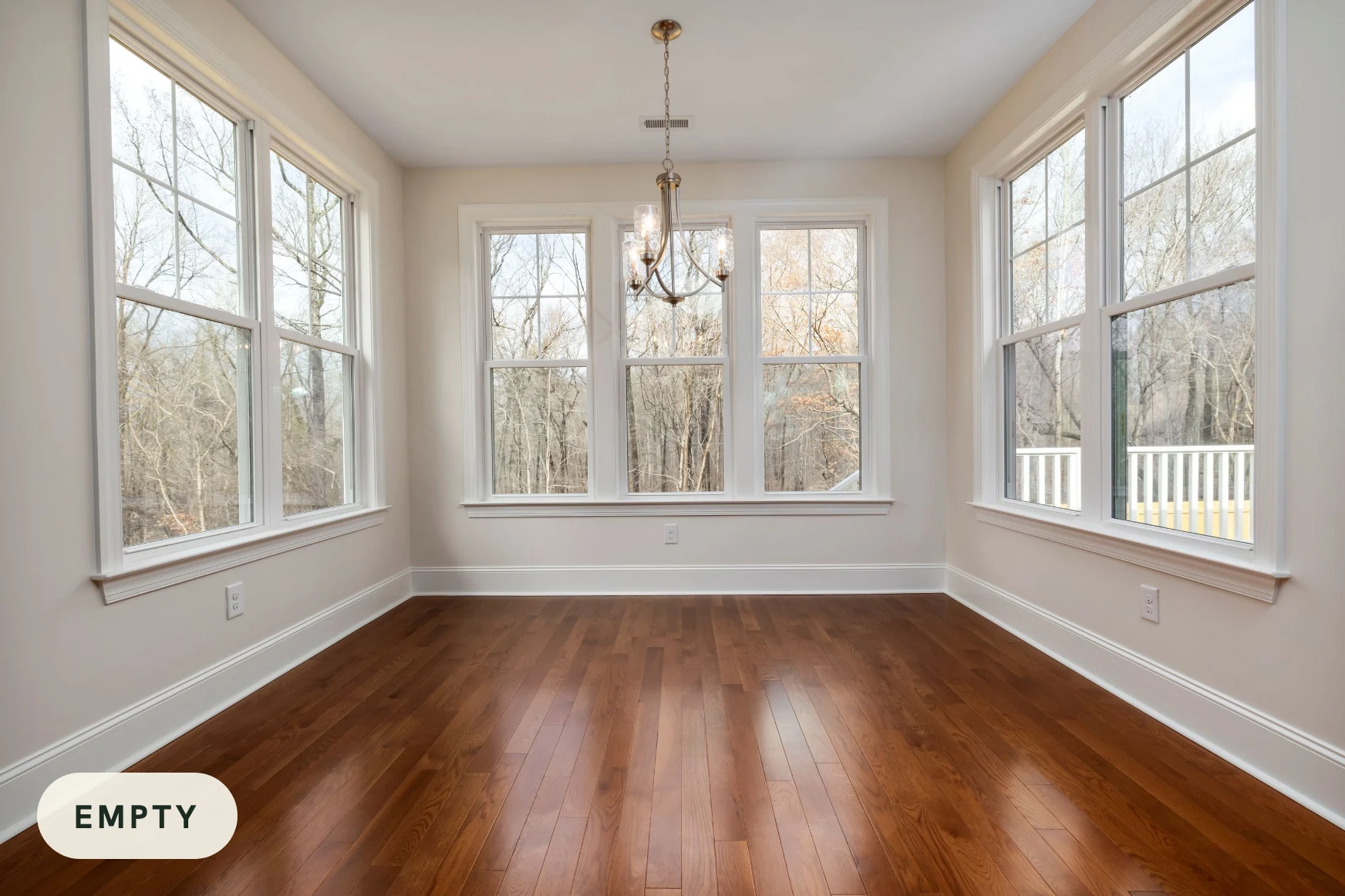
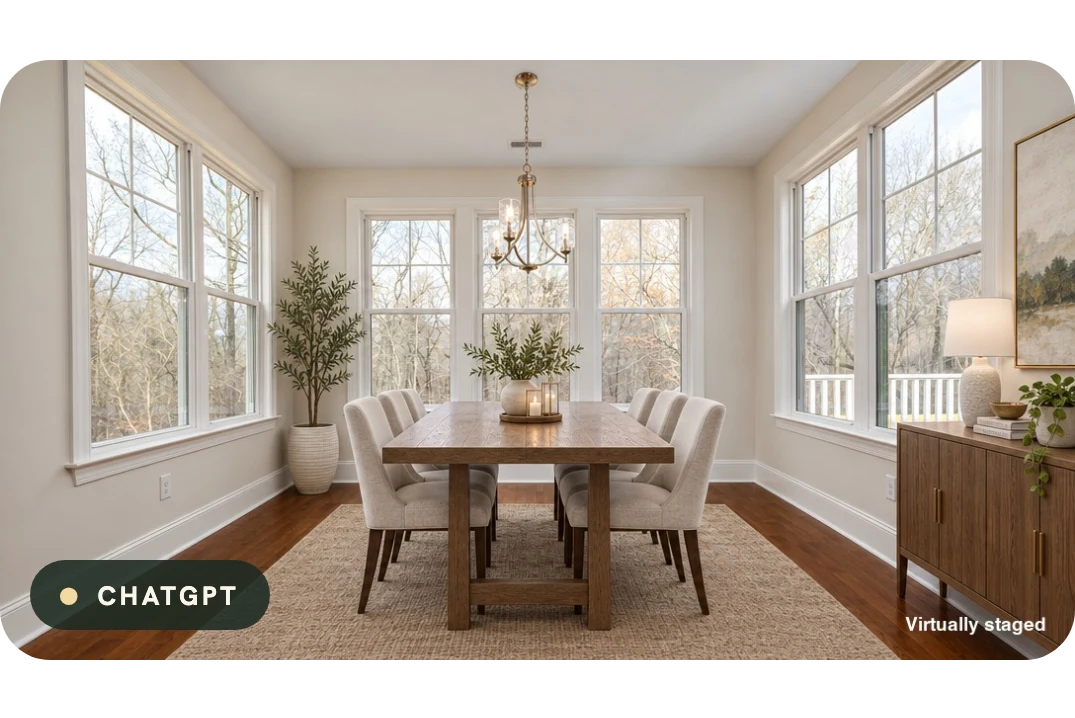
- Dining room, modern: all seven windows and the chandelier kept. The view is a little wider on the right, with a new strip of wall and a painting.
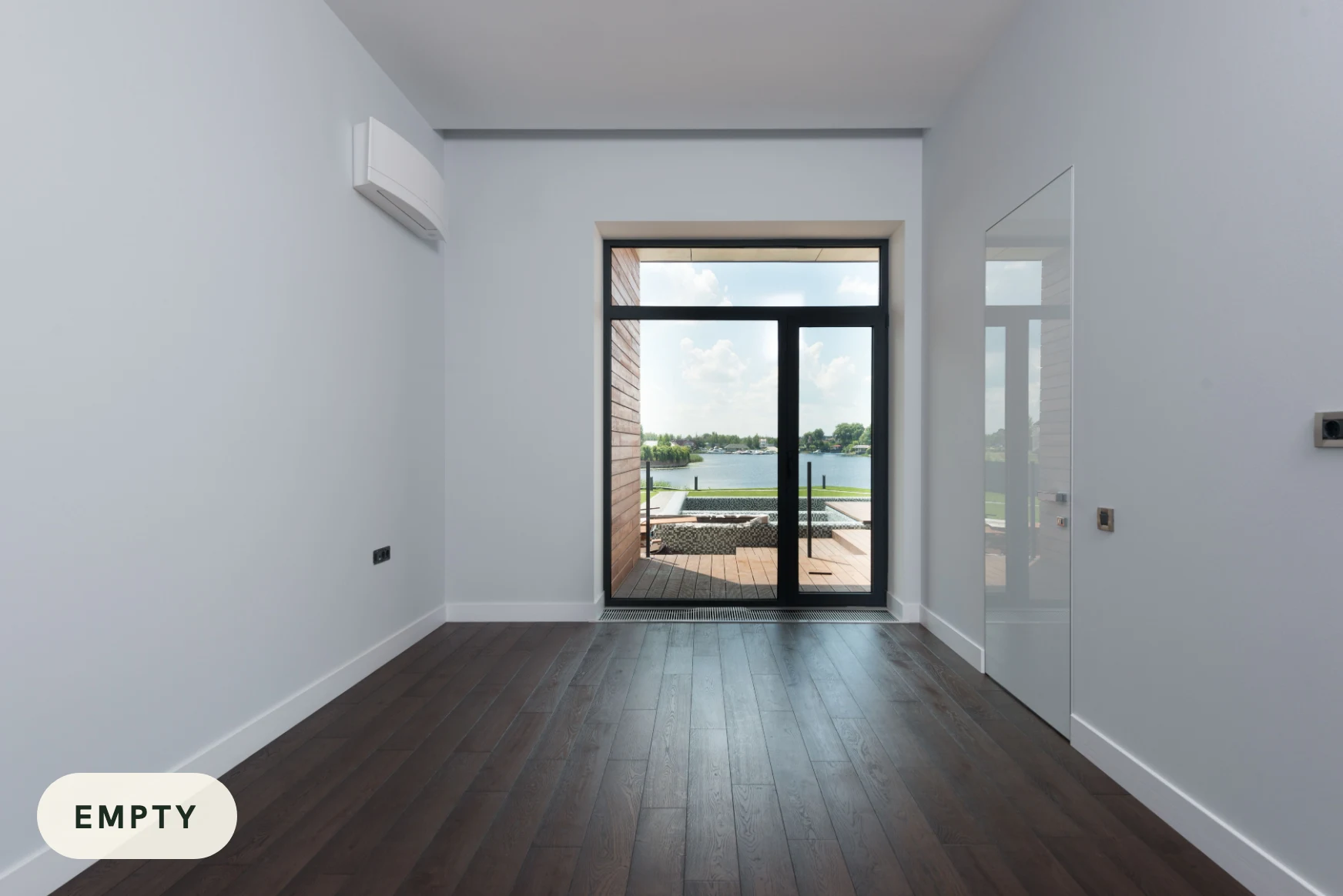
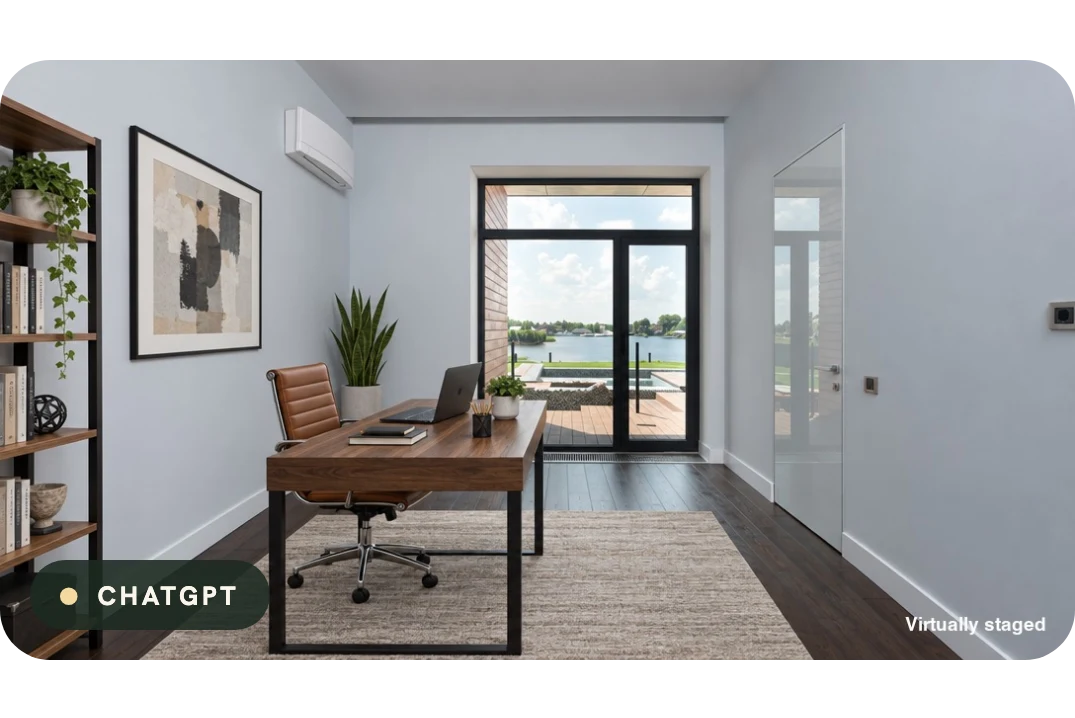
- Home office, modern: wall air conditioner, glass doors and lake view kept.
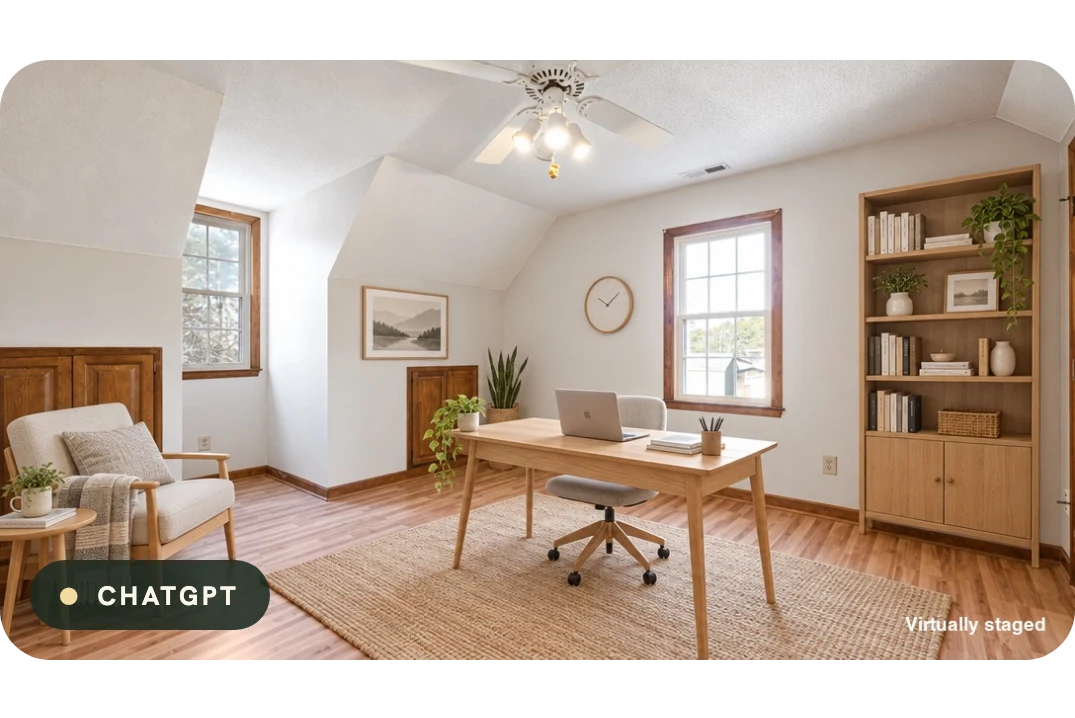
- Home office, Scandinavian: dormer windows and built-in cabinet doors kept.
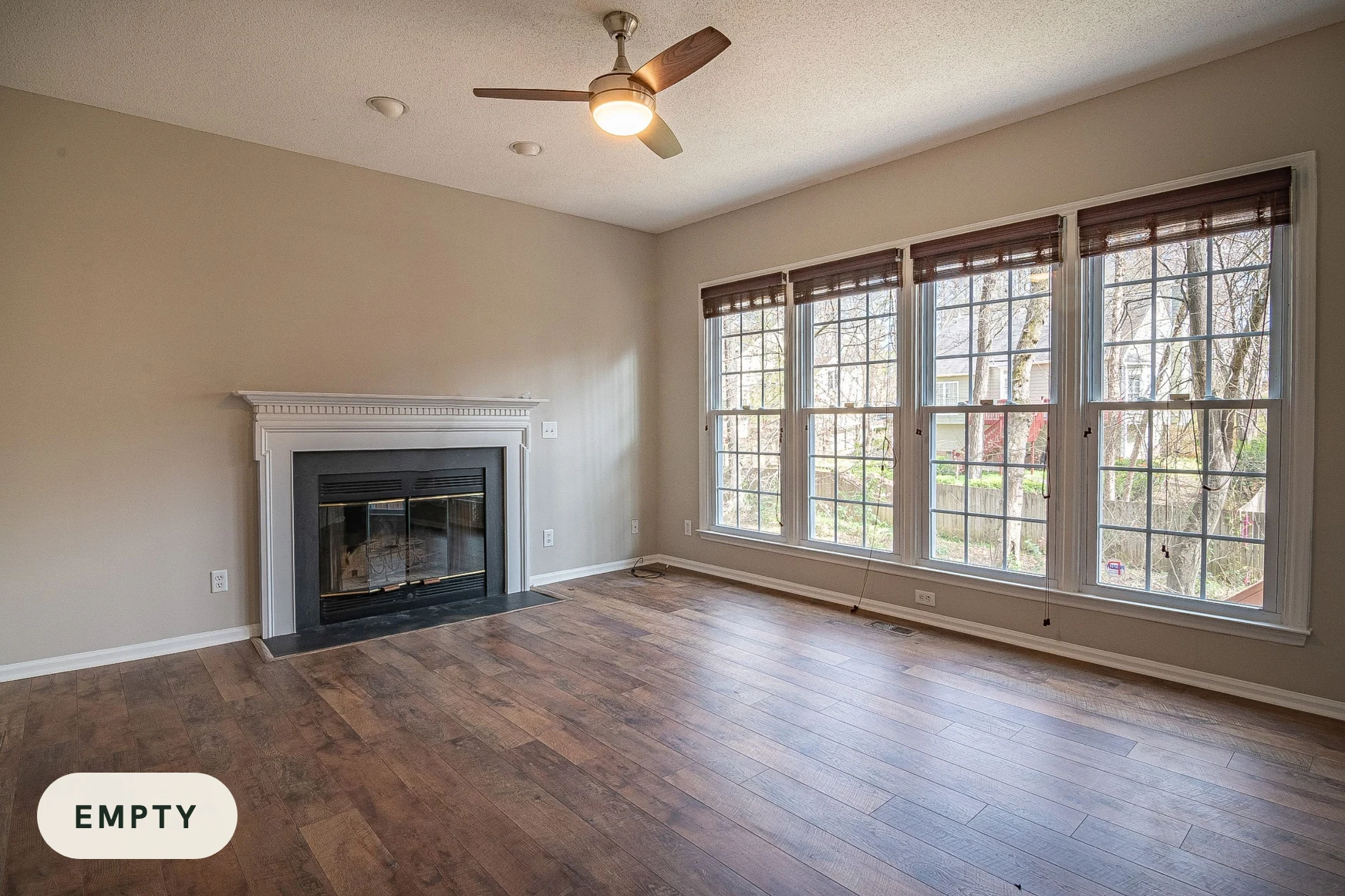
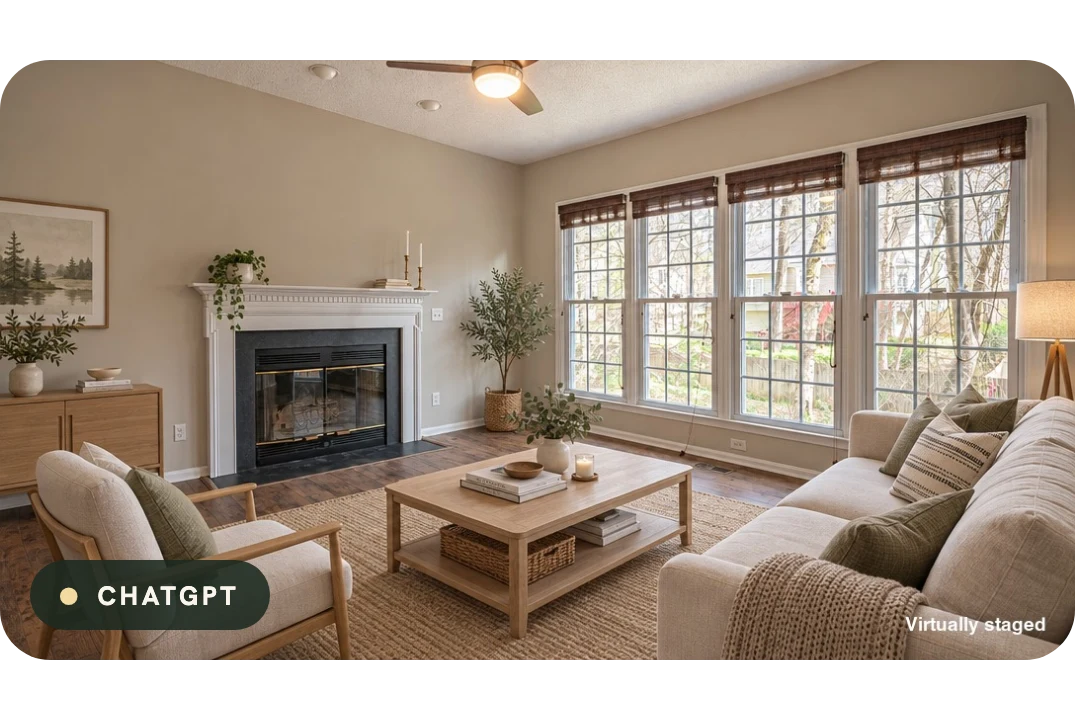
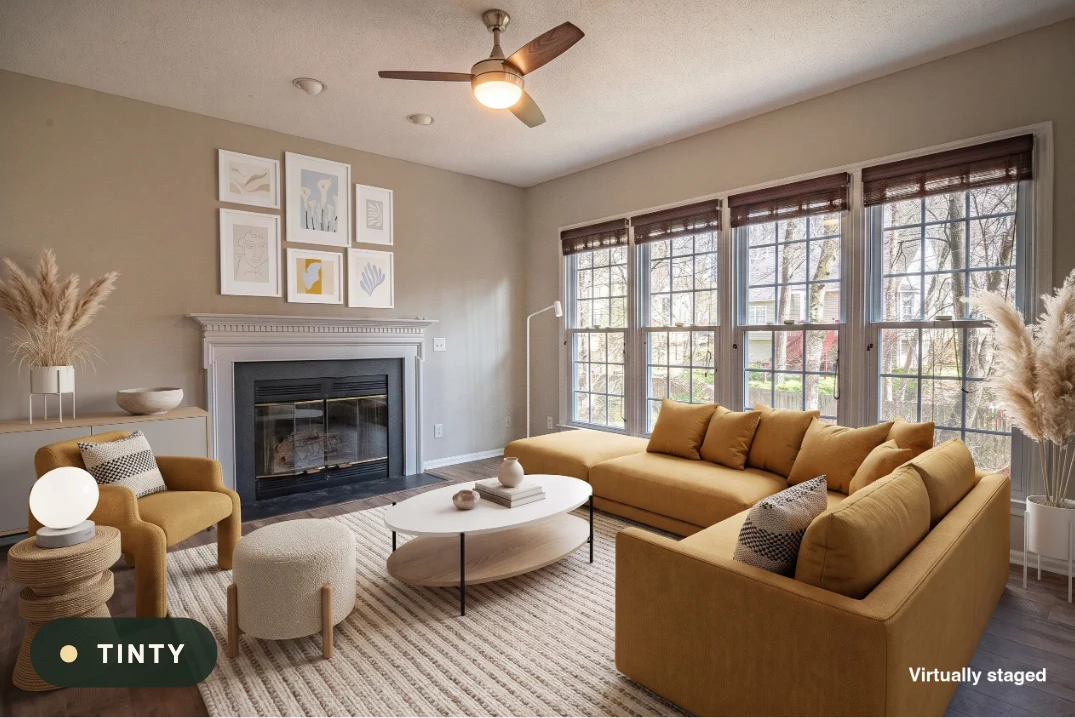
The light changed too:
- Living room, modern: the sun patches on the floor are gone, and curtains appeared.
- Dining room, farmhouse: the sunlight on the floor moved, and a quarter of the photo’s height was cut.
What ChatGPT got right
It nails the style. The farmhouse dining room got a plank table and woven chairs. The modern rooms got clean lines and warm wood, and the Scandinavian ones got light wood, linen and plants. You can tell every style apart at a glance.
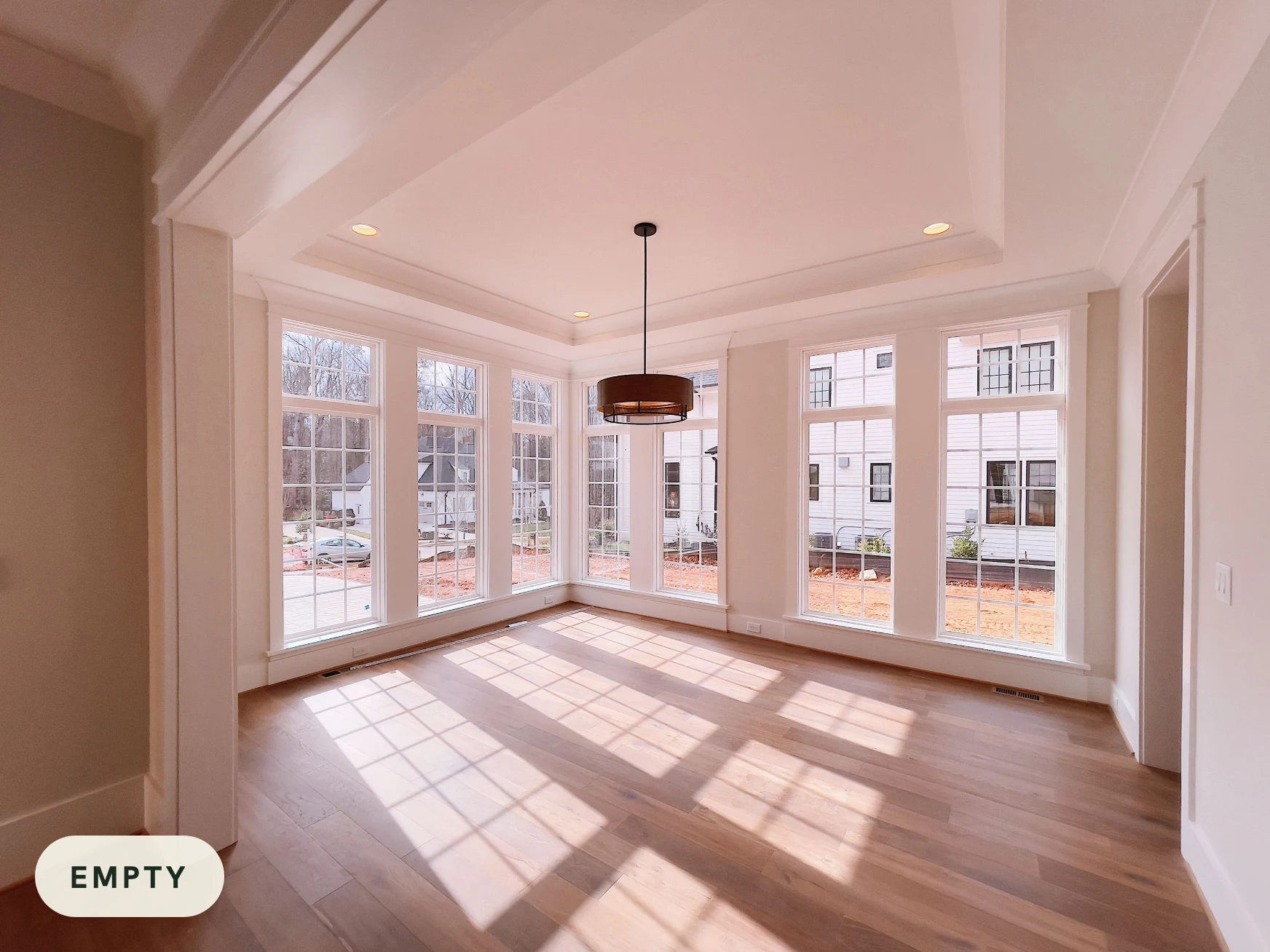
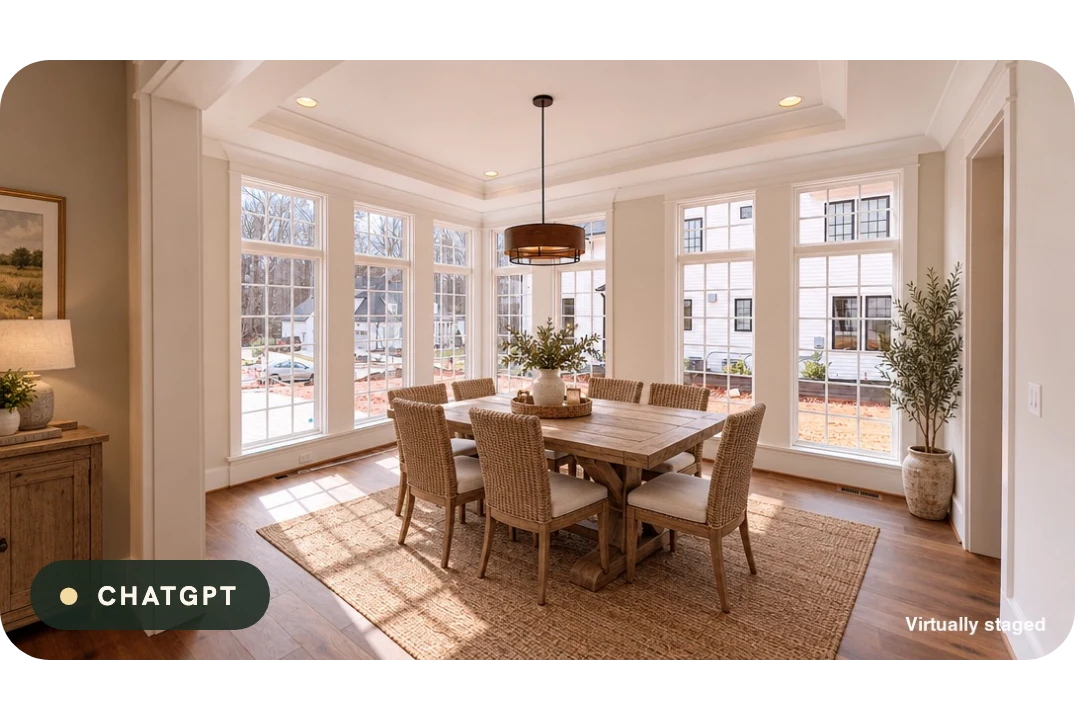
The furniture fits the room. Sofas and chairs face each other, rugs sit under the furniture, and beds get nightstands and lamps. Nothing floats or looks too big for the room.
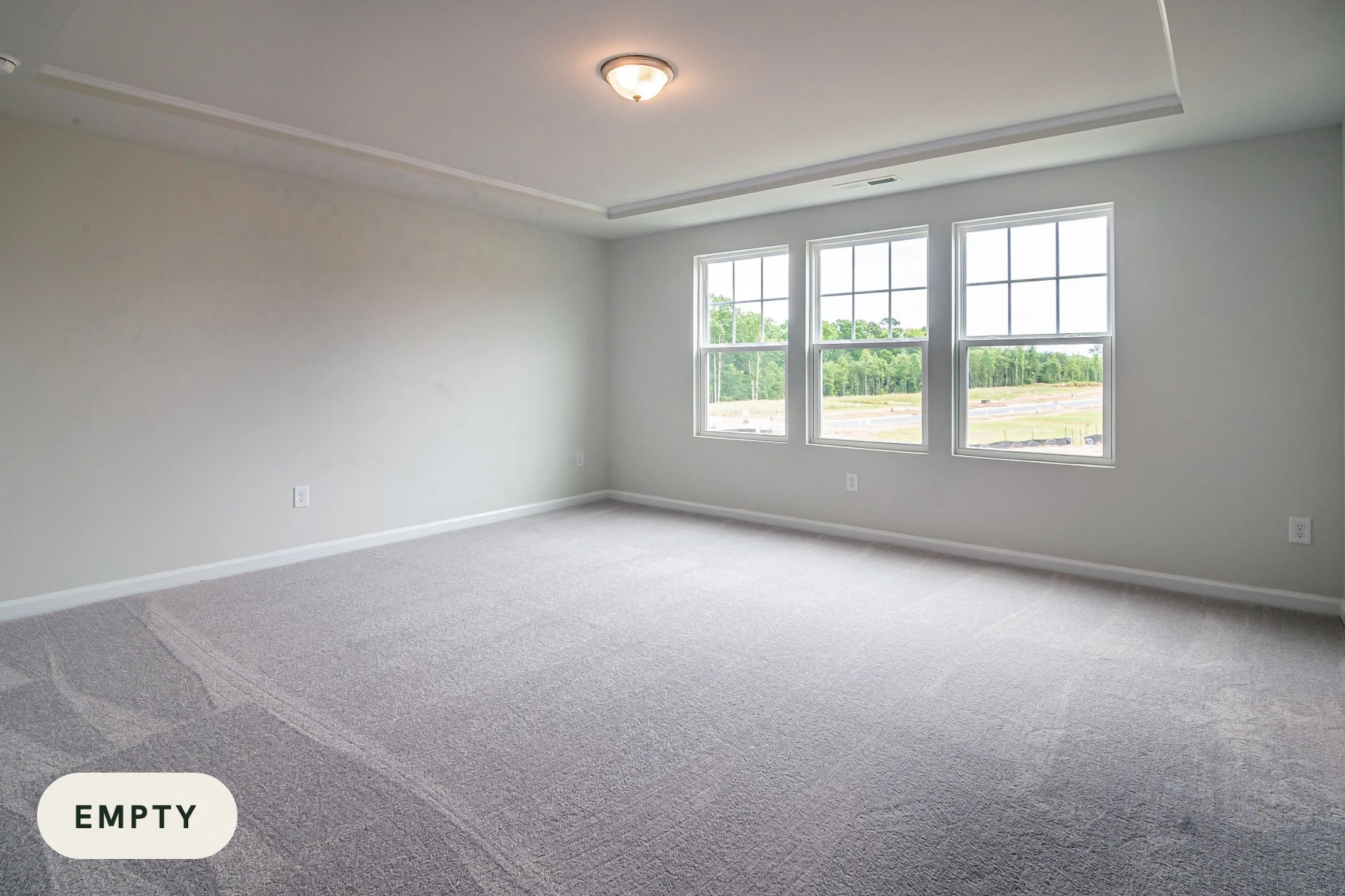
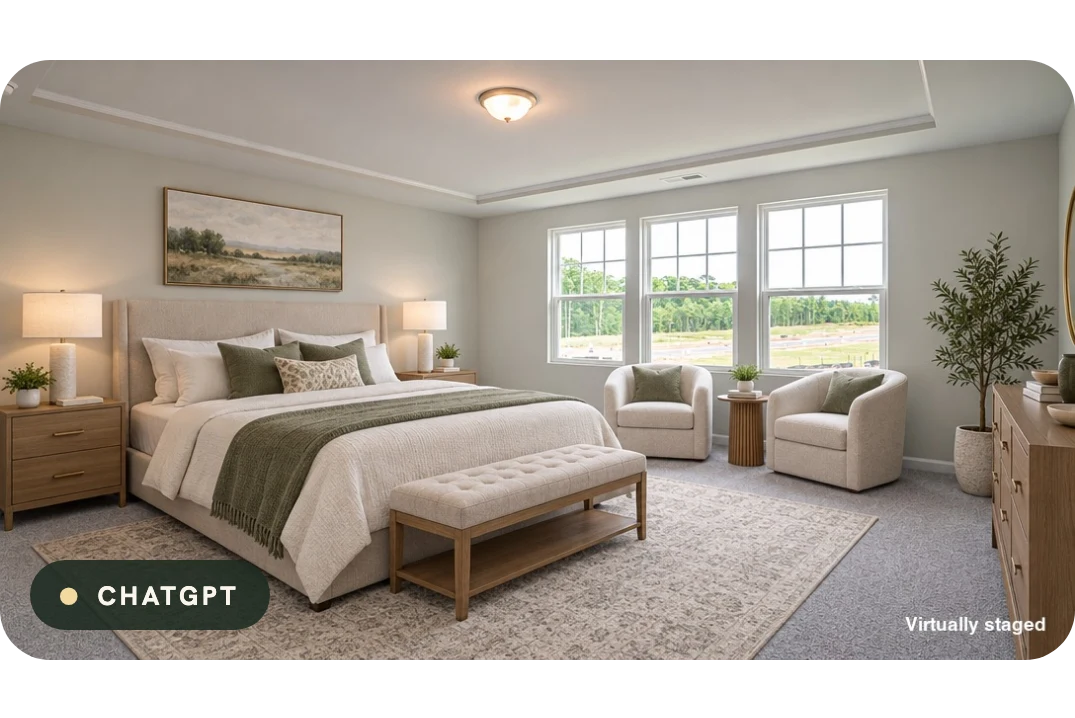
It keeps the architecture. We asked it not to add or remove anything, and it listened. In all 7 rooms, the walls, windows, doors, fireplaces, built-ins and light fixtures stayed where they were.
Example: in the modern home office, ChatGPT kept the wall air conditioner, the black-frame glass doors and the lake view. It added a desk, a chair, a bookcase and art, and nothing else.
It’s fast and cheap. One image took about 26 seconds and cost $0.038 through the API. In the ChatGPT app, OpenAI says Images 2.5 is available on every plan.
What ChatGPT changed
None of these changes the room itself, and none is a deal-breaker for picking a sofa. They matter more if the photo goes on a listing, because a buyer will compare it with the real room at the showing.
A trimmed frame
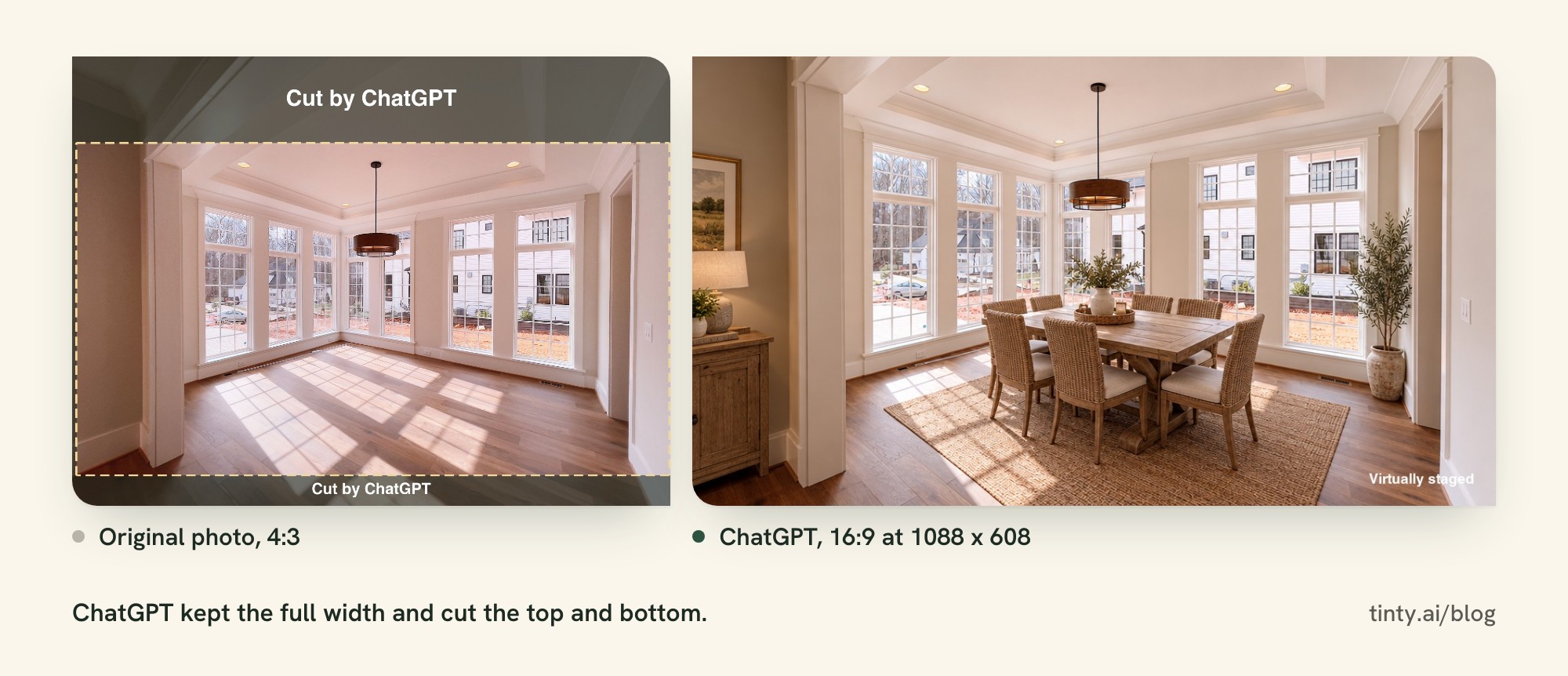
All 7 images came back at 1088 x 608 pixels, a wide 16:9 frame. Our photos were 3:2, plus one 4:3. To fit the wider shape, ChatGPT kept the full width and cut off the top and bottom:
- 3:2 photos: about 15% of the height is gone, mostly ceiling and floor.
- The 4:3 dining room: about a quarter of the height is gone, including the sunlit floor in the foreground.
- One exception: in the modern dining room, it also widened the view a little and painted a strip of new wall with a picture on it.
A smaller picture
Our photos were 3,000 to 7,200 pixels wide, and every result was 1,088 pixels wide. That’s fine on a phone screen. On a laptop, a TV or a printed flyer, it looks soft next to full-size photos. If the picture is only for a mood board or a text to your partner, the size doesn’t matter at all.
Different light
In two rooms, the sun patches on the floor disappeared or moved, and table lamps started to glow. The room looks like a different time of day. That’s a nice mood for a design idea, but it’s not how the room looked when you took the photo.
How to use ChatGPT to design a room
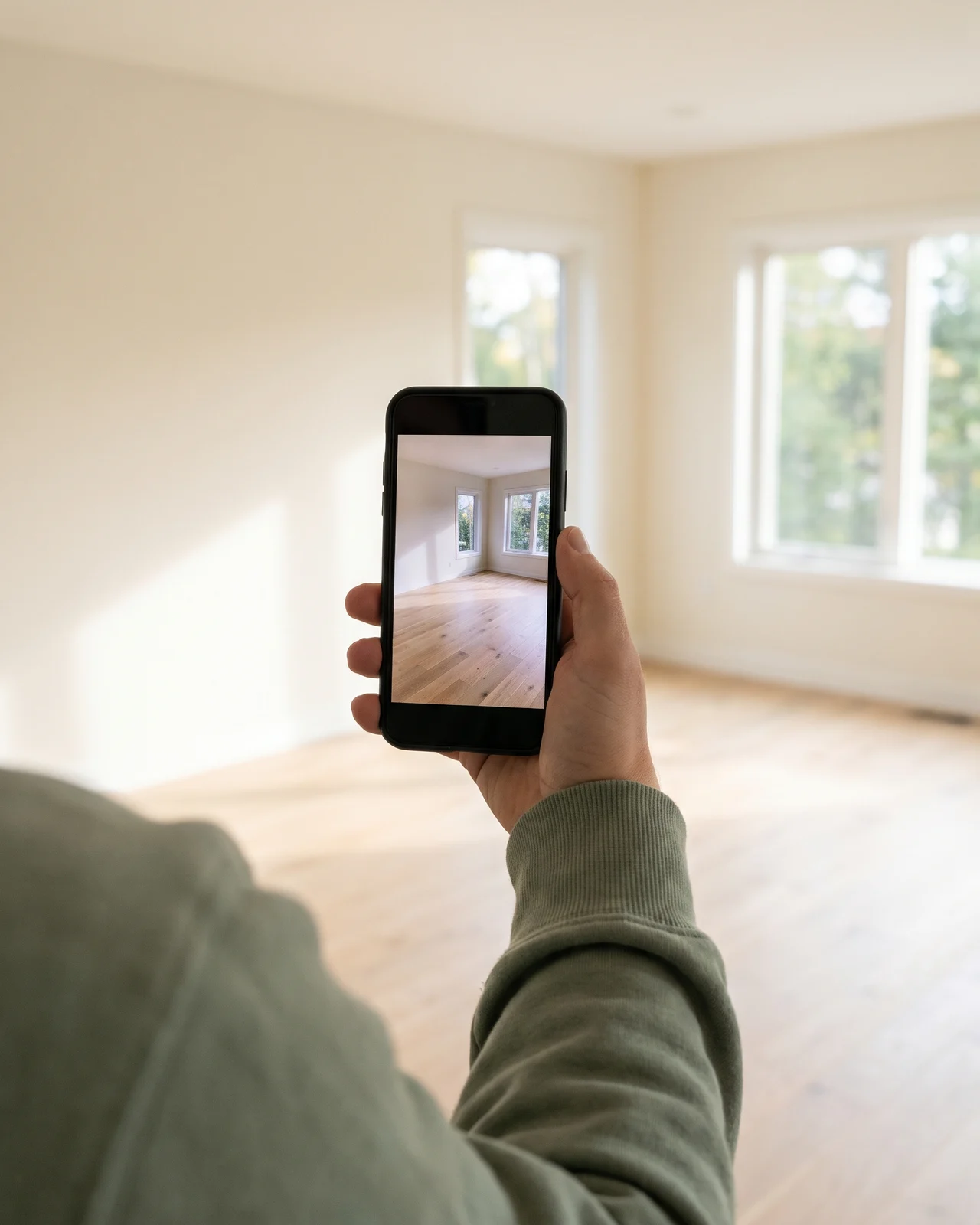
You don’t need a special tool or a plugin. A phone photo and a clear prompt do most of the work.
- Take a good photo. Stand in a corner, hold the phone level at chest height and shoot in daylight. The more of the room ChatGPT sees, the less it has to guess.
- Upload it and say what’s fixed. Name the room, the style, the colors you like and your budget. Then list what must stay: windows, doors, the fireplace, built-ins, the floor.
- Ask for the image. One room per chat works best, so earlier rooms don’t bleed into the new one.
- Fix it in small steps. Ask for one change at a time: “make the sofa smaller,” “swap the rug for a darker one.” Big rewrites tend to change more than you asked.
- Ask for a shopping list. Ask for each piece with rough sizes. ChatGPT can’t see real dimensions in a photo, so measure your room before you buy.
- Compare with the original. Put both photos side by side and check every window, door and outlet.
A CNET headline sums up step 5 well: using ChatGPT to redesign your bedroom is helpful, as long as you measure everything.
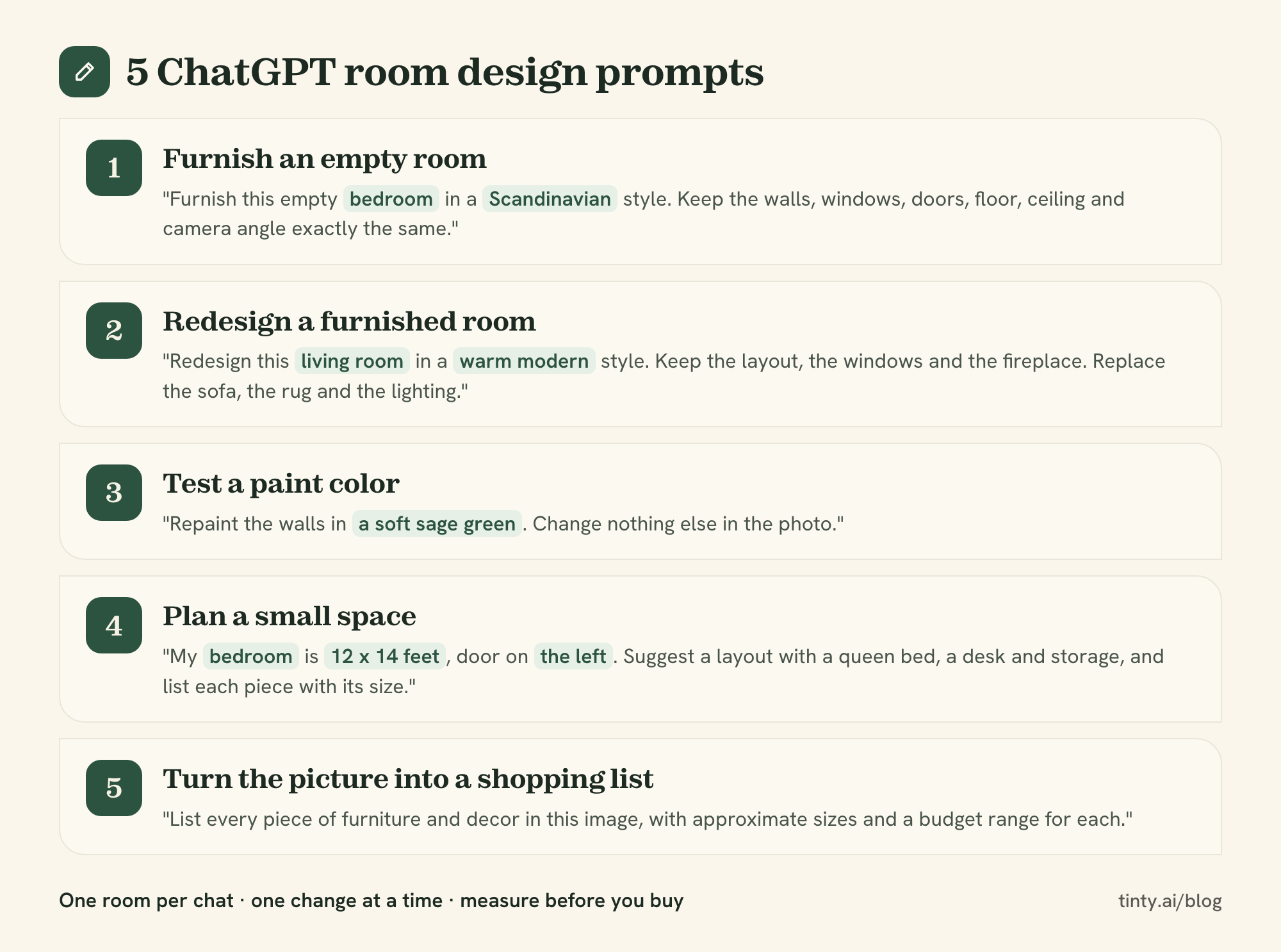
5 ChatGPT room design prompts that work
Copy these, then change the parts in brackets.
- Furnish an empty room: “Furnish this empty [bedroom] in a [Scandinavian] style. Keep the walls, windows, doors, floor, ceiling and camera angle exactly the same.”
- Redesign a furnished room: “Redesign this [living room] in a [warm modern] style. Keep the layout, the windows and the fireplace. Replace the sofa, the rug and the lighting.”
- Test a paint color: “Repaint the walls in [a soft sage green]. Change nothing else in the photo.”
- Plan a small space: “My [bedroom] is [12 x 14 feet], door on [the left]. Suggest a layout with a queen bed, a desk and storage, and list each piece with its size.”
- Turn the picture into a shopping list: “List every piece of furniture and decor in this image, with approximate sizes and a budget range for each.”
Can you use ChatGPT on a listing photo?
You can, but give it a careful check first. A listing photo has to show the real room. Buyers notice when a home doesn’t match its photos, and they don’t like it.
Example: in November 2026, Futurism wrote about a Zillow listing for a run-down cabin in Cheboygan, Michigan, priced at $80,800. The first photos showed a well-kept craftsman-style home, made with AI “concept” images marked as inspiration only. The real cabin came later. Futurism’s headline called the listing preposterous.
That went much further than staging, but the lesson is the same: show the room as it is.
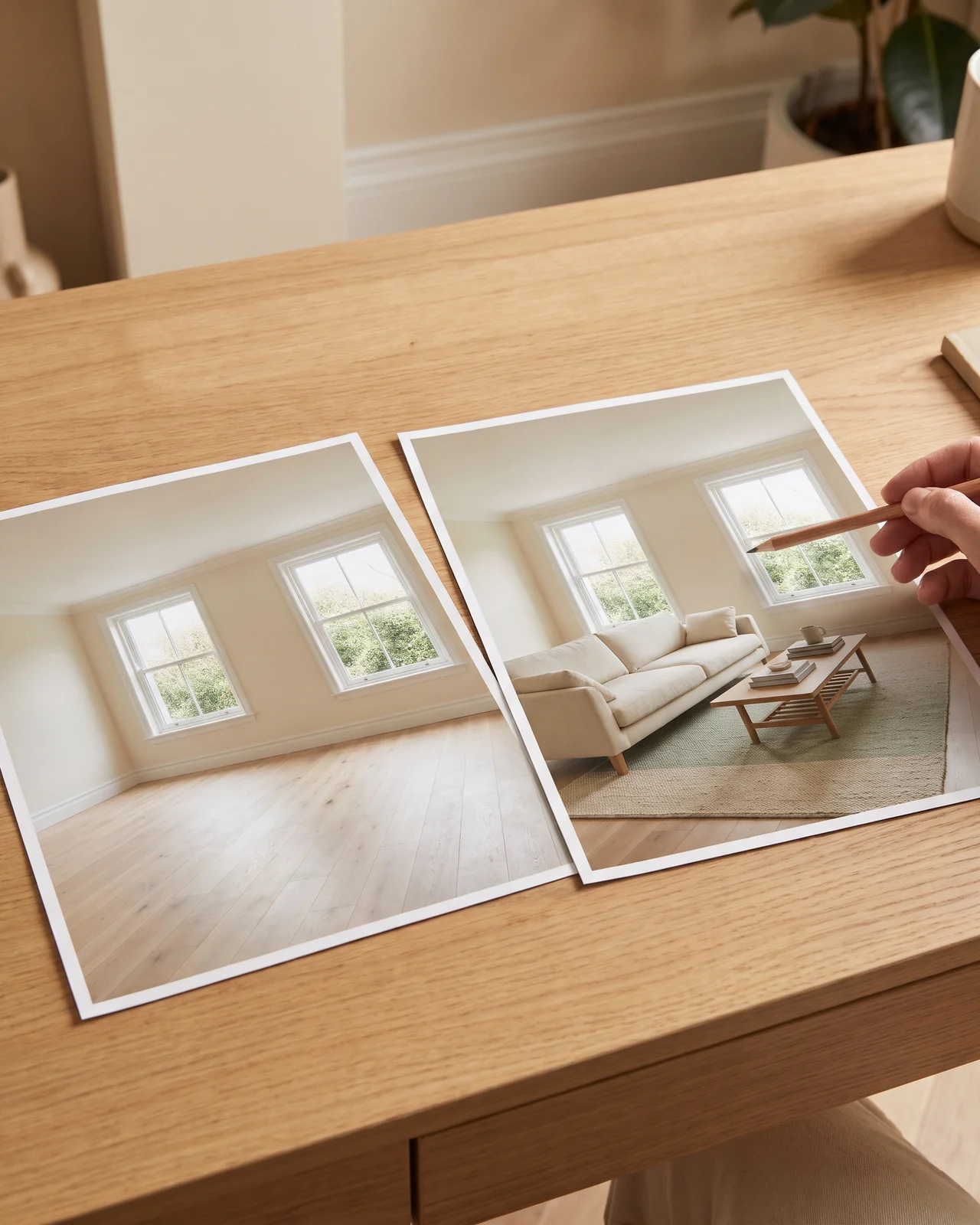
Before you post a ChatGPT image on a listing:
- Check the structure: every window, door, built-in and light fixture should match the original photo. ChatGPT got this right in our test, but it’s an image generator, so check anyway.
- Check the frame: make sure the trimmed ceiling and floor don’t hide something buyers should see.
- Check the size: a 1,088-pixel image looks soft next to full-size listing photos.
- Label it: many MLSs require a “virtually staged” label. California has required a disclosure on digitally altered listing photos since January 1, 2026.
Our guides on what “virtually staged” means and whether virtual staging is legal cover the rules.
4 smart ways agents and sellers can use ChatGPT room design
The listing photo is one job. ChatGPT is great at the jobs around it:
- Show buyers what a room could become: send an idea picture of the awkward bonus room as a home office or a guest room. Mark it as an idea, not a listing photo.
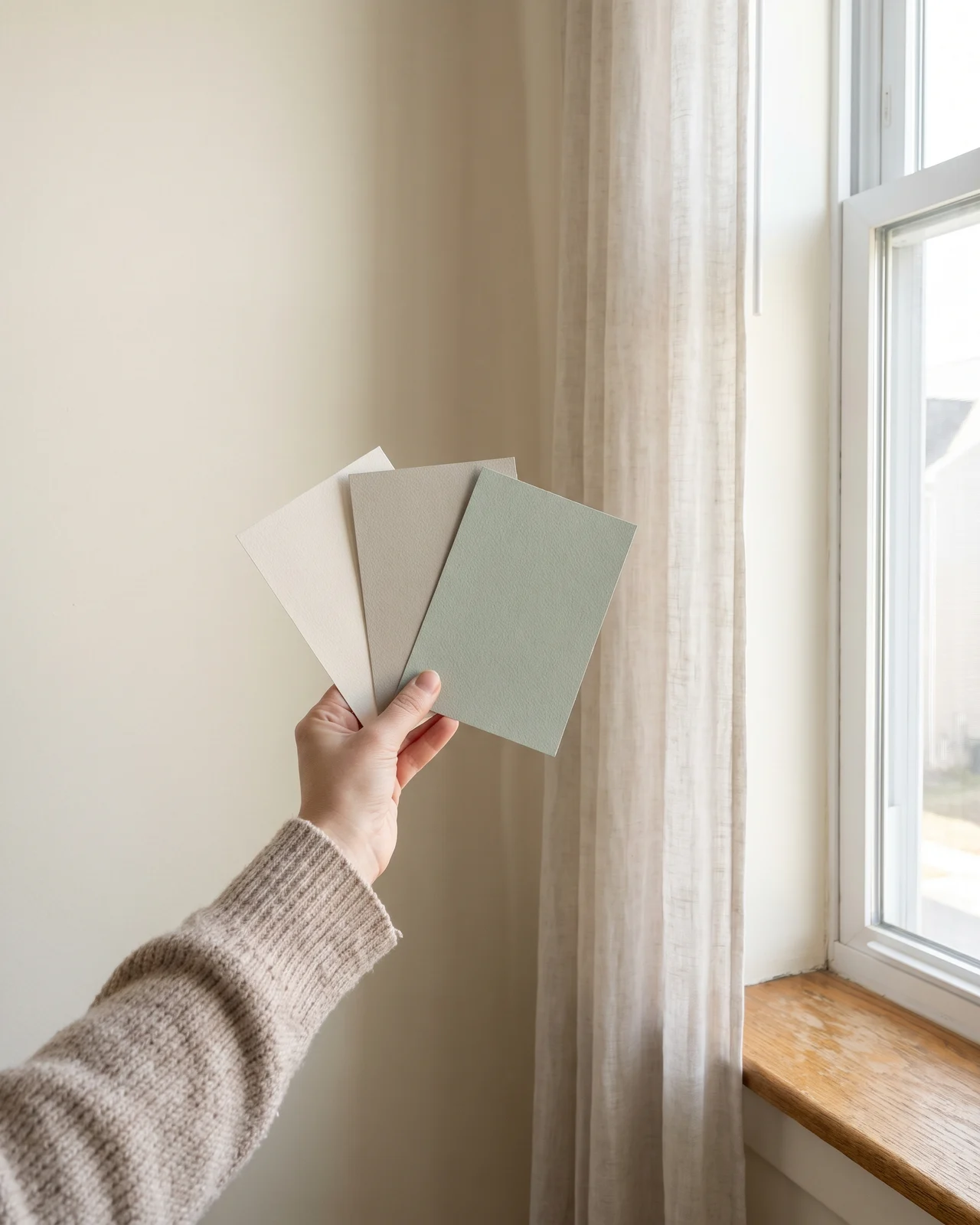
- Pick paint before you list: test two or three neutral wall colors on a photo of the room before anyone buys a gallon.
- Plan real staging: ask for a furniture plan with sizes for the rooms you’ll stage with your own pieces, so you know what to bring.
- Help buyers picture their own style: buyers can upload a room from the listing and try their taste on it. Remind them to measure first.
For more ways agents use the chatbot day to day, see our guide to ChatGPT for real estate agents.
ChatGPT or a virtual staging app?
They’re built for different jobs. ChatGPT is a general image tool that redraws the whole picture. A virtual staging app is built for listing photos: it adds furniture and decor to the photo you upload and leaves the rest alone.
Here’s how the two compared on our rooms:
| ChatGPT (Images 2.5) | TINTY | |
|---|---|---|
| Best for | Ideas for your own home | Listing photos |
| The room | Kept in all 7 rooms | Kept in all 7 rooms |
| The frame | 16:9, ceiling and floor trimmed | 3:2 kept; 4:3 trimmed to 3:2 |
| Image size | 1088 x 608 | 2528 x 1685 |
| Speed and price | About 26 seconds, in every ChatGPT plan | About a minute, 6 free photos, then from $9 a month |
Use ChatGPT when you’re redesigning your own home or testing a paint color. Use a staging app when the photo goes on a listing, where the room has to match what buyers see at the showing.
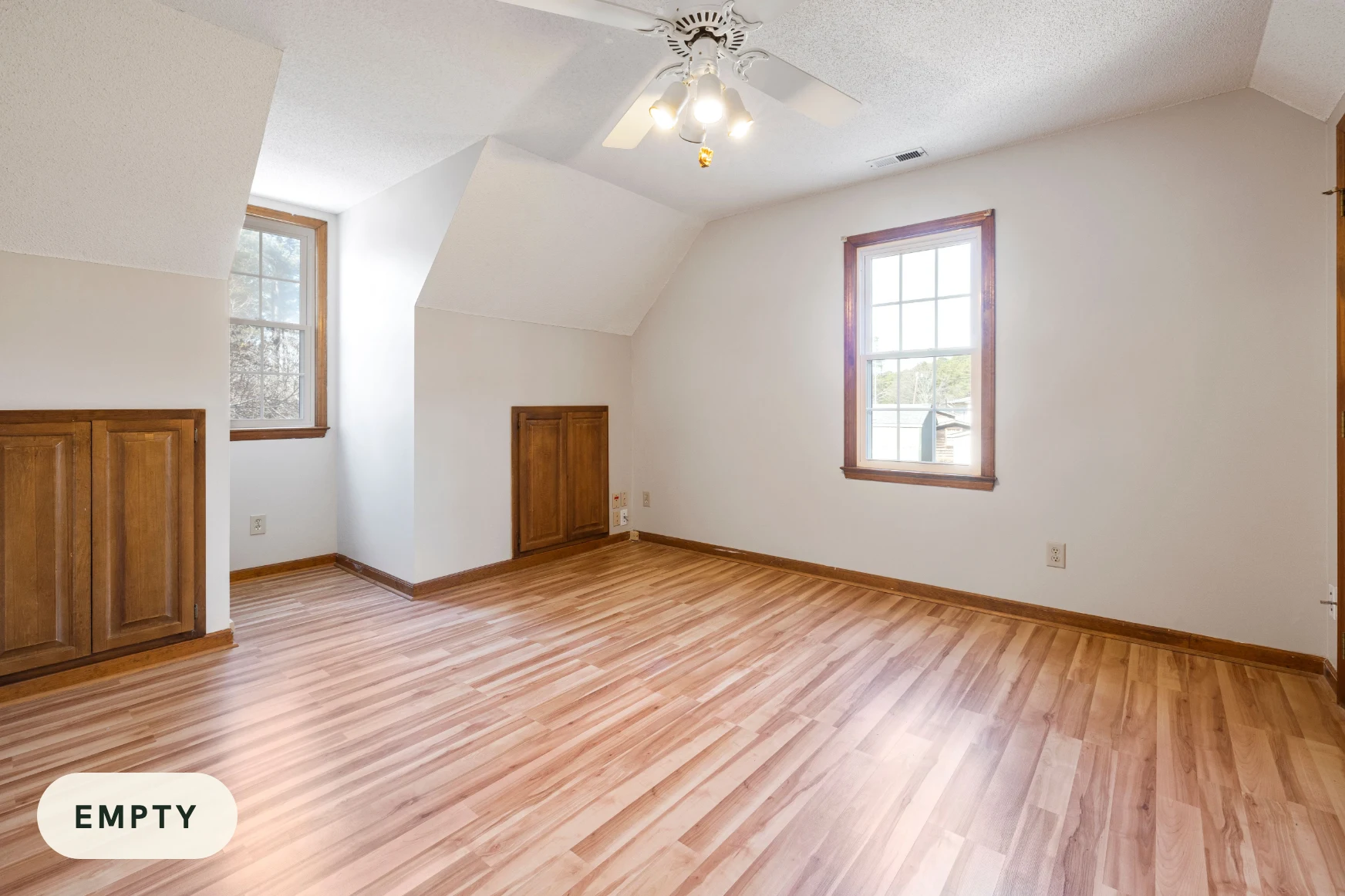
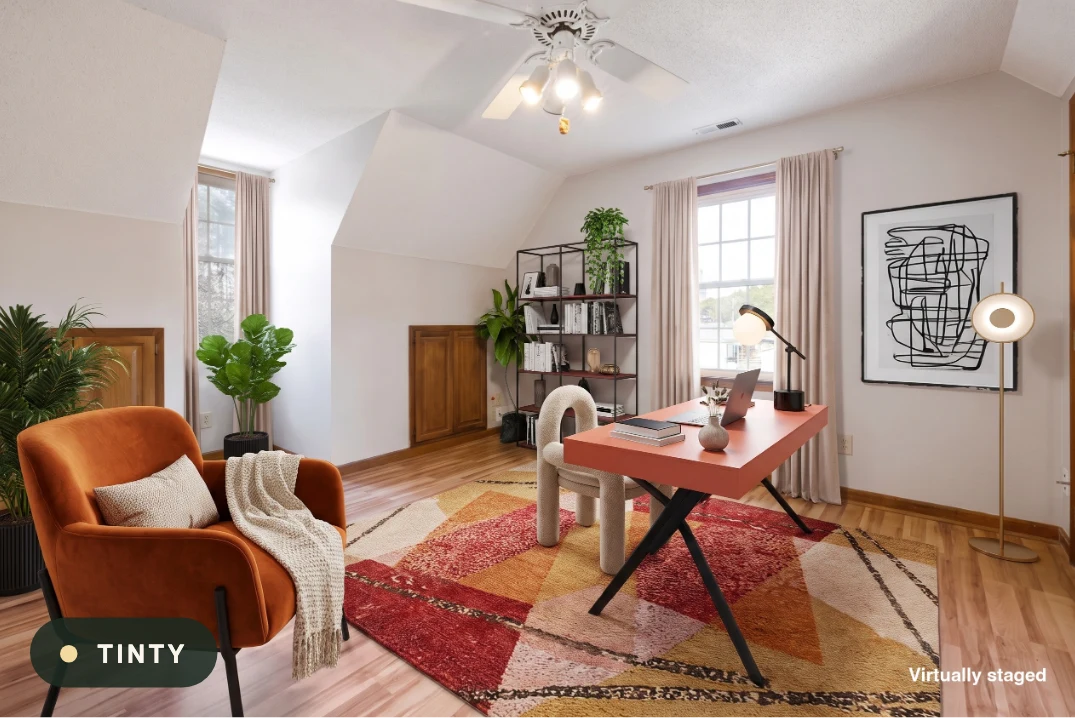
We make TINTY for that second job. In the TINTY app, you upload a photo of an empty room and get it staged in about a minute. The first six photos are free, with a light watermark and no card. Paid plans start at $9 a month for 10 photos, per TINTY’s pricing page.
ChatGPT room design FAQ
Can ChatGPT design a room from a picture?
Yes. Upload a photo, name the room and the style, and ask it to furnish or redesign the room. In our test it kept the walls, windows and doors in all 7 rooms. Check the result against your photo, especially the top and bottom.
Is ChatGPT room design free?
Yes, on any plan. OpenAI says ChatGPT Images 2.5 is rolling out to ChatGPT users across all tiers. How many images you can make depends on your plan. Through the API, our test cost about 4 cents per image.
What’s the best ChatGPT prompt for interior design?
Name the room and the style, then list what must stay the same: walls, windows, doors, floor, ceiling and camera angle. Ask for one change at a time after that. The five prompts above are a good start.
How do I get ChatGPT to keep my room the same?
List the fixed parts in the prompt, ask it to keep the original framing and use one chat per room. Then compare the result with your photo. If something moved, ask it to put that one thing back.
Why did ChatGPT crop my photo?
By default, it returns a wide 16:9 image. If your photo is 3:2 or 4:3, it keeps the full width and trims the top and bottom to fit. Ask for your photo’s shape, or crop the original to 16:9 first so nothing important gets cut.
Can ChatGPT virtually stage a listing photo?
It can, but check every window and door, check what the trimmed frame hides and label the photo as virtually staged. If you stage listings every week, a virtual staging app is built for that job.
Is ChatGPT or Gemini better for interior design?
We tested only ChatGPT here, so we can’t rank the two. Both can furnish a room from a photo. Whatever tool you use, the same checks apply: compare the result with your photo, watch the frame and measure before you buy.
Sources
Show 7 sourcesHide sources
- OpenAI: Introducing ChatGPT Images 2.5 (September 8, 2026)
- fal.ai: GPT Image 2.5 Flare Edit (model, settings and price, checked November 24, 2026)
- CNET: Using ChatGPT to Redesign Your Bedroom Is Helpful, as Long as You Measure Everything
- Futurism: Preposterous Real Estate Listing Uses AI to Turn Dilapidated Murder Cabin Into Beautiful Cottage (November 22, 2026)
- Empty-room photos: Pexels (free license)
- TINTY · TINTY pricing · TINTY Studio
- How to sell your house faster with ChatGPT · ChatGPT for real estate agents · What does “virtually staged” mean? · Is virtual staging legal?