Virtual staging for real estate listings
Furnish empty rooms in your listing photos in about 30 seconds. Previews are free, and you pay only for the photos you keep.
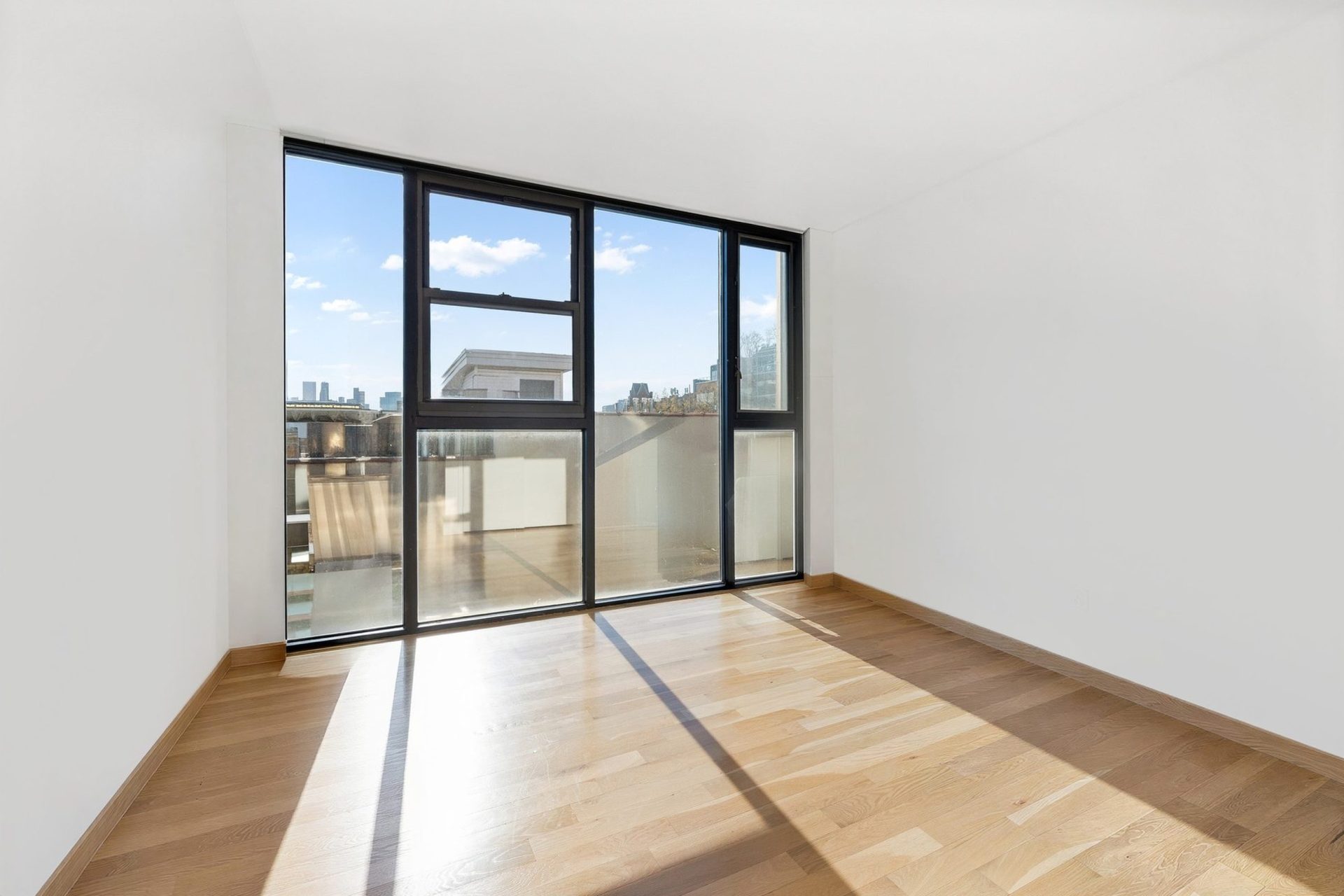
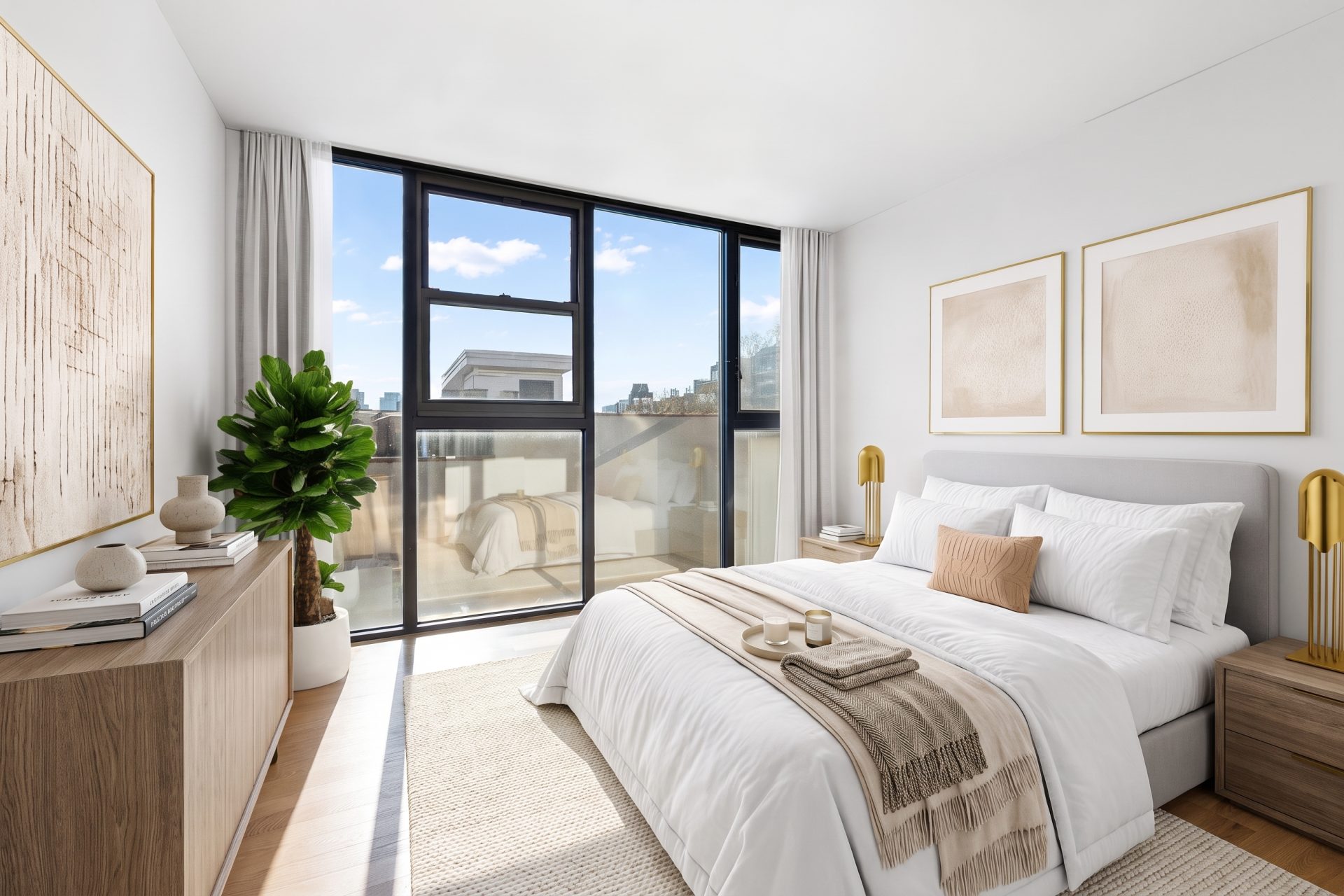
Why empty rooms hurt a listing
An empty room is hard to read in a listing photo. Buyers can’t tell if a queen bed fits or where the sofa goes, and they scroll past.
Virtual staging for real estate fixes this in the photo, not the room. It’s virtual home staging online, so there is nothing to rent, move or return. You can stage a vacant listing the same day you shoot it.
TINTY is a virtual staging AI app built for US real estate photos. Your photos are not used to train AI models.
How virtual staging works for a listing
Upload the empty room
A JPG, PNG or WebP photo up to 10 MB, straight from the shoot.
Set the room and style
Pick from 9 room types and 6 styles, add an accent color, and switch single pieces of furniture on or off.
Pick from free previews
Three variants in about 30 seconds, up to six per photo.
Render and download
Render the keepers as 2K files, about 2,500 px on the long side in a 3:2 frame. That size suits MLS listings, portals and print flyers up to letter size.
Real estate photos before and after virtual staging
Every example is a render left untouched. Each card shows the room, style and accent color.
Virtual staging for realtors, photographers and sellers
Listing agents
Stage a vacant listing before it goes live. Send clients a project link that shows the original next to the staged photo.
Real estate photographers
Offer staging as an add-on to your shoot and deliver it with the edited set.
Sellers listing a vacant home
Selling an empty house yourself? Virtual staging for home sellers works like this: preview the main rooms for free, then render only the photos you will post. Tips for selling a vacant house
What virtual staging costs per listing
Previews are free on every plan. Plans start at $9 a month for 4 finished photos, and a one-time Listing pack gives you 10 finished photos for $29. That works out to $1.32 to $2.90 per finished photo.
For comparison, other AI tools charge from under $1 to about $5 a photo, and human design services charge $14.40 to $70.
All plans and per-photo prices · What 29 virtual staging services charge
Done for you
No time to stage the listing yourself?
TINTY Studio is for busy agents. Email the empty-room photos to hello@tinty.ai with the room type, the style you want and a floor plan if you have one. Our team stages them with TINTY's AI tools and finishes every photo by hand.
In 2 to 24 hours you get a private link with the results. $10 per photo, from 3 photos. See the results first and pay only if you're happy. No account needed.
How TINTY Studio worksWhat AI staging can’t do yet
AI staging for real estate is quick and low-cost on empty rooms. Here is what TINTY can’t do:
- Kitchens, bathrooms, building exteriors or yards. A terrace is the only outdoor room type.
- Decluttering or removing furniture. Start from an empty room.
- Matching furniture across several angles of one room. For multi-angle sets, use TINTY Studio.
- Renovation, day-to-dusk edits or 4K files. Finals are 2K.
AI can still misjudge scale or place a piece oddly. Check every render before it goes on the MLS.
Label staged listing photos. Most MLSs require you to disclose virtually staged photos, and a few states, such as California, have their own rules. In TINTY, you can switch on a “Virtually staged” label for your finished photos. Never use staging to hide defects such as cracks, stains or water damage. Is virtual staging legal?
Virtual staging for real estate: common questions
It is adding furniture and decor to a photo of an empty room, so buyers can see how the space can be used. Some people call it virtual home staging or digital home staging. The room itself does not change. In the listing, label the staged photo as virtually staged.
With TINTY, three previews take about 30 seconds, and you render a final from the one you pick. If you send photos to TINTY Studio instead, you get the results in 2 to 24 hours.
TINTY finals are 2K files, about 2,500 px on the long side in a 3:2 frame. That suits MLS listings and portals. Check your MLS photo limits and add the disclosure your MLS asks for.
You can stage bedrooms, kids rooms, nurseries, living rooms, dining rooms, living-dining rooms, studios, home offices and terraces. Kitchens, bathrooms and exteriors are not supported yet.
For empty rooms it usually is. Furnished photos help buyers judge scale and see what each room is for. It won't help a room that needs repairs, because staging must not hide defects. Our guide to virtual staging explains when it helps.
Yes. Previews are free on every plan, and you can preview up to 3 photos a day without an account. A free account adds 3 finished photos with a light watermark. See what's included in free virtual staging with TINTY.
Try it on your next listing.
Free previews in about 30 seconds, no card.
Stage a photo