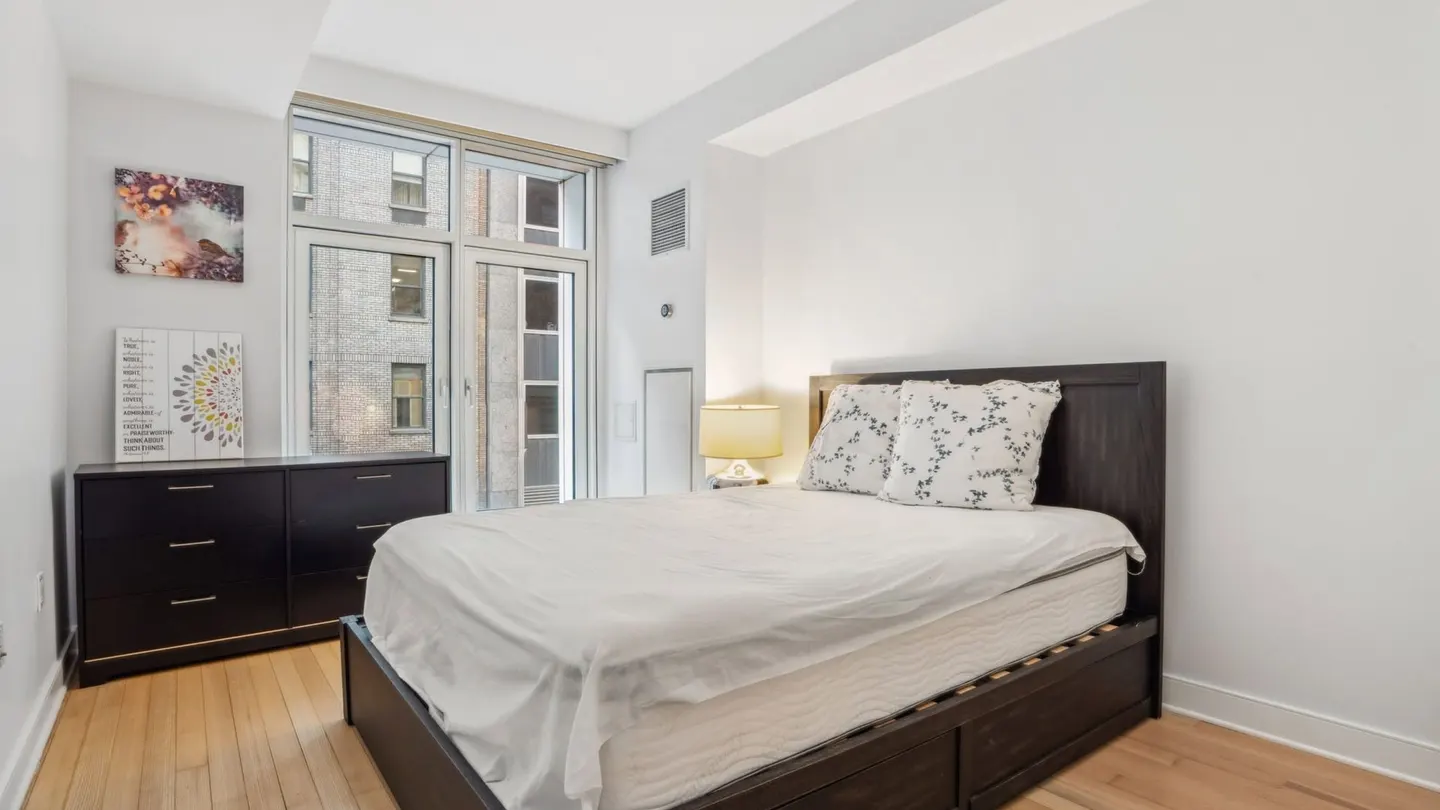
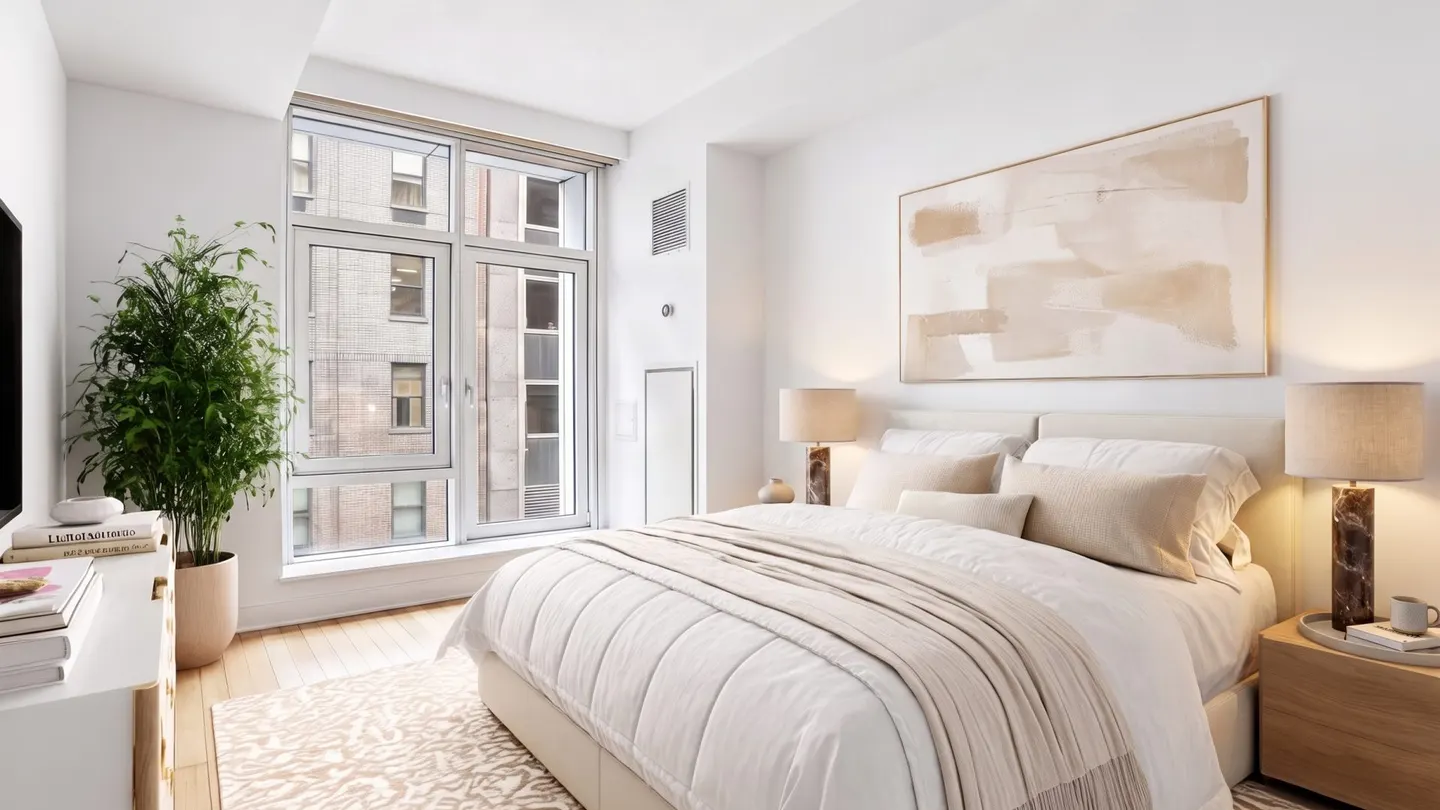
An empty room photographs badly. It looks smaller than it is, and buyers scrolling at thumb speed can’t tell whether a queen bed fits in the second bedroom.
Virtual staging, or virtual home staging, is how real estate agents fix that. They furnish empty rooms in listing photos with software, not a moving truck. In 2026 you can do it in about 30 seconds for a couple of dollars. You can also get it badly wrong and end up hearing from your MLS compliance team.
We build AI virtual staging software at TINTY, so read this knowing we have skin in the game. We’ve still tried to write the guide we’d hand a new agent on our own team: what it costs, where it goes wrong, and what you legally have to disclose.
In this guide
- Definition
- How virtual staging works
- History
- AI virtual staging: wins and failures
- Cost
- Virtual staging vs physical staging
- Does it work? The data
- Legal and disclosure rules
- Pros and cons
- A 7-step checklist
- What’s next
- FAQ
What is virtual staging in real estate?
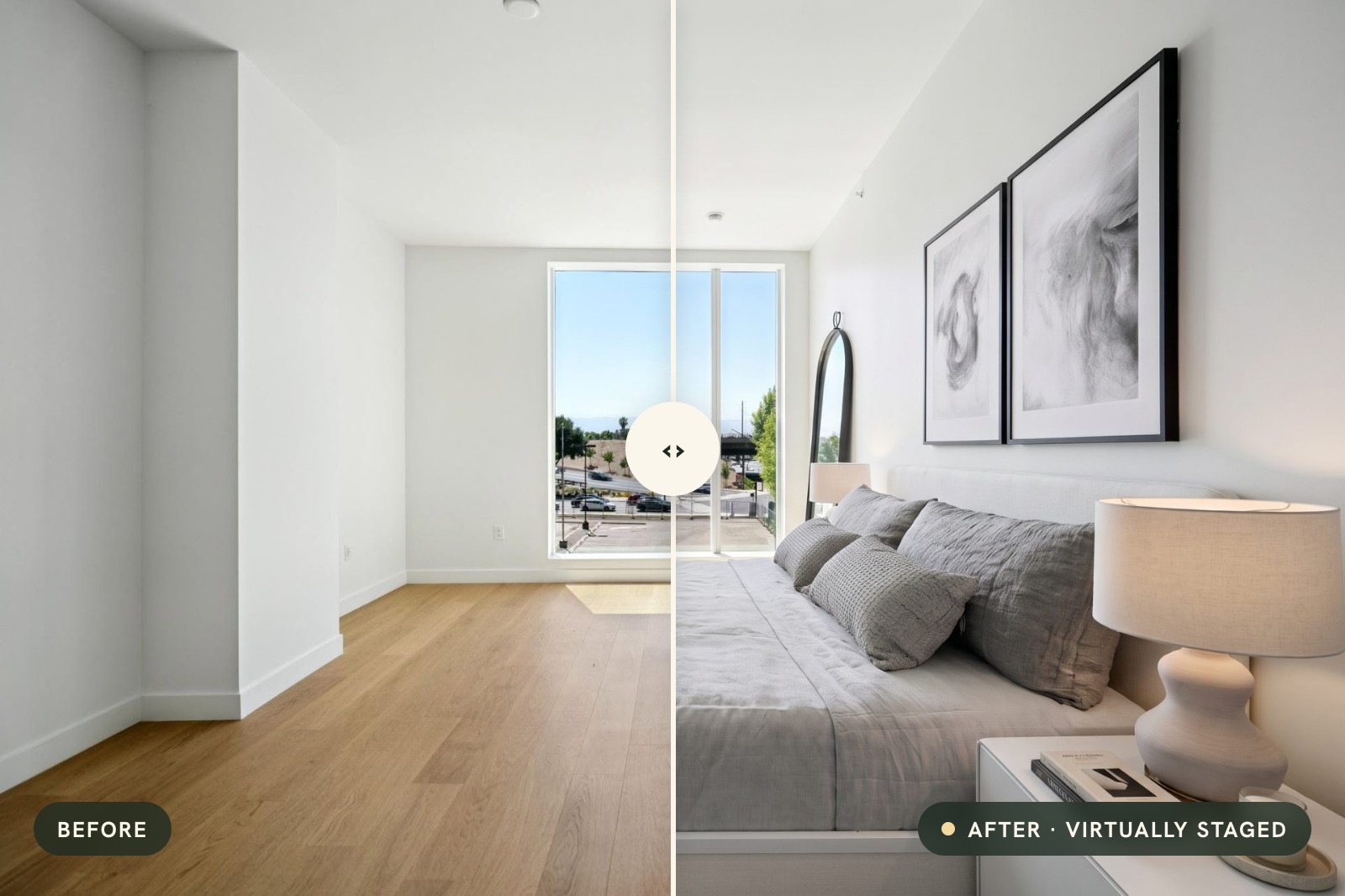
Virtual staging is the practice of adding furniture, rugs, art and decor to a photo of an empty room with software. It shows how a real estate listing could be lived in, though nothing physical changes. MLS rules and some state laws require the marketing image to be labeled.
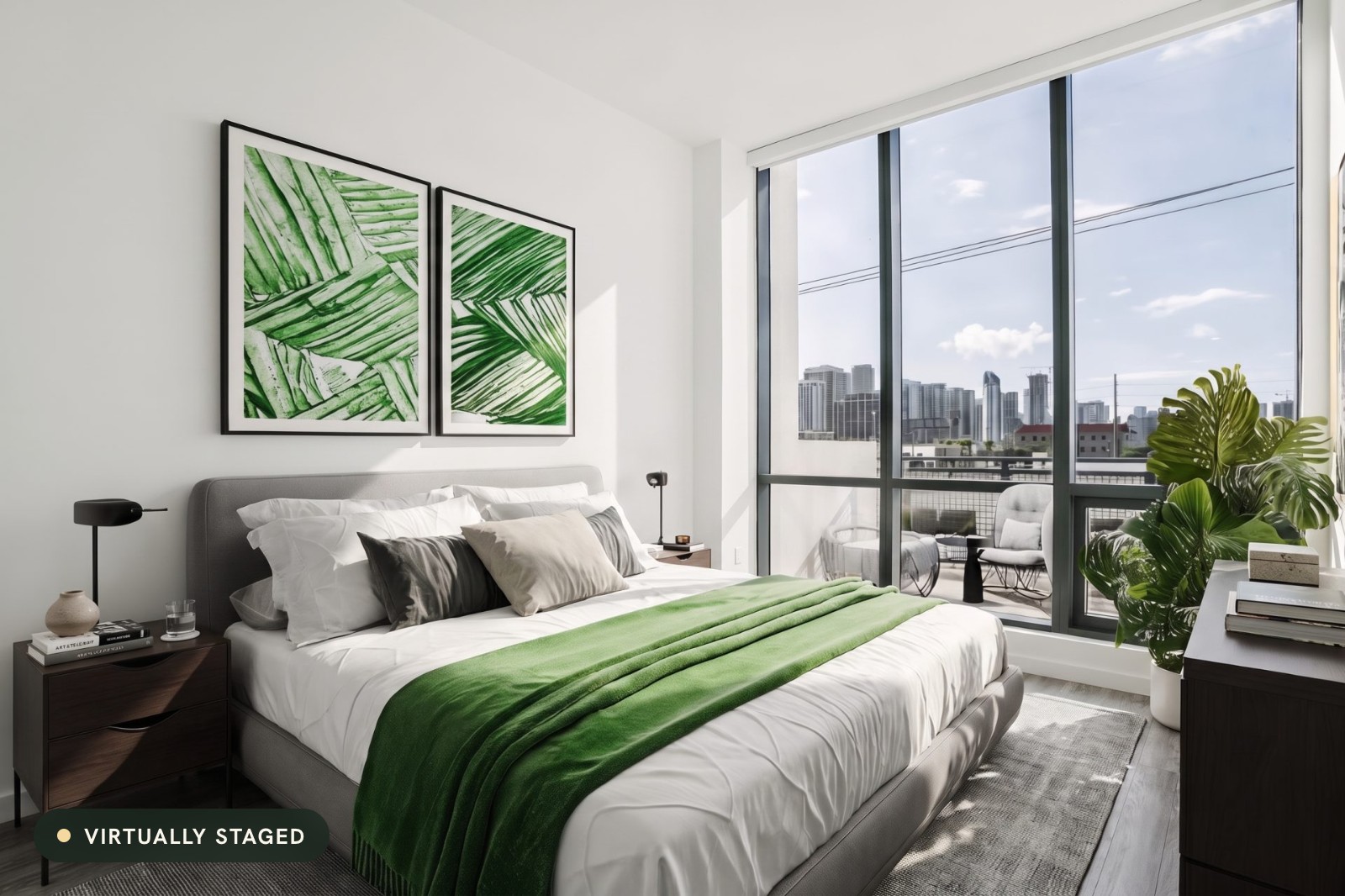
Think of it as physical staging without the truck. Instead of renting a sofa and paying movers, you (or a designer, or an AI model) place the furniture into the listing photo itself.
You’ll also hear virtual home staging, digital staging, 3D staging or AI staging. Same idea, different vendors’ vocabulary. “Virtually staged” is the label MLSs such as CRMLS in California and Stellar in Florida require in the photo description. Those photos then flow out to Zillow, Redfin and Realtor.com.
If you’re a buyer. A photo marked “virtually staged” means the furniture isn’t there. The walls, floors and windows weren’t supposed to change. Look for the unaltered original, which the MLS rules we cite below want placed next to the staged one.
What virtual staging is not
These get lumped in with staging all the time. They shouldn’t be, because MLSs treat them differently.
- Virtual renovation changes the property itself: new flooring, painted cabinets, a knocked-out wall. MLSs treat it more strictly.
- Virtual decluttering (furniture removal) erases what’s already in the room. It’s a separate edit, often paired with staging.
- A virtual tour (Matterport, iGuide, 360° photos) captures the real space. Virtual staging vs virtual tour is really two different jobs.
- Sky replacement and day-to-dusk are photo edits. Sky replacement and changed views count as alterations under California’s law; a pure lighting edit may not.
Plain virtual staging adds movable things that don’t convey with the sale. It’s what this guide is about.
How does virtual staging work? Your 3 options
The workflow looks almost the same everywhere. Upload a photo, pick the room type, choose a style such as Scandinavian or Japandi, and get back staged versions. Who (or what) does the work in the middle is where the options split.

AI self-serve
Most new staging orders probably land here now. We can’t prove that, but one company, Virtual Staging AI, had 4,500 monthly paid subscribers by early 2024 (TechCrunch). You upload in the browser and a model paints in the furniture. Virtual Staging AI advertises a 10- to 15-second turnaround; TINTY’s previews take about 30 seconds.
It’s cheap, often under $3 a photo, and you can regenerate until you like the layout. The catch: you’re the quality inspector. If the model nudges a window frame, you have to notice.
Human virtual staging services
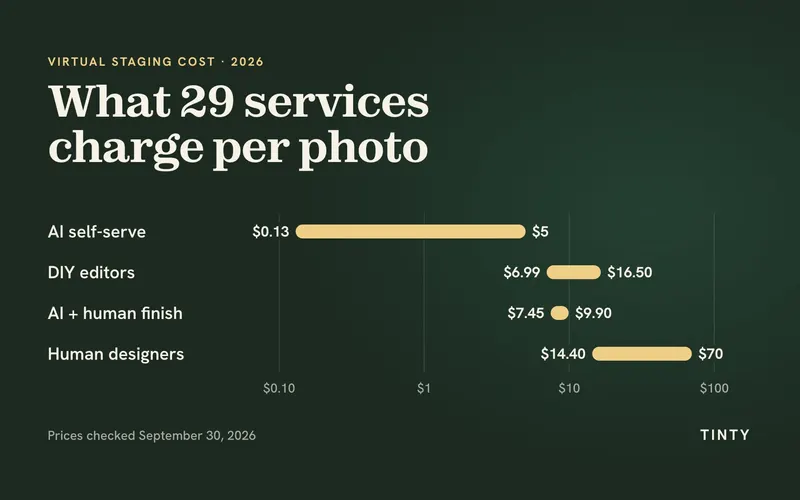
Before 2023 this was the main option, and it’s still alive. You send photos to a company, a designer stages them (often with AI help now), and files come back within a few hours to two business days. Prices on the vendor sites we checked on September 30, 2026 run from $14.40 to $70 per photo, and most charge $23 to $39 for one photo.
You’re paying for judgment. A good designer knows a 10x11 bedroom can’t hold a king bed and two nightstands. A model doesn’t know anything; it guesses.
Hybrid: AI plus a human finish
The third option sits in between. AI does the first pass, then a person fixes warped lines, scale and edges, and checks that the architecture didn’t change. virtualstaging.ai’s done-for-you package, for example, costs $99 for up to 10 photos, delivered in 24 hours.
We think hybrid will grow for a boring reason: liability. Once a law makes you link to the original photo, somebody had better have compared the two.
Where virtual staging fits in real estate photography
Plenty of staging is ordered by listing photographers as an add-on to the shoot. That makes sense, because one thing matters more than which option you pick: the photo you start with. Feed any tool a dark, tilted phone shot and you’ll get back a dark, tilted staged room, just with a sofa in it.
A short history of virtual staging: from 3ds Max to AI
Nobody can credibly claim to have invented virtual staging. Several companies call themselves “the first,” and we couldn’t verify any of those claims. What we can document is how the work got done and what it cost.
The CGI studio era (roughly 2009 to 2015)
Photo-based staging services show up in the US around 2009, when the housing crash left homes sitting empty. A RISMedia item from April 2009 announced the launch of Virtually Staging Properties. Virtual Staging Solutions dates itself to January 2009. By July 2012 Fox News was calling it “the new wave in home selling.”
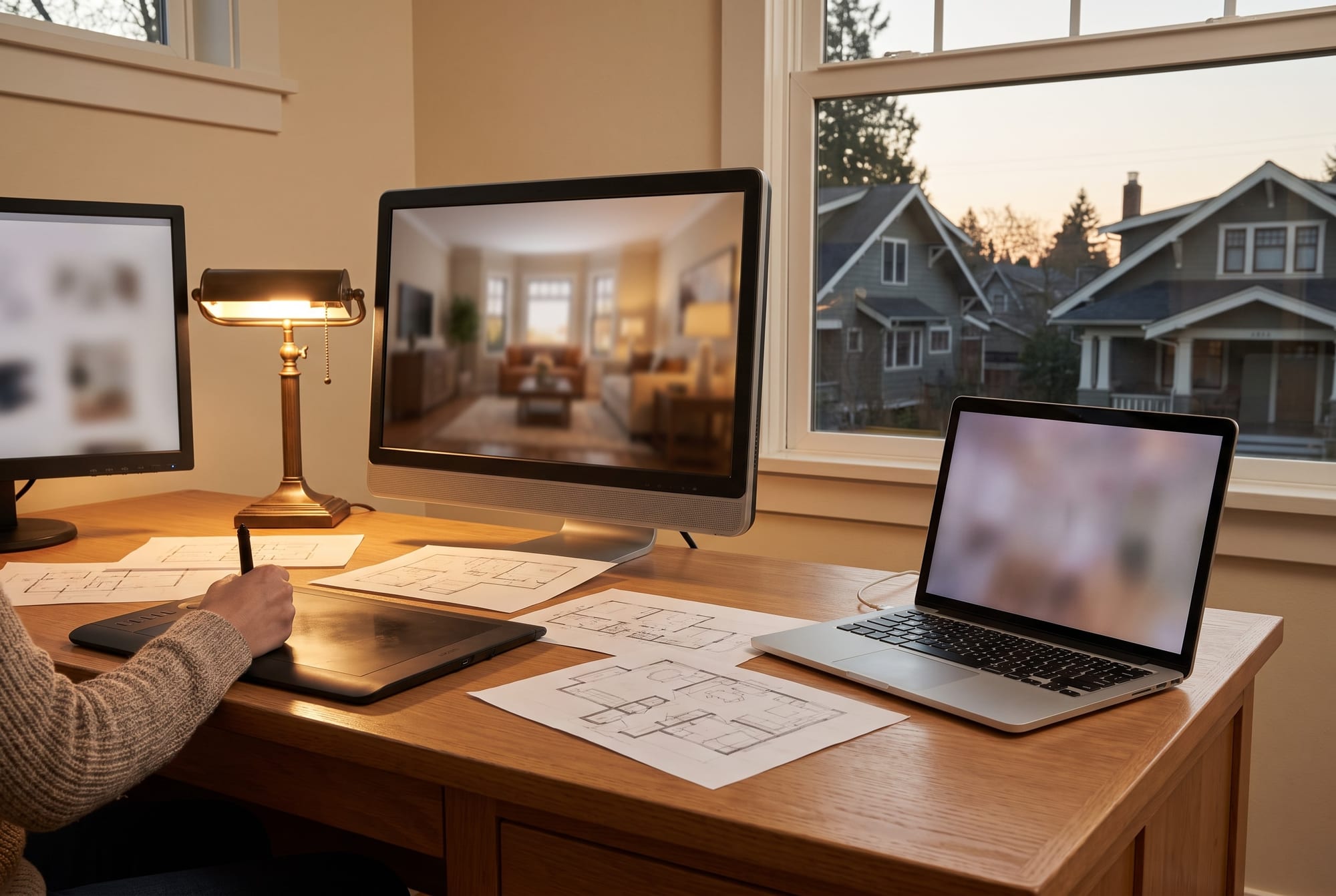
The tools were the ones architects used for visualization. An artist loaded the empty-room photo into Autodesk 3ds Max and matched the virtual camera to the real lens. In went furniture bought from libraries like Evermotion or TurboSquid. The artist rebuilt the window light in V-Ray or Corona and hit render.
Then they waited.
A full-resolution frame could take 30 minutes to a couple of hours, and a retoucher still had to blend it into the photo in Photoshop. One 3ds Max staging tutorial puts the whole job at 4 to 8 hours per room for someone with intermediate skills (a practitioner’s estimate).
The cheaper route was cutting out photos of real furniture and compositing them by hand. DIY software existed too, and it still does: with VisualStager you drag catalog furniture into your own photo in the browser and pay about $7 to $16.50 a photo in prepaid credits. Studio prices are patchy; the 2012 Fox piece quotes $225 to $325 without saying per what.
The outsourced-service era (roughly 2016 to 2022)
Then the work got industrialized, with remote design teams and web order forms. Several companies from that era still sell staging by the photo. Here’s what they charge today, checked on their own sites on September 30, 2026:
- BoxBrownie, an Australian company launched in 2014, charges US$24 per image with 48-hour delivery. That’s down from US$32 before a 2021 price cut.
- Styldod charges $23 per photo, or $16 each for eight or more, delivered in 24 to 48 hours.
- VirtualStaging.com was founded in 2019 as VS24. It charges $24 a photo, with a $19.20 multi-room rate and $14.40 each on a 20-photo order, a 24-hour standard turnaround and free 4-to-8-hour rush on weekday orders.
- Virtually Staging Properties stayed boutique: $39 to $60 per photo, in about two business days.
Every revision was, and still is, another artist pass and another day. Most of these services now charge about $16 to $24 a photo; the boutique still asks $39 to $60.
The AI era (2023 onward)
Stable Diffusion went public in August 2022, and version 2.0 added depth-guided generation that November. Then the ControlNet paper in February 2023 showed how to lock a generated image to a photo’s edges and depth. Now you could add a sofa without redrawing the walls. Dozens of AI interior tools showed up in 2023, with no clear first. The dates we could pin to a source:
- 2023: Virtual Staging AI was co-founded by Michael Bonacina and Mikhail Andreev. They built the first version as students at Harvard Innovation Labs, according to Zillow and Brown Rudnick. By February 2024 TechCrunch counted 4,500 monthly paid subscribers and a cheapest plan of $12 a month for six photos. Today that six-photo plan is $25 a month, or $16 a month billed yearly.
- October 2024: Zillow acquired Virtual Staging AI. Its Q3 2024 shareholder letter described the technology as creating “digitally staged listing images in seconds.”
- January 2025: CRMLS, with more than 103,000 users, rolled out REimagineHome’s AI staging to members with 30 free credits a month.
- September 10, 2025: Zillow put AI virtual staging in the hands of buyers on Showcase listings.
- January 1, 2026: California’s AB 723 disclosure law took effect.
Three eras side by side
| CGI studio era (c. 2009-2015) | Outsourced services (c. 2016-2022) | AI era (2023 onward) | |
|---|---|---|---|
| Cost per photo today | $39-$60 at a boutique studio (Virtually Staging Properties) | About $14.40-$29 (Styldod $16-$23, VirtualStaging.com $14.40-$24, BoxBrownie US$24, VRX $29) | Under $1 to about $5 on AI plans |
| Turnaround | Days; hours of artist time per room | Next business day to 48 hours; 4-8 hour rush at VirtualStaging.com | Seconds to a few minutes |
| Typical realism problems | Perspective or scale mismatch, lighting that ignores the windows, a plasticky “3D look” | Same stock sofa in every listing, flat shadows | Altered windows or walls, wrong scale, smeared edges, furniture that changes between angles |
The era boundaries are our approximations. For the longer story, see our history of home staging and AI virtual staging.
How AI virtual staging helps agents in 2026 (and where it fails)
AI staging, or AI virtual staging, uses a generative model trained on millions of images. It has learned what furniture looks like and how light falls on it. Minus the math: the tool maps which pixels are floor, wall, window and door. The model paints only on open floor, guided by a depth map and edge outline from your photo. That’s why the sofa usually sits on the floor instead of floating, and why the window usually stays where it was. Usually.

The obvious win is speed. With a 48-hour service you had to order staging before the listing went live. With AI you can stage the night before, or on day 21 when the listing has gone quiet. The staged living room is often the hero photo and search thumbnail, so swapping it cheaply matters.
Cheap variants are the less obvious win. Stage the living room three ways and rotate them in social ads to see which gets more saves. We haven’t seen a controlled study on the lift, so treat it as an experiment.
You can also stage for a buyer: a desk in the second bedroom near a university, a guest room in a retiree-heavy suburb. Zillow built seven styles into its buyer-side tool, so it clearly expects shoppers to want choices.
Vacant rentals, spec homes and flips are the easiest wins. There’s nothing to remove, so property managers and builders are natural users. Occupied homes need furniture removal first. Plenty of tools do that. TINTY doesn’t yet.
Where AI still fails
Now the failures.
- Architecture drifts. If the mask is loose or the structure isn’t locked, the model may widen a window, “improve” the view, drop a radiator or smooth over an outlet. New York’s Department of State tells buyers to watch for “inconsistent window views.” Some edits are deliberate, of course. Coraly, a vendor, studied about 40,000 listing photos from early 2026. In that study, 69% of altered images involved sky replacement, as reported by Real Estate News.
- The scale is wrong. A photo has no measurements, so the model guesses depth. Stellar MLS in Florida bans using small furniture to make a room look larger, and it’s just as misleading when an AI does it by accident.
- Edges melt. Chair legs, rug edges, a glass coffee table: fine detail blurs, merges or warps.
- Objects appear that nobody asked for. Inpainting models can insert unwanted objects and shift colors so edges look smeared.
- Angles don’t match. Stage the living room from two corners separately and you might get a grey sectional in one shot and a leather sofa in the next. Several vendors now sell multi-angle staging. But ListingAI has written candidly that its own prototype didn’t pass often enough to ship.
Each of those is also a disclosure problem. Someone has to hold the staged version next to the original before it goes to the MLS. That can be you.
General AI tools vs dedicated virtual staging software
Can you just ask ChatGPT or Gemini to furnish the room? Sometimes. Google’s Gemini 2.5 Flash Image (“Nano Banana”) launched in August 2025 at $0.039 per image and lists room restyling as a use case. OpenAI’s gpt-image-1 API cost roughly 2 to 19 cents a square image at launch, depending on quality, per DeepLearning.AI.
The difference is the wrapper. General models tend to regenerate the whole frame unless you mask carefully, and nothing guarantees the window stays put. Dedicated tools add room mapping, structure locks and listing-sized output.
Nano Banana is great for a mood board. We wouldn’t send its output to an MLS without checking every window.
What you’ll pay for virtual staging
From vendors’ pricing pages, checked September 30, 2026:
- AI self-serve: under $1 to about $5 per photo. The low end needs a big plan used in full.
- AI plus a human finish: $7.45 to $9.90 per photo.
- Human design services: $14.40 to $70 per photo, though most charge $23 to $39 for one photo.
- Physical staging, for comparison: a median of $1,500 with a staging service, and $500 when the seller’s agent staged the home personally (NAR 2025).

Many listings stage four or five rooms; one boutique service says it averages 4 to 5 staged photos per order. Five photos at VirtualStaging.com’s $24 list price comes to $120. On an AI plan the same five usually cost $12 to $50, because you buy a whole plan or pack, not single photos. Our virtual staging cost guide breaks this down for 29 services.
Five examples, from AI to a design service
| Vendor | Type | Entry price | Approx. cost per staged photo | Free option | Turnaround (as stated) |
|---|---|---|---|---|---|
| TINTY (us) | AI | $9/mo (4 photos) or $29 one-time pack (10 photos) | $1.32-$2.90 | 3 watermarked finished photos + free previews, no card | ~30 s previews |
| Virtual Staging AI (Zillow) | AI | $25/mo monthly, or $16/mo billed yearly (6 photos) | $0.40-$4.17 | No free plan; free test upload on the homepage (bedroom or living room, no sign-up) | 10-15 s |
| Apply Design | DIY editor (AI auto-staging + 3D editor) | $10 per coin (1-1.5 coins per photo) | $7-$15 | First image free | ~10 min auto |
| Styldod | Human | $23/photo (under 8 photos) | $16-$23 | First image free | 24-48 h |
| VirtualStaging.com | Human | $24/photo | $14.40-$24 | First photo free | 24 h; free 4-8 h rush on weekday orders |
Prices checked September 30, 2026. Our full comparison of 29 services adds per-listing budgets, yearly costs and hidden fees.
Virtual staging vs physical staging

Physical staging still wins at the showing. It’s also slower and far more expensive.
| Virtual staging | Physical staging | |
|---|---|---|
| Typical cost | Under $1 to $70 per photo; about $9 to $500 per listing | $1,500 median with a staging service; $500 median when the agent stages (NAR 2025) |
| Time to ready | Seconds (AI) to 1-2 days (human) | Days to weeks to schedule, deliver and set up |
| Helps at showings | No. The rooms are still empty in person | Yes |
| Occupied homes | Needs furniture removal first | Works around or replaces existing furniture |
| Disclosure | Required by MLS rules and California law; expected under NAR’s “true picture” rule | Not needed |
| Main risk | Misleading buyers if it misrepresents the space | Cost if the home sits |
A common compromise: physically stage the living room and primary bedroom, and virtually stage the rest. Those are the two rooms buyers care about most in NAR’s data. If we had a $1,500 staging budget and a four-bed house, that’s roughly what we’d do.
Does virtual staging work? What the 2025 data says
You’ve probably seen “staged homes sell 73% faster.” It’s in half the staging blogs on the internet. We couldn’t find a study behind it.
The best primary data on virtual staging in real estate is indirect. It’s the National Association of Realtors’ 2025 Profile of Home Staging, released in May 2025. It’s about staging in general, not virtual staging specifically, and it measures agents’ opinions, not sale prices. With those caveats, here’s what it found, per NAR’s release:
- 83% of buyers’ agents said staging made it easier for a buyer to picture the property as their future home.
- 29% of agents said staging their sellers’ homes led to a 1% to 10% increase in the dollar value offered.
- 49% of sellers’ agents said staging reduced time on market.
- The rooms that matter most to buyers: living room (37%), primary bedroom (34%) and kitchen (23%).
- On virtual staging specifically, 34% of sellers’ agents considered it less important than physical staging to their clients. Another 24% felt it was equally important.

The survey drew 1,266 responses from a random sample of Realtors (margin of error ±2.75%). Our read: staging helps buyers imagine the space, and a minority of agents see it in offers and days on market. Nothing here proves virtual staging adds a dollar amount. Anyone quoting a precise percentage should show you the study.
Where the “73% faster” stat comes from
The Real Estate Staging Association is a stagers’ trade group. On its history page, it says a study of 4,600 staged homes found 73% sold over list price. They also sold 9 days faster than average. Somewhere along the way “73% over list” became “73% faster.” We’d leave it out of your listing presentation.
The “81% of buyers” line has a similar problem: NAR’s 2023 figure (81%) was also a share of agents, not buyers. The 2025 number is 83%.
Is virtual staging legal? Disclosure basics
Yes, virtual staging is legal everywhere in the US that we know of. Misleading buyers with it is not. The rules come in layers, and they stack.
NAR Code of Ethics, Article 12
If you’re a Realtor (an NAR member), Article 12 says you “shall present a true picture” in your advertising and marketing. Standard of Practice 12-10 extends that to images and prohibits “misleading consumers, including use of misleading images.”
The Code never mentions virtual staging or AI by name; disclosure is how you apply the true-picture rule. (Some blogs cite Standard of Practice 12-5 as a photo rule. It’s about showing your firm’s name in ads.)
State laws: California AB 723, with Wisconsin next
California went further. Assembly Bill 723 was signed on October 10, 2025, and has been in effect since January 1, 2026 (some vendor guides still say 2025, which is wrong). It adds Section 10140.8 to the Business and Professions Code. The core requirements:
- It covers brokers, salespeople and anyone acting for them, including your photographer and staging vendor.
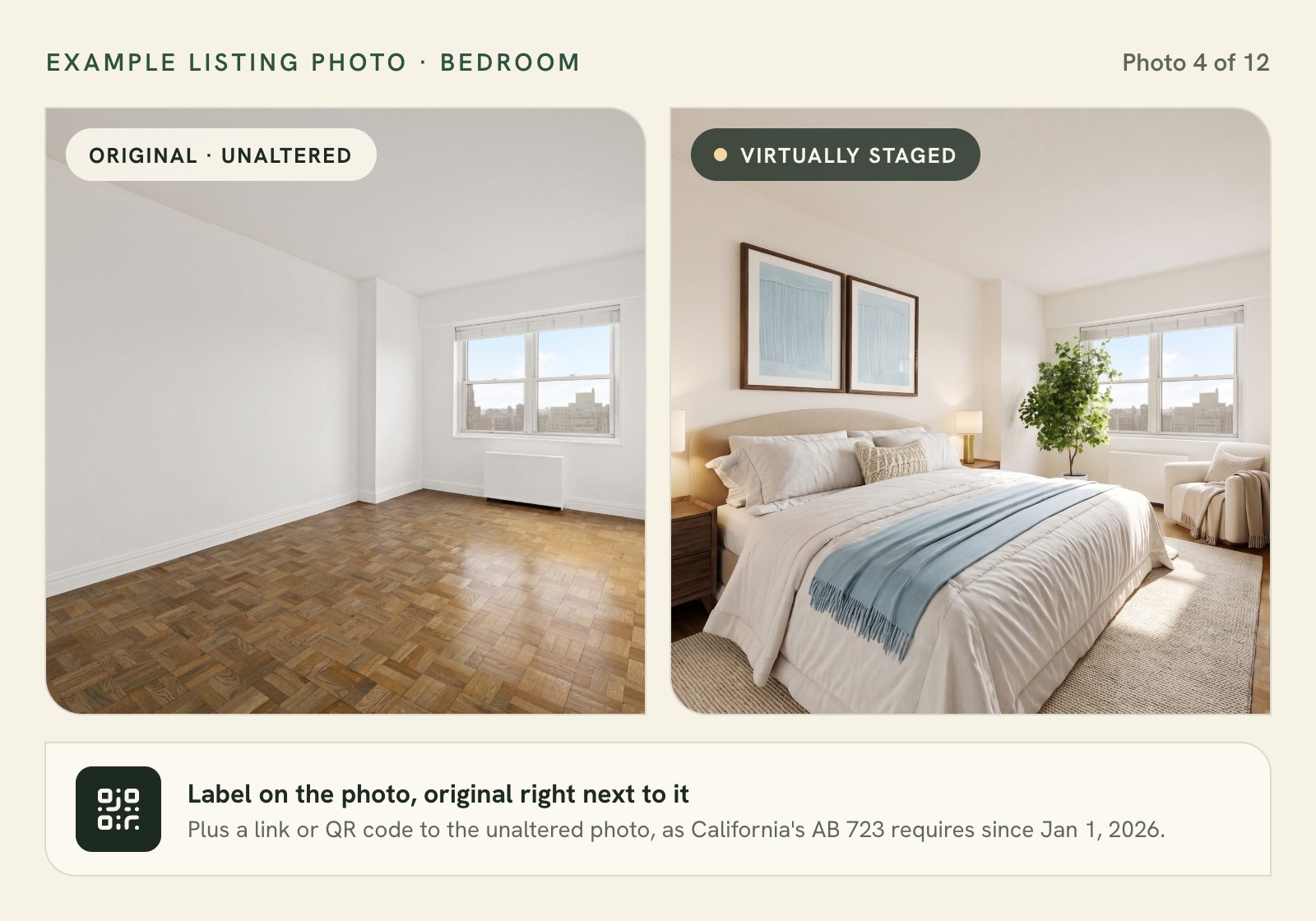
- Any sale ad using a digitally altered image needs a reasonably conspicuous statement, on or next to the image. It also needs a link, URL or QR code to a public page showing the unaltered original.
- “Digitally altered” explicitly includes using software or artificial intelligence to add, remove or change furniture, fixtures, flooring, paint, views and more. Virtual staging is covered. No wiggle room.
- Routine edits such as brightness, color correction, cropping and straightening are excluded if they don’t change how the property is represented.
The law sets no fine of its own. Under California’s Real Estate Law, a willful violation is a misdemeanor, and the DRE can issue citations with fines up to $2,500. The “$250 fine” you may have read about is actually an MLS penalty (see below).
Wisconsin is next. 2025 Wisconsin Act 69 requires licensees to disclose when technology, including AI, materially alters how a property is shown in marketing images. It takes effect January 1, 2027, per HousingWire and Real Estate News.
MLS rules
There’s no single national MLS rule, which trips people up. Three examples:
- CRMLS (California) Rule 11.5.2: put the original immediately before or after the altered photo. Label the altered one “virtually staged” or similar in the photo description. Don’t change real parts of the property. First a warning, then a $250 fine if it isn’t fixed.
- Bright MLS (Mid-Atlantic), image policy dated February 2024: virtual staging must be disclosed. Adding furniture is fine. Adding or removing things outside the owner’s control (a view, power lines, a highway) is not.
- Stellar MLS (Florida), Article 04.04 of its Rules: write “Virtually staged” in the photo description, and start the public remarks with “One or more photo(s) was virtually staged.” No virtual staging of exteriors beyond loose furniture, and none on pre-construction or under-construction listings.
Notice what’s missing: none of these three requires a watermark, despite what some vendor blogs say. Check your MLS’s current version before you upload. We’d rather see a clear label with the original next to it than a watermark across the sofa anyway. Watermarks get cropped out on social.
Here’s the kind of line you could paste into your remarks. It’s an example, not legal wording, and your MLS’s required text wins:
Photos 2, 4 and 6 are virtually staged. The unstaged original follows each one.
Outside the US, briefly
New South Wales’ Parliament passed a law in September 2026 requiring disclosure of altered or AI-generated images in rental ads. Businesses face fines up to A$22,000. It’s expected to start in early 2027. The UK has no staging-specific law that we found.
None of this is legal advice. Your broker and your MLS have the final word.
Pros and cons of virtual staging (and when to skip it)
The virtual staging benefits and drawbacks, side by side:
| Pros | Cons |
|---|---|
| Costs a few dollars to a few hundred per listing, vs a $1,500 median for physical staging | Does nothing for the in-person showing |
| AI results in seconds; human services in 24-48 h | Must be labeled; California and MLS rules add steps |
| Cheap to make style variants for ads and social | AI can alter windows, views and fixtures |
| No movers, no monthly furniture rental | Scale can be wrong, which misleads buyers |
| Works on stale listings without a reshoot | Occupied homes need furniture removal first |
| Shows a purpose for an odd room (office, nursery) | Photos that oversell can disappoint at the showing |
It makes sense for vacant homes where rooms read as small or confusing on camera, like a narrow living room with no obvious sofa wall. Condos, rentals and new construction are good fits too.
Now the times to skip it. Don’t stage over damage. A sofa parked over a stained carpet is concealment, and MLSs such as Stellar explicitly prohibit it.
Don’t shrink furniture to make a room fit, either: if only a daybed fits, show a daybed. For luxury listings we’d lean physical, because those buyers are paying attention to the walkthrough.
Be honest about what your tool can’t do. TINTY doesn’t stage kitchens, bathrooms or exteriors yet. That’s awkward for us, since NAR puts the kitchen third among the rooms buyers care about. For those rooms, use another tool or a human service.
And remember the showing.
Staging that disappoints in person costs you at the door.
How to get started: a 7-step checklist
Say it’s a vacant two-bed condo in Phoenix going live next week (an illustrative example, not a real client).
- Pick the rooms. Start with the living room and primary bedroom, the two rooms that matter most to buyers per NAR. Our condo’s 10x10 second bedroom could be an office or a nursery, so we’d stage it as an office.
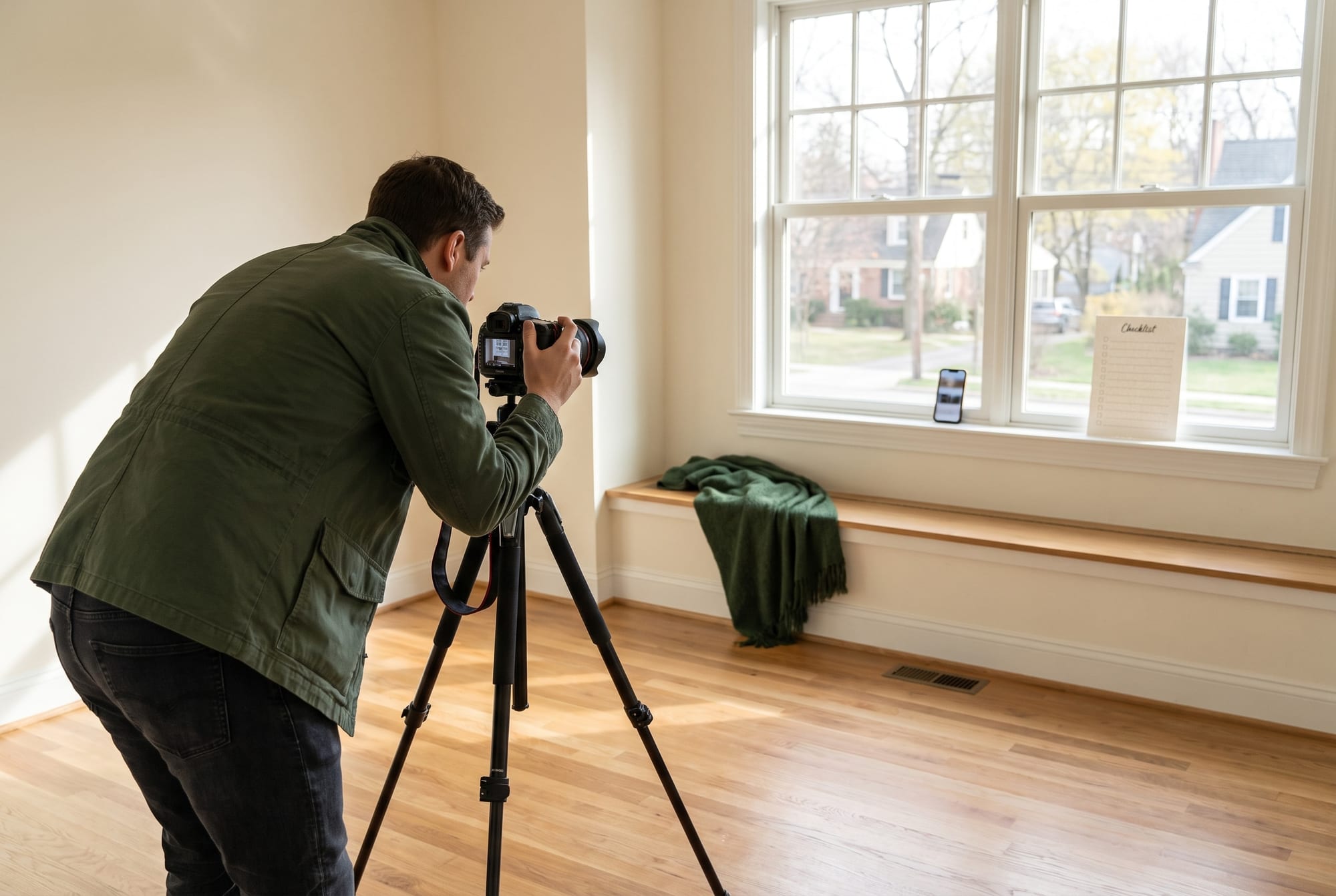
- Shoot for staging. Clean floors, lights on, camera level at chest height, a wide (not fisheye) frame. Harsh midday sun blows out the windows, so shoot early or late.
- Decide who does the work. AI if you’ll check results yourself; human or hybrid if you want someone else checking accuracy.
- Choose one style for the whole home. Modern, transitional, Scandinavian or mid-century suit most buyers; coastal or farmhouse where the market fits. For this condo we’d probably go contemporary.
- Compare against the original. Check that windows, doors, outlets and flooring didn’t change, and that the furniture fits the room.
- Label everything. “Virtually staged” in the photo description, the original next to it, the remarks line your MLS requires, and a link or QR code in California.
- Watch the numbers. Track saves, showing requests and days on market (DOM). If you made two style variants, rotate the hero photo.
To test the AI route without paying, try free virtual staging with TINTY: six previews per photo and three finished (watermarked) photos, with no card. Try the same photo in two or three tools first. Our guess is you’ll see bigger differences between rooms than between brands.
The future of virtual staging, 2026-2028 (our view)

The basic “add a sofa” step is becoming a commodity. General image models furnish a room for a few cents, some at 4K, which will push dedicated tools past 2K. The value moves to accuracy and compliance.
Multi-angle consistency isn’t solved. Buyers notice when the sofa changes color between photo 3 and photo 4.
Buyers are starting to stage homes themselves on Zillow’s Showcase listings, sliding back to the original view whenever they like. Seller-side staging will have to show the best realistic layout. Furniture you can actually buy is next; Wayfair launched Decorify in 2023 as an AI room styler along those lines.
Disclosure will spread, and enforcement will get automated. California’s law is in force and Wisconsin’s starts in January 2027. New York has a pending bill, S9584, and its Department of State has already warned buyers. NSW has passed a law for rentals.
The gap is large. Coraly studied roughly 40,000 primary listing photos on Zillow, Redfin, Realtor.com and Homes.com from Q1 2026. Nearly 11% were altered, and more than 90% of those were undisclosed, per Real Estate News.
At least one MLS, San Diego MLS, now works with Coraly to scan uploads for alterations. We expect more states to copy the “label plus original” model, and the label should follow staged photos into listing videos.
Human review becomes a premium layer, because “a person checked this against the original” will be worth paying for.
The bottom line on virtual staging

Virtual staging adds furniture to listing photos with software so buyers can picture an empty room lived in. Do it yourself with AI in seconds, hand it to a human service, or use a hybrid. Whichever you pick, label it and keep the original next to it.
Stage a photo free: get six free previews per photo on TINTY, no card needed.
Virtual staging FAQ

What does virtual staging mean in real estate?
It means furniture and decor were added digitally to a listing photo to show how an empty room could be used. The room itself hasn’t changed, so expect it empty at the showing.
How does virtual staging work?
You upload a photo of an empty room, pick the room type and style, and an AI model or a designer adds furniture to the image. Then you compare it against the original and label it before it goes to the MLS.
Show 10 more questionsShow fewer questions
How long does virtual staging take?
AI tools take seconds (Virtual Staging AI advertises 10 to 15; TINTY previews take about 30). Human services deliver in anywhere from a few hours to two business days.
How much does virtual staging cost?
Under $1 to about $5 a photo with AI, and $14.40 to $70 with a human design service (prices checked September 30, 2026). Our virtual staging cost guide compares 29 services and per-listing budgets.
Is virtual staging legal, and do you have to disclose it?
Yes, as long as it doesn’t mislead, and in practice you have to disclose it. California goes furthest: since January 1, 2026, AB 723 requires a label plus access to the original. Wisconsin’s law starts January 1, 2027. Elsewhere, MLS rules and NAR’s Article 12 do the same job.
What does “virtually staged” mean on Zillow?
On a listing photo, it means the agent added furniture digitally. MLSs such as CRMLS want the unstaged original next to it. Zillow’s Showcase listings are a separate thing: there, buyers can restyle rooms themselves with AI in seven styles. They can also slide back to the original view.
Does virtual staging look fake?
It can. The giveaways are wrong scale, melted edges, odd shadows and furniture that changes between photos. Good source photos and a careful check fix most of it.
Can AI do virtual staging well enough for the MLS?
Often, for living rooms and bedrooms shot from a level camera. AI still sometimes alters windows, walls or views, so compare every result against the original or use a hybrid service.
Does virtual staging help sell a house?
For vacant homes it usually helps buyers picture the space: 83% of buyers’ agents say staging does that (NAR 2025). No study we trust puts a dollar figure on virtual staging alone. For high-end homes, physical staging may be worth more.
Can you virtually stage a furnished room?
Yes, but the existing furniture has to be removed digitally first. Many tools offer it; TINTY doesn’t yet. Removal also counts as an alteration under AB 723.
What’s the difference between virtual staging, virtual renovation and a virtual tour?
Staging adds movable furniture that won’t convey with the sale. Renovation changes the property itself (floors, walls, cabinets), and many MLSs restrict it more. A virtual tour is a 360° capture of the real space.
Who invented virtual staging?
No single person or company. Photo-based services appeared in the US around 2009, and none of the firms claiming to be first has verified it.
Sources
Data and research
- NAR, “NAR Report Reveals Home Staging Boosts Sale Prices and Reduces Time on Market” (May 6, 2025)
- NAR, Profile of Home Staging (research page)
Show 49 more sourcesShow fewer sources
- Florida Realtors on NAR’s 2023 staging data (81% figure)
- Real Estate Staging Association, history page
- Real Estate News, “How should MLSs, portals address AI-enhanced listing photos?” (June 18, 2026; Coraly study)
- Real Estate News, “AI-modified listing photos blur line between enhancement, deception” (Sept 8, 2026)
- San Diego MLS support pages (Coraly image scanning)
Law, ethics and MLS rules
- NAR 2026 Code of Ethics and Standards of Practice
- California AB 723, bill text
- California B&P Code §10185
- California B&P Code §10080.9
- 2025 Wisconsin Act 69
- HousingWire on Wisconsin’s real estate transparency law (Jan 13, 2026)
- CRMLS, digitally altered image guidance FAQs and Rule 11.5.2
- Bright MLS, Policy on Images and Documents (Feb 28, 2024)
- Stellar MLS Rules, Article 04.04 Virtually Staged Photos
- Stellar MLS photo rules summary
- New York Department of State, AI-generated listings trend alert
- New York Senate Bill S9584
- NSW Government, rental ads and altered images (Sept 25, 2026)
History and industry
- RISMedia, Virtually Staging Properties launch (Apr 27, 2009)
- Virtual Staging Solutions, About
- Fox News, “Virtual home staging is the new wave in home selling” (July 2012)
- 3ds Max virtual staging workflow (practitioner tutorial)
- BoxBrownie, About
- BoxBrownie blog, 2021 virtual staging price cut
- VirtualStaging.com, About us (founded in 2019 as VS24)
- Stable Diffusion public release (Waxy, Aug 2022)
- Stability AI, Stable Diffusion 2.0 release
- Zhang, Rao, Agrawala, “Adding Conditional Control to Text-to-Image Diffusion Models” (ControlNet)
- “Towards Enhanced Image Inpainting: Mitigating Unwanted Object Insertion” (arXiv 2312.04831)
- Zillow, acquisition of Virtual Staging AI
- Brown Rudnick, Virtual Staging AI acquisition by Zillow Group
- Zillow Q3 2024 shareholder letter (SEC)
- TechCrunch, “Virtual Staging AI helps realtors digitally furnish rooms within seconds” (Feb 23, 2024)
- CRMLS and REimagineHome (PR Newswire, Jan 2025)
- Zillow, AI Virtual Staging in Showcase (Sept 10, 2025)
- Google, Gemini 2.5 Flash Image
- DeepLearning.AI, OpenAI launches API access to gpt-image-1
- ListingAI, multi-angle staging progress
- Wayfair, Decorify launch (July 25, 2023)
Vendor pricing pages (checked September 30, 2026)