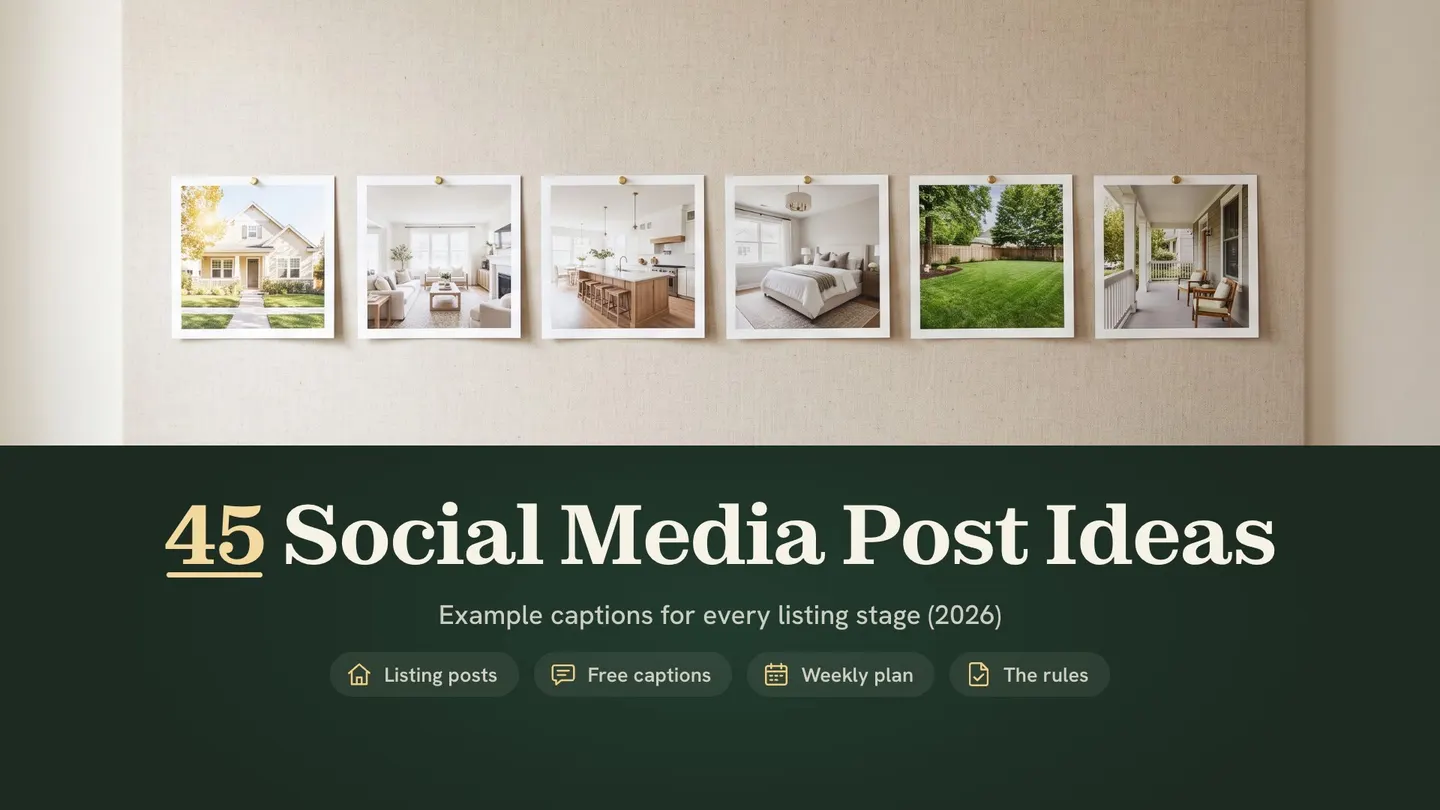
What are good real estate social media posts? The best ones follow each listing from coming soon to just sold, then fill the weeks between with local, personal and teaching posts. Lead with a strong photo and give one clear next step. Show your brokerage name, and label any virtually staged photo.
Instagram limits, NAR rules and TINTY facts checked October 7, 2026.
We make TINTY, an AI virtual staging tool, so one idea in this list, the before/after staging carousel, uses the kind of tool we sell. Every caption below is an example we wrote as a template, not a real listing. The rules come from the National Association of Realtors (NAR), federal Fair Housing rules, state law and the platforms’ own help pages. This isn’t legal advice.
Key takeaways
- Post by listing stage: coming soon, just listed, open house, price improvement, under contract and just sold each earn their own post.
- Carousels carry listings: an Instagram post holds up to 20 photos and videos, and up to 5 hashtags.
- Name your brokerage: NAR’s Code of Ethics requires your firm’s name in ads, and Texas adds a size rule.
- Label staged photos: California requires a disclosure and a link to the original for digitally altered listing images.
- Ask before you share: another broker’s listing needs that broker’s consent before you advertise it.
On this page: What works · Listing ideas · Brand and local · Teaching and clients · Staging carousel · Free captions · Weekly plan · Platforms · Rules · FAQ
What makes real estate social media posts work
A good post does one job: it gets the right person to stop, look and take one next step. The 45 ideas below share five habits (our checklist):
- Photo first: the first image does the work in a scrolling feed, so lead with your best one.
- One message: one listing, one event or one tip per post.
- A next step: say what to do, such as send a message, save the post or come by on Saturday.
- Your brokerage name: on the post, or one tap away on your profile, as the rules section explains.
- An honest picture: prices and features match the listing, and staged photos carry a label.
Which platform gets which version comes later, in the section on Instagram, Facebook and LinkedIn.
Real estate social media post ideas for each listing stage
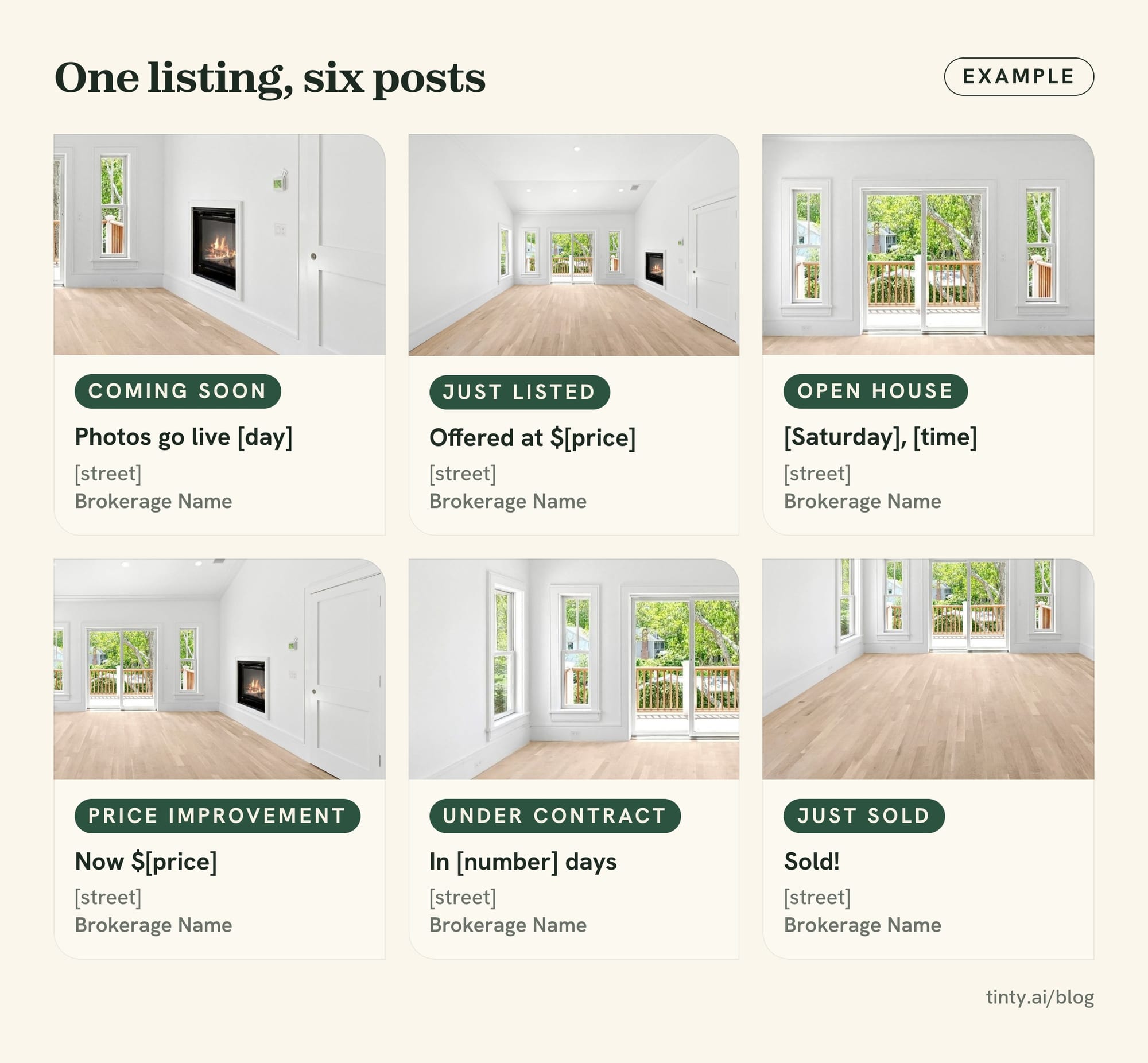
A listing gives you six natural posts, from the first teaser to the sold photo. Each idea below has a one-line reason and an example caption.
Every caption is an example we wrote, not a real listing. Swap the bracketed parts for your own details, and check each fact against the listing in your multiple listing service (MLS) before you post.
Coming soon posts
Coming soon posts build a waiting list before the photos go public. Check your MLS’s coming soon rules first, because a public post can start a clock.
- 1. Teaser close-up: one detail sparks curiosity before the full reveal. Example caption: “Coming soon to [neighborhood]: original oak floors, a sunroom and more. Want a first look? Send me a message.”
- 2. Street-first post: show the block, the park or the view before the house. Example caption: “This is the view from the porch of my next listing in [neighborhood]. Photos go live [day].”
- 3. Launch countdown story: a short story puts the launch date in people’s heads. Example caption: “3 days until this [home style] hits the market. Follow along so you see it first.”
- 4. Seller’s favorite spot: the seller’s own words make it personal, with their OK. Example caption: “‘We ate every summer dinner on this deck.’ My sellers’ favorite spot, coming soon in [town].”
- 5. Prep montage: a quick video of paint, cleaning and photo day shows future sellers your process. Example caption: “Paint is dry and the photographer is booked. Here’s what we did this week to get [street] ready.”
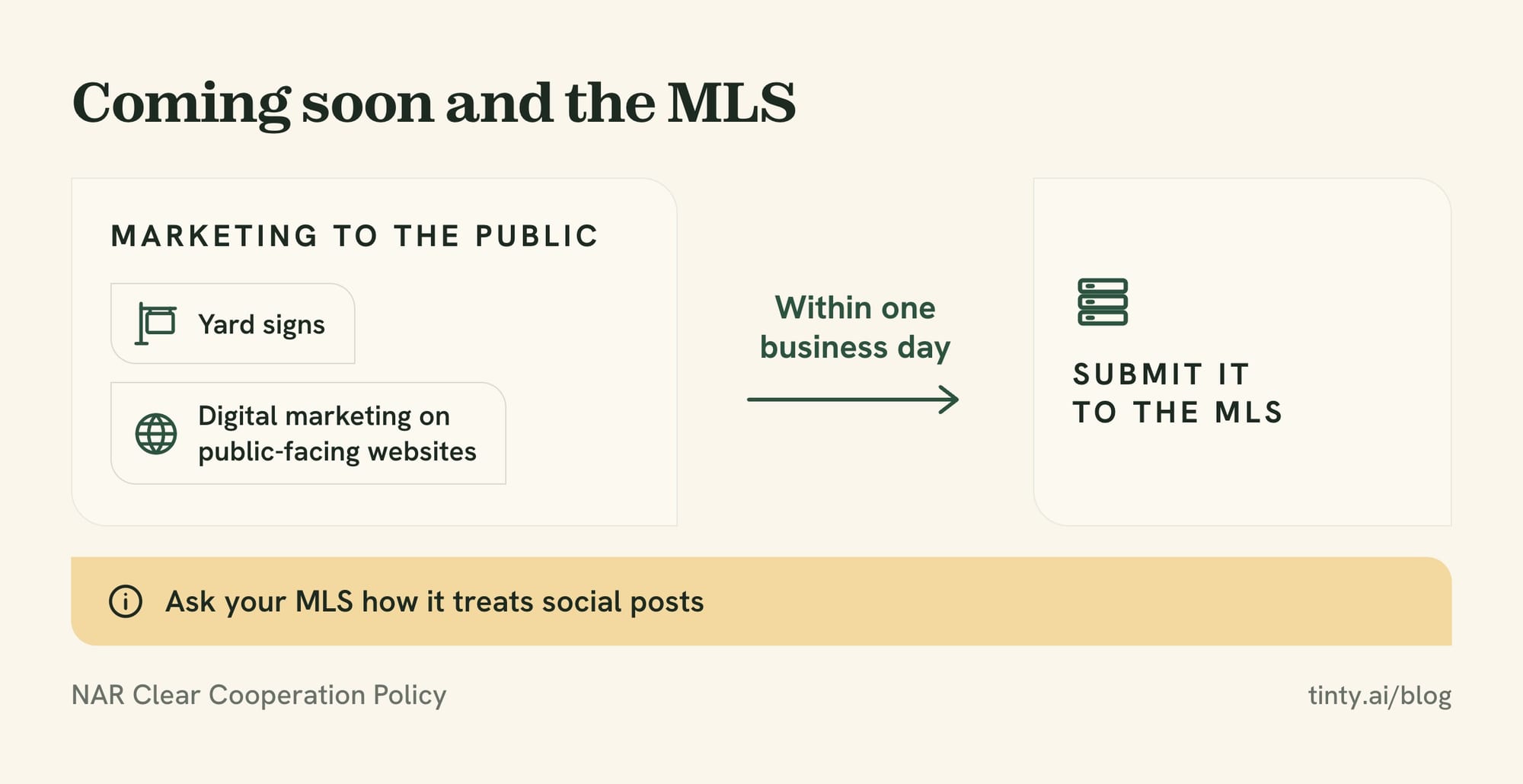
Rule: NAR’s Clear Cooperation Policy says the listing broker must submit a listing to the MLS within one business day of marketing it to the public. Its examples include yard signs and digital marketing on public-facing websites. Ask your MLS how it treats social posts.
Private and pre-market launches are changing how coming soon works. Our piece on exclusive listings and the MLS covers that shift.
Just listed posts
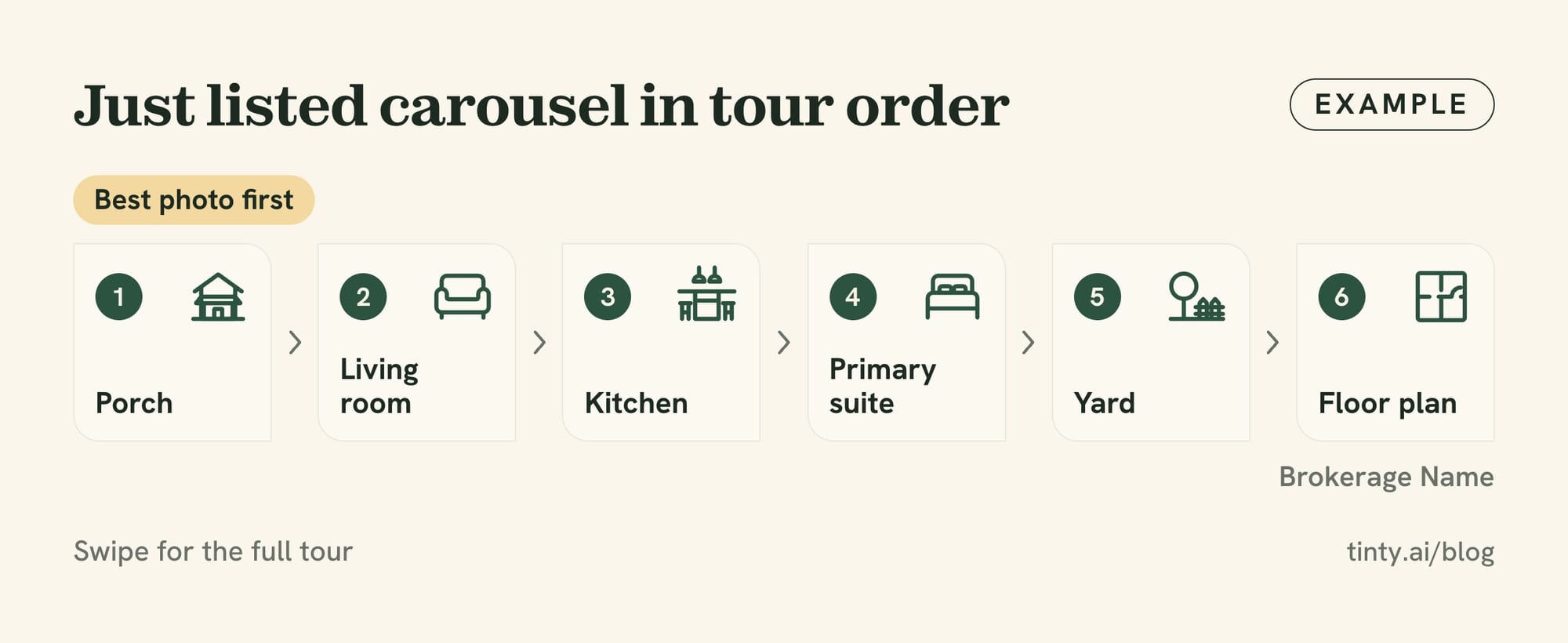
Just listed posts carry the most detail, so build most of them as carousels with the best photo first.
- 6. Hero photo plus three facts: one strong photo and three numbers stop the scroll. Example caption: “Just listed in [neighborhood]: [beds] beds, [baths] baths and a yard made for summer. Offered at $[price].”
- 7. Room-by-room carousel: buyers swipe through the home in tour order. Example caption: “Swipe for the full tour: porch, living room, kitchen, primary suite and the yard. Showings start [day].”
- 8. Walkthrough video: a vertical video follows the path a buyer would walk. Example caption: “Walk through [street] with me in 60 seconds. Which room would you move into first?”
- 9. Three things I love: your own take sounds like a person, not a flyer. Example caption: “Three things I love about [street]: the morning light, the mudroom and the walk to [park].”
- 10. Floor plan slide: a plan answers the question “how big is it, really?” Example caption: “Here’s how [street] flows. The last slide has the floor plan with room sizes.”
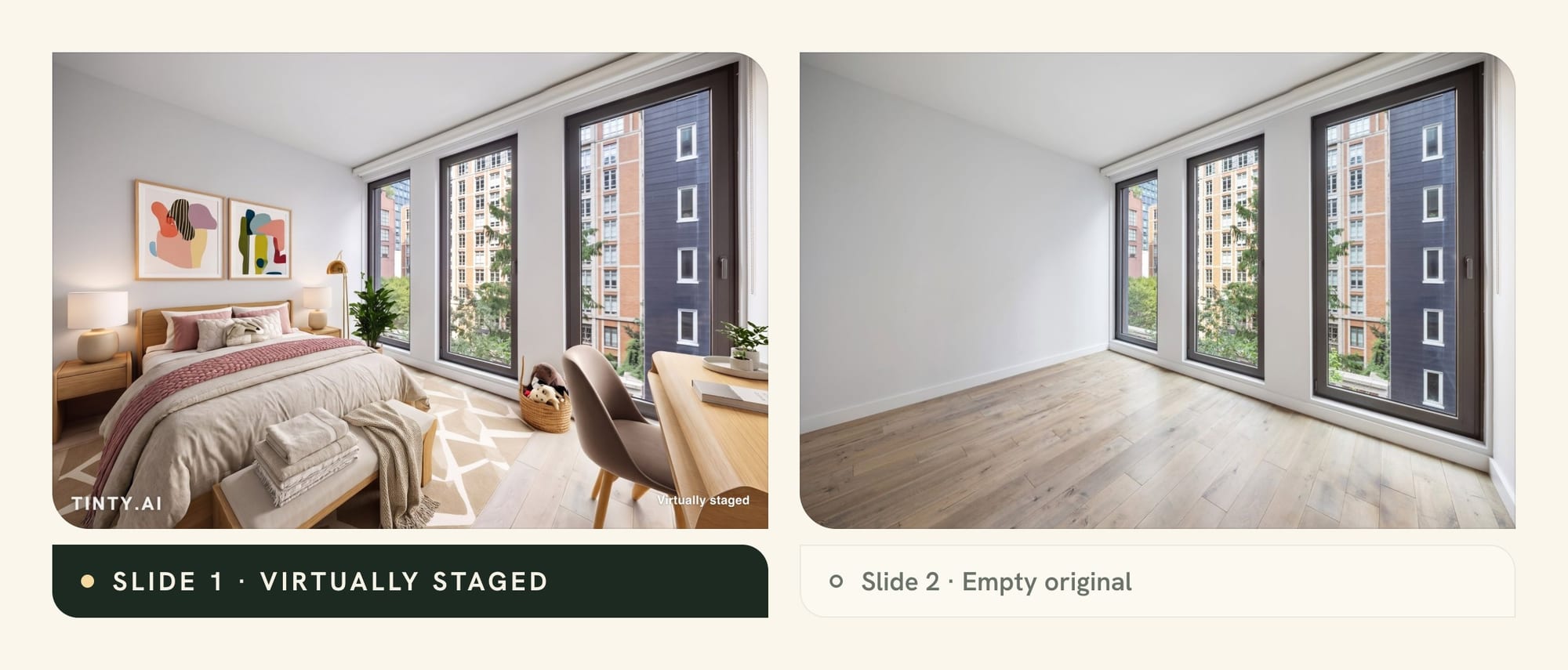
- 11. Before/after staging carousel: an empty room next to its labeled, virtually staged version helps buyers picture the space. Example caption: “Same bedroom, two ways: slide 1 is virtually staged, slide 2 is the empty room today.”
Open house posts
Open house posts need the facts people act on: day, time, address and whether to book ahead.
- 12. Save the date: a clean graphic with day, time and address, posted a few days ahead. Example caption: “Open house this [Saturday], [time] at [address]. Stop by, no appointment needed.”
- 13. Day-of reminder: a morning story with the sign out front. Example caption: “Doors open at [time] on [street]. Coffee’s on.”
- 14. Live tour: a live video reaches people who can’t make it in person. Example caption: “Going live from [address] at [time]. Ask me anything about the house in the comments.”
- 15. Open house checklist: a list for buyers gives people a reason to save the post. Example caption: “Bring this list to any open house: water pressure, closet space, outlets and how loud the street is.”
- 16. Thank-you recap: a post after the event invites late questions. Example caption: “Thanks to everyone who came by [address] today. Missed it? Message me for a private showing.”
Price improvement posts
A price improvement post is a relaunch, so treat it like a second just listed post. Quote only the price your seller approved, as NAR’s Standard of Practice 12-4 also requires.
- 17. New price, plainly stated: say the new price and give one reason to look again. Example caption: “New price on [street]: now $[price]. Same [best feature], same [second feature]. Showings this weekend.”
- 18. Fresh hero photo: a new lead photo or a new season makes the listing look new in the feed. Example caption: “Fall looks good on [street]. New photos and a new price: $[price].”
- 19. Price plus open house: an event date gives people a reason to act now. Example caption: “Price improved and doors open: [address], [day] from [time]. Come see it in person.”
- 20. Second-look video: 30 seconds of features the first photos missed. Example caption: “Scrolled past this one? Here are four things the first photos didn’t show.”
If a new price still doesn’t bring showings, our guide to selling a stale listing covers what to try next.

Under contract and just sold posts
Pending and sold posts show future sellers that you get homes sold. Ask your seller before you post either one, and keep offer terms private. For more ways to win sellers, see our guide on how to get listings.
- 21. Under contract update: a short status post, with days on market if the number helps. Example caption: “Under contract in [number] days. Thank you to everyone who toured [street].”
- 22. What happens next: three slides on inspection, appraisal and closing. Example caption: “Under contract isn’t the finish line. Swipe for what happens between now and closing day.”
- 23. Behind the launch: share the strategy, never the terms, once your seller agrees. Example caption: “How we launched [street]: fresh photos, a Friday listing and one busy open house.”
- 24. Closing-day keys: a photo with your clients and the keys, if they say yes. Example caption: “Sold! Congratulations to my sellers, and thank you for trusting me with [street].”
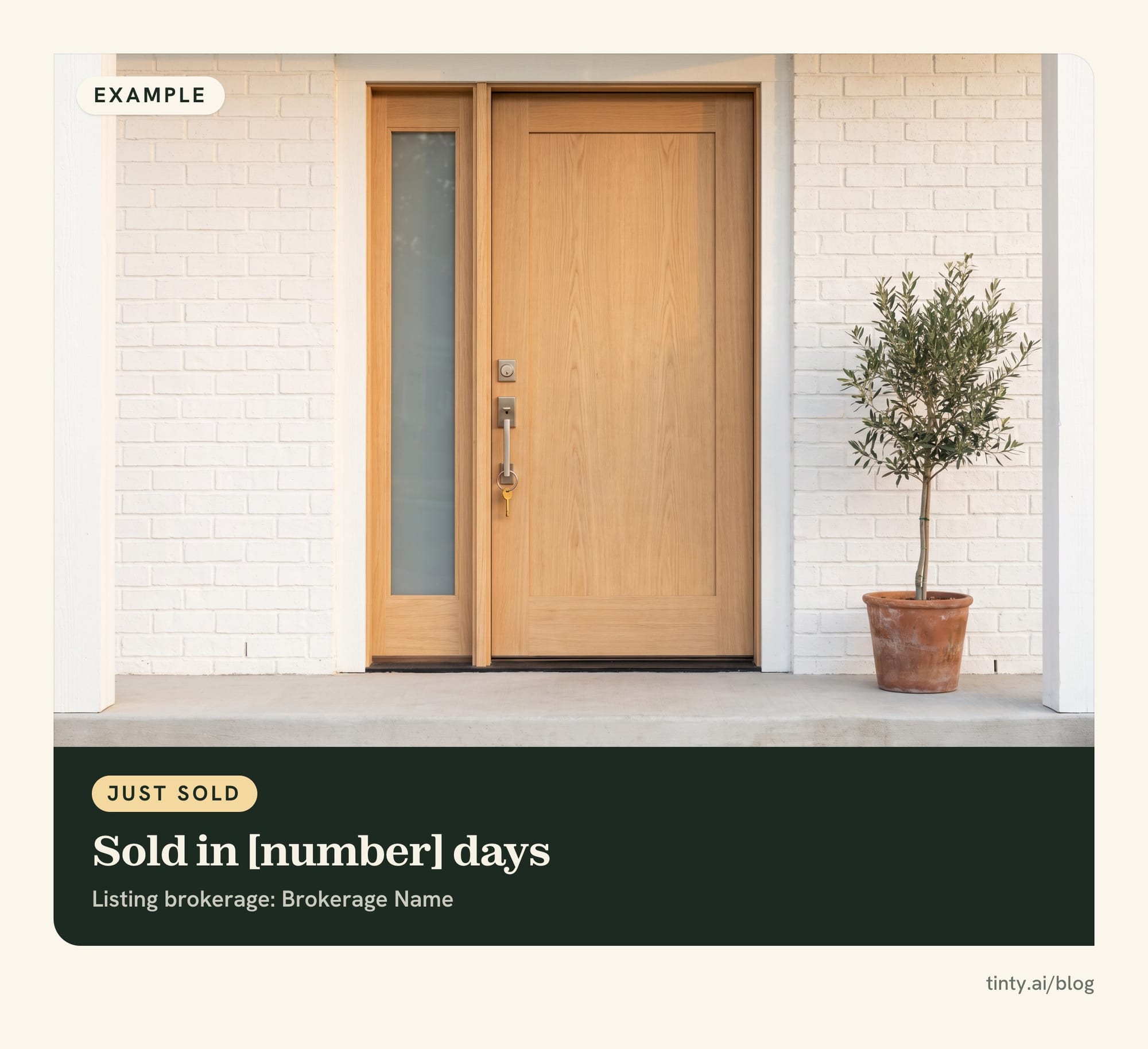
- 25. Sold timeline carousel: list date, open house, offer and closing, one per slide. Example caption: “From listing to sold in [number] days. Swipe for how [street] came together.”
- 26. Missed this one: invite buyers who lost out to say what they want. Example caption: “Sold before you saw it? Tell me what you need in [neighborhood], and I’ll watch for the next one.”
- 27. Your sold map: a map of the homes you helped sell or buy this year, pinned by neighborhood, with clients’ OK. Example caption: “Every pin is a client I helped move this year. Here’s to the next one.”
Rule: under NAR’s Standard of Practice 12-7, only the listing broker or the cooperating broker in a sale may claim to have “sold” it. Before closing, a cooperating broker may post a “sold” sign only with the listing broker’s consent.
Real estate social media ideas for brand and neighborhood
Personal and local posts give people a reason to follow you between listings. They also reach people who aren’t moving yet.
Personal brand posts
Keep personal posts tied to your work, your clients and your town. That way they still sell what you do.
- 28. Why I do this: your origin story explains how you work. Example caption: “[Number] years ago I bought my first home and felt lost. That’s why I explain every step now.”
- 29. A day in my week: a short video of showings, calls and paperwork. Example caption: “What a Tuesday looks like: two showings, one inspection and a lot of coffee.”
- 30. Meet the team: one post per teammate, lender or stager you work with. Example caption: “Meet [name], who keeps every closing on schedule. If you’ve bought with me, you’ve met [name].”
- 31. This or that poll: two photos and one vote give followers an easy way to join in. Example caption: “This or that: [feature A] or [feature B]? Vote in my story, and I’ll share the results Friday.”
- 32. This week’s question: a real question from a client becomes a post. Example caption: “A seller asked me this week whether to paint before listing. Here’s what I told them.”
Neighborhood and local posts
Local posts prove you know the area. Talk about places, events and numbers, and tag the businesses you feature.
- 33. Local business spotlight: tag the owner, and they may share it. Example caption: “Best breakfast in [neighborhood]? My vote goes to [business]. Tag your favorite below.”
- 34. Weekend list: three local events, posted on Thursday. Example caption: “Three things to do in [town] this weekend: the farmers market, the street fair and music in [park].”
- 35. Market snapshot: one number from your MLS, with the source and month named. Example caption: “Homes in [area] sold in a median of [number] days in [month], per [MLS name]. Questions? Ask me.”
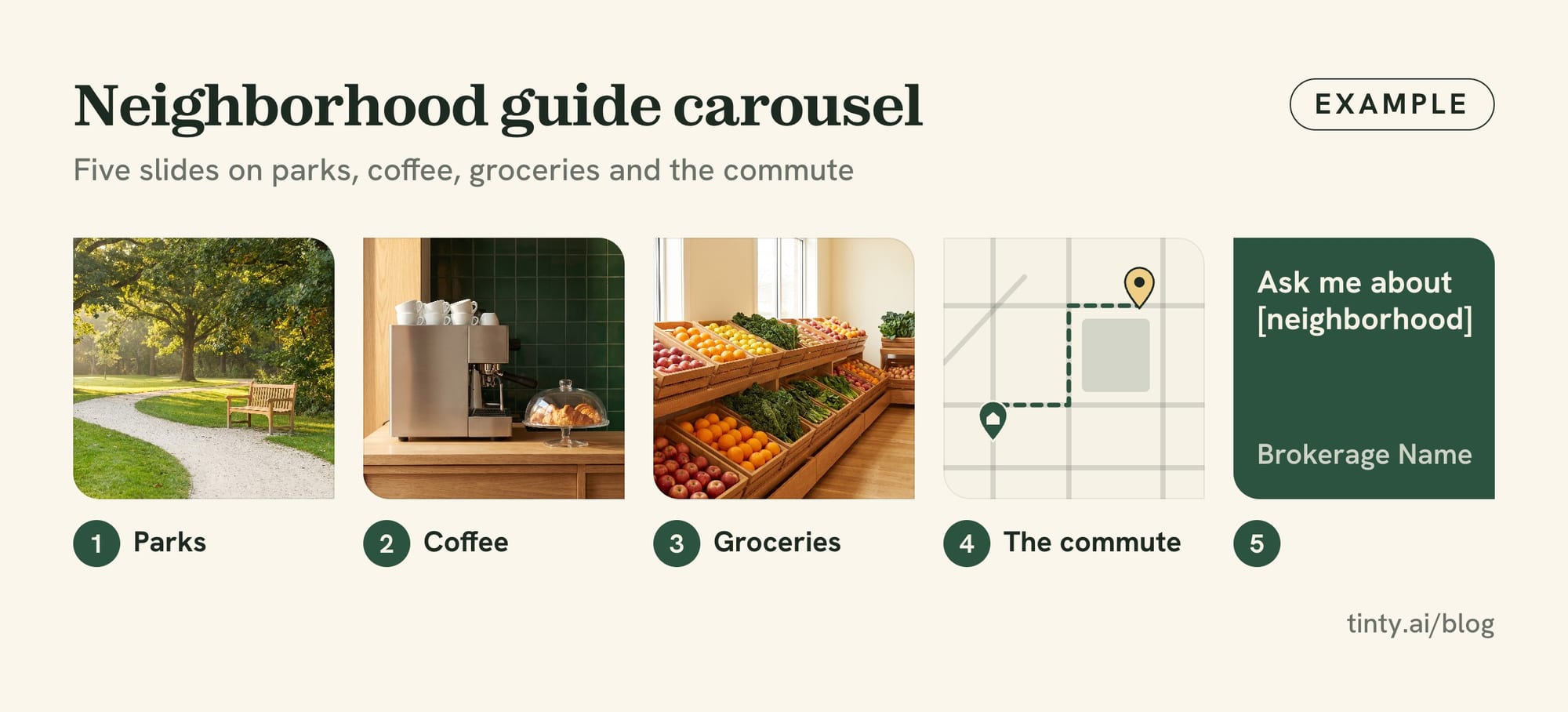
- 36. Neighborhood guide carousel: five slides on parks, coffee, groceries and the commute. Example caption: “Moving to [neighborhood]? Swipe for my five favorite stops, from coffee to the trailhead.”
- 37. New in town: a shop or restaurant that just opened. Example caption: “Just opened on [street]: [business]. I tried the [item], and it was worth the line.”
Rule: NAR’s Standard of Practice 10-1 says Realtors involved in a sale or lease shall not volunteer a neighborhood’s racial, religious or ethnic composition. Describe parks, shops and commutes, not who lives there.
Education posts and client stories
In our view, teaching posts get saved and client stories build trust. Both keep your name in front of people in the months before they’re ready to move.
Real estate posts for social media that teach
The best teaching posts answer one question in a few lines. Stick to the process, and send legal, tax and loan questions to the right professional.
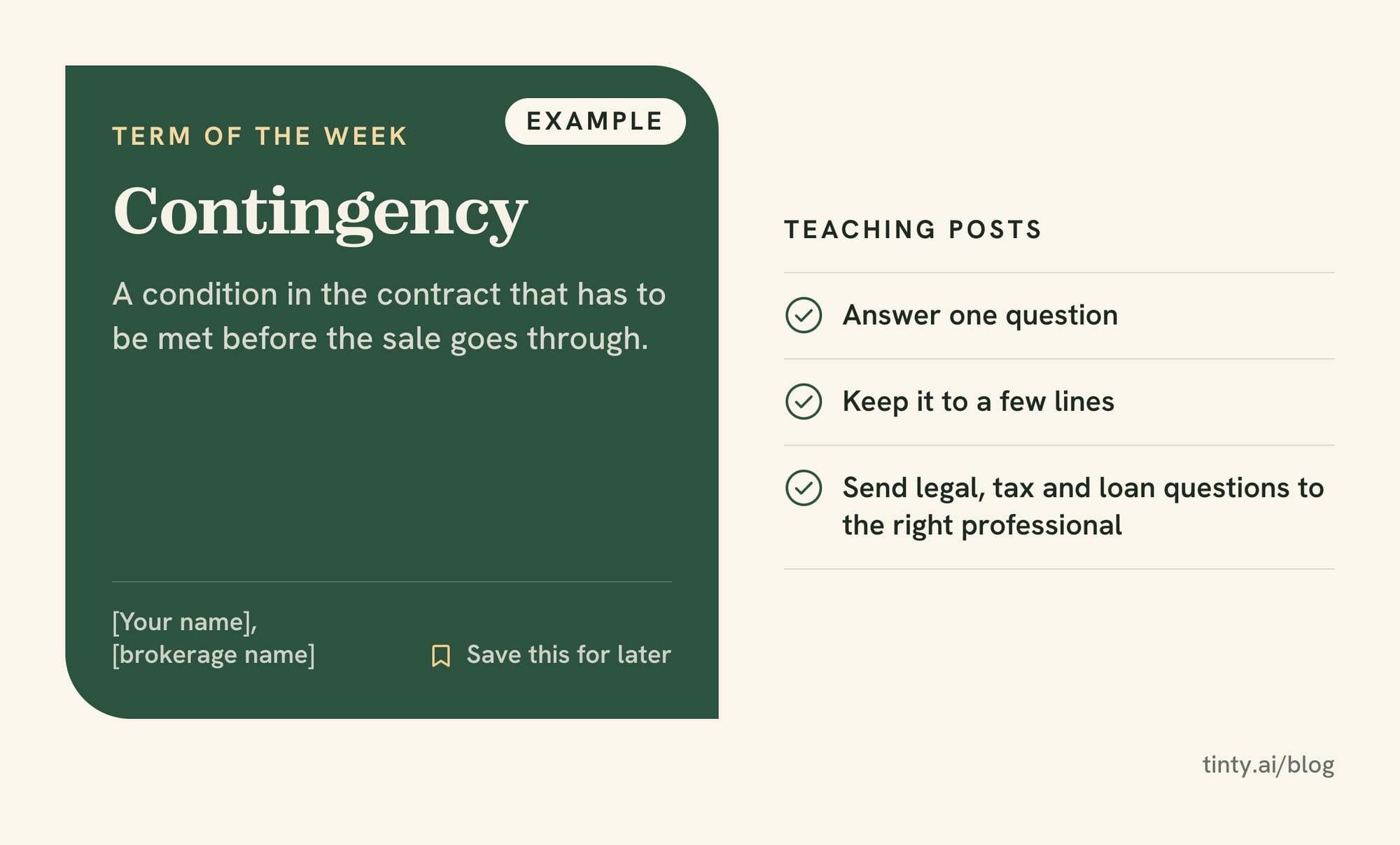
- 38. Term of the week: one contract word explained in two lines. Example caption: “Term of the week: contingency. It’s a condition in the contract that has to be met before the sale goes through.”
- 39. Buyer steps carousel: the path from first call to keys, one step per slide. Example caption: “Buying your first home? Here are the steps, in order. Save this for later.”
- 40. Seller prep list: the jobs to finish a month before photo day. Example caption: “Listing this spring? Start with these five jobs a month before the photographer comes.”
- 41. Seasonal home care tip: a short to-do list keeps past clients coming back to your feed. Example caption: “Fall checklist for homeowners: clean the gutters, test the smoke alarms and change the furnace filter.”
- 42. How a showing works: a short video for first-time buyers. Example caption: “Never toured a home with an agent? Here’s what happens, from the lockbox to the follow-up call.”
For idea 40, our room-by-room staging guide covers the jobs sellers can start with.
Client stories and reviews
Client stories only work when they’re real. Use the client’s own words, and get their OK in writing before you post a name, a face or their home.
- 43. Review card: the client’s own review on a clean graphic, with their first name. Example caption: “‘[Short quote from the review].’ Thank you, [first name].”
- 44. Move-in update: a photo your clients send months after closing. Example caption: “[Number] months in, [first names] sent me this photo of their garden. Best part of the job.”
- 45. How we found it: the client’s search story, from must-haves to keys. Example caption: “[First name] had three must-haves. Here’s how we found all three in [neighborhood].”
Ask for a review at closing, while the moment is fresh, and ask in the same message whether you may share it on social media (our tip).
How to make a before/after staging carousel
A before/after staging carousel pairs a photo of an empty room with the same photo virtually staged and labeled. It helps buyers picture a vacant listing, and it suits Instagram’s swipe format.
Six steps, from photo to post:
- Shoot the room empty. Stand in a corner, keep the phone level and show plenty of floor. Our guide to shooting empty rooms for virtual staging covers the details.
- Stage it. Upload the photo and pick a room type and style. TINTY’s free virtual staging previews take about 30 seconds, on a phone or a laptop.
- Refine it. After the previews, type a short note of up to 200 characters, such as “add plants” or “swap the rug.”
- Render and label. Render the final in 2K, then tick “Add ‘Virtually staged’ to photos” on the final step. It’s off by default.
- Order the slides. Put the staged photo first and the empty original second. TINTY crops each upload to 3:2, so crop the original to the same frame.
- Say it in the caption too. Name which slides are staged, and in California add a link to the originals.
Our before and after examples show real renders made from empty bedrooms, a living room, a kids room and a studio.
Watch out: keep the label on the image itself, not only in the caption. A screenshot or a reshare can lose the caption, but not a label on the photo (our view). MLS rules differ: some ban text on listing photos and others require a label, so check yours before you upload.
What TINTY can and can’t stage
TINTY stages nine room types: bedroom, kids room, nursery, living room, dining room, living-dining, studio, home office and terrace. It doesn’t stage kitchens, bathrooms, building exteriors or yards. It doesn’t remove furniture yet either, so start with an empty room, and it doesn’t match furniture across several angles of one room.
Previews are free and watermarked. Clean finished photos start at $9 a month for 4, as our pricing page shows, and finals are yours to use in listings, ads and social posts. The 2K files come in a 3:2 frame, a shape Instagram can show uncropped (our math). Keep that shape when you post, so a label in the corner stays in the frame.
No time to stage the photos yourself, or need one room matched across several angles? Email them to hello@tinty.ai, and TINTY Studio, our done-for-you virtual staging service, sends the staged photos to a private link in 2 to 24 hours. It’s $10 a photo from 3 photos, and you pay only if you’re happy.
Free real estate social media posts: captions to copy
These free templates cover the posts you’ll write most, with no sign-up. Copy one, fill the brackets, then read it against the listing before you post.
Many agents draft captions with AI now. In NAR’s 2026 Technology Report, 56% of agents who use AI use it for social media posting. Check every fact an AI tool writes, and see our look at AI adoption in real estate for other uses.
Fill-in captions for six listing moments
Coming soon:
Coming soon to [neighborhood]: [beds] beds, [baths] baths and [best feature]. Photos go live [day]. Message me for a first look.
Just listed:
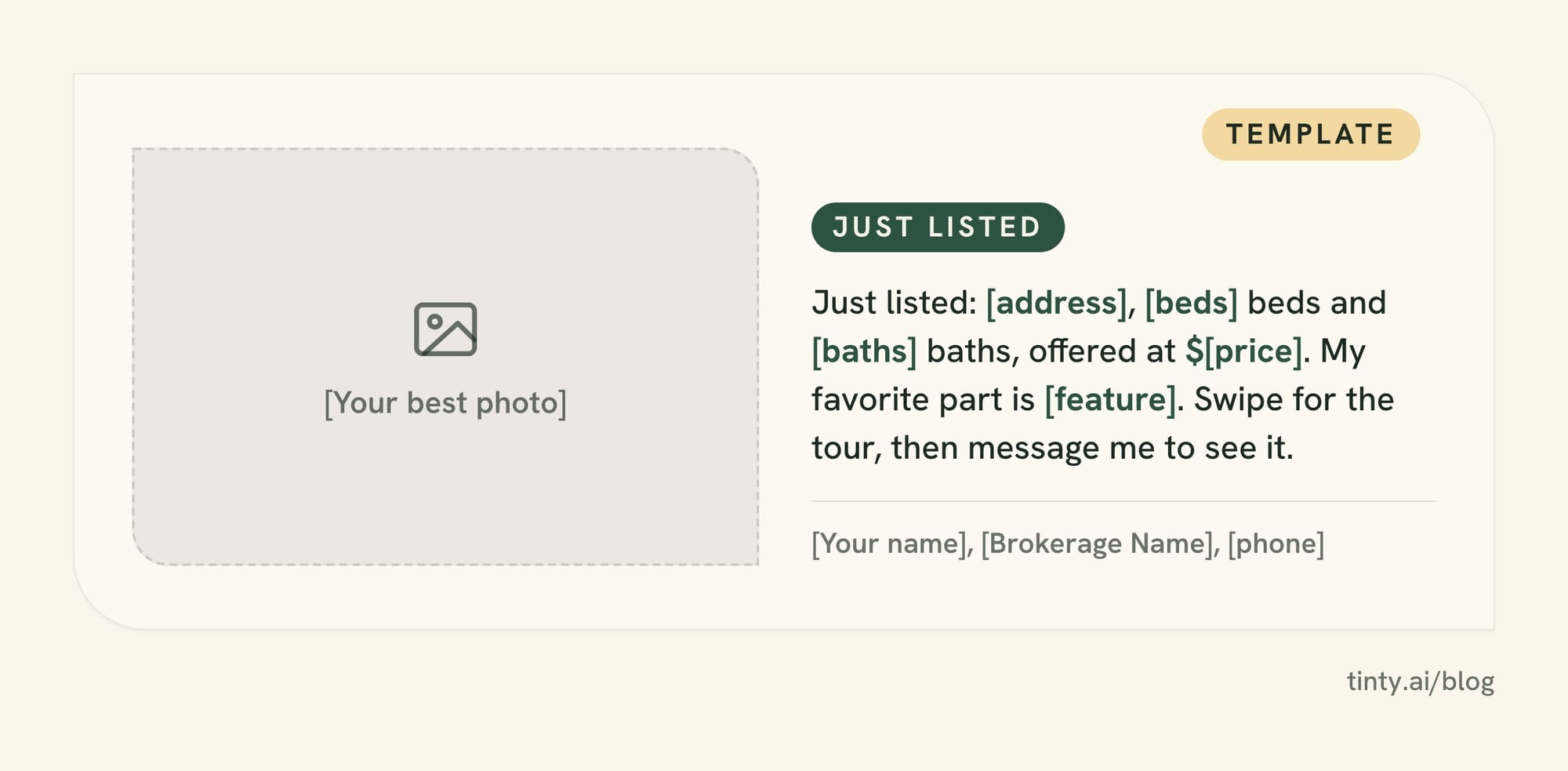
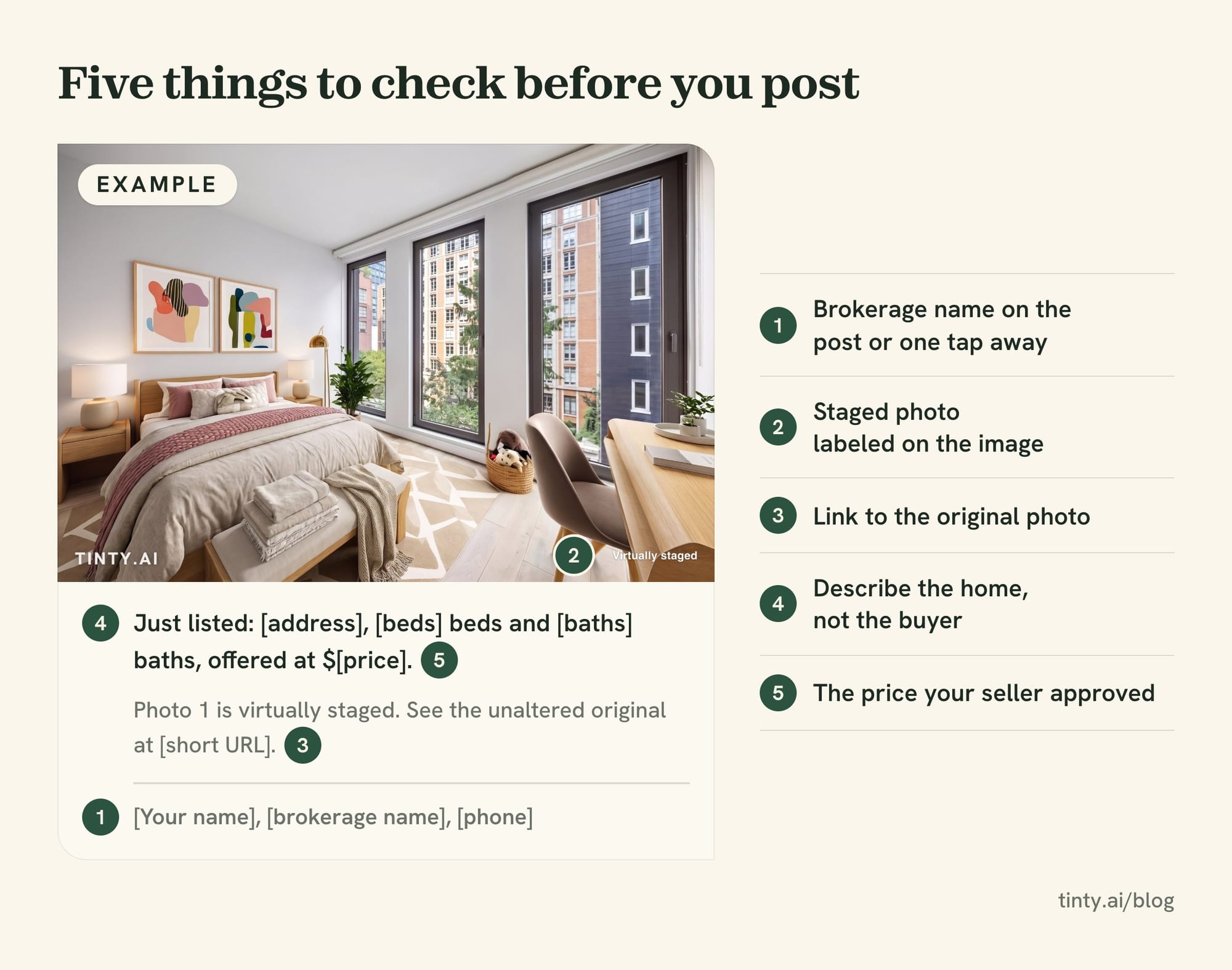
Just listed: [address], [beds] beds and [baths] baths, offered at $[price]. My favorite part is [feature]. Swipe for the tour, then message me to see it.
Open house:
Open house at [address] on [day], [start time] to [end time]. Come see [feature] in person. No appointment needed.
Price improvement:
New price on [address]: now $[price]. Same [feature], same [feature]. Showings start [day].
Under contract:
Under contract! Thank you to everyone who toured [address]. Still looking in [neighborhood]? Tell me what you need.
Just sold:
Sold! Congratulations to my [sellers or buyers] at [address]. Thinking about a move in [area]? Let’s talk.
Disclosure, brokerage and hashtag lines
Add these lines to the end of a caption when they apply (our templates):
- Staged photo label: “Photos [2 and 4] are virtually staged. See the unaltered originals at [short URL].” In California, also put the statement on or next to each staged photo. A QR code works there too.
- Brokerage line: “[Your name], [brokerage name], [phone].” Your broker or state may require more.
- Hashtag set: “#[city]realestate #[neighborhood] #justlisted #openhouse #[brokerage]”. That’s five, Instagram’s current limit.
- Next-step lines: “Message me for a showing,” “Save this for later” or “Tag someone who’d love this.”
Real estate content for social media: weekly plan and mix
A simple weekly plan keeps you posting when there’s no new listing. Ours mixes six post types, with one listing post as the anchor of the week (our plan, not a rule).
A sample week of real estate content (our plan)
| Day | Post type | Format | Idea from this list |
|---|---|---|---|
| Monday | Teaching post | Carousel | 38. Term of the week |
| Tuesday | Listing post | Carousel | 7. Room-by-room carousel |
| Wednesday | Local post | Photo with a tag | 33. Local business spotlight |
| Thursday | Personal post | Story or short video | 29. A day in my week |
| Friday | Open house or event | Graphic plus story | 12. Save the date |
| Saturday | Client story or sold | Photo | 43. Review card |
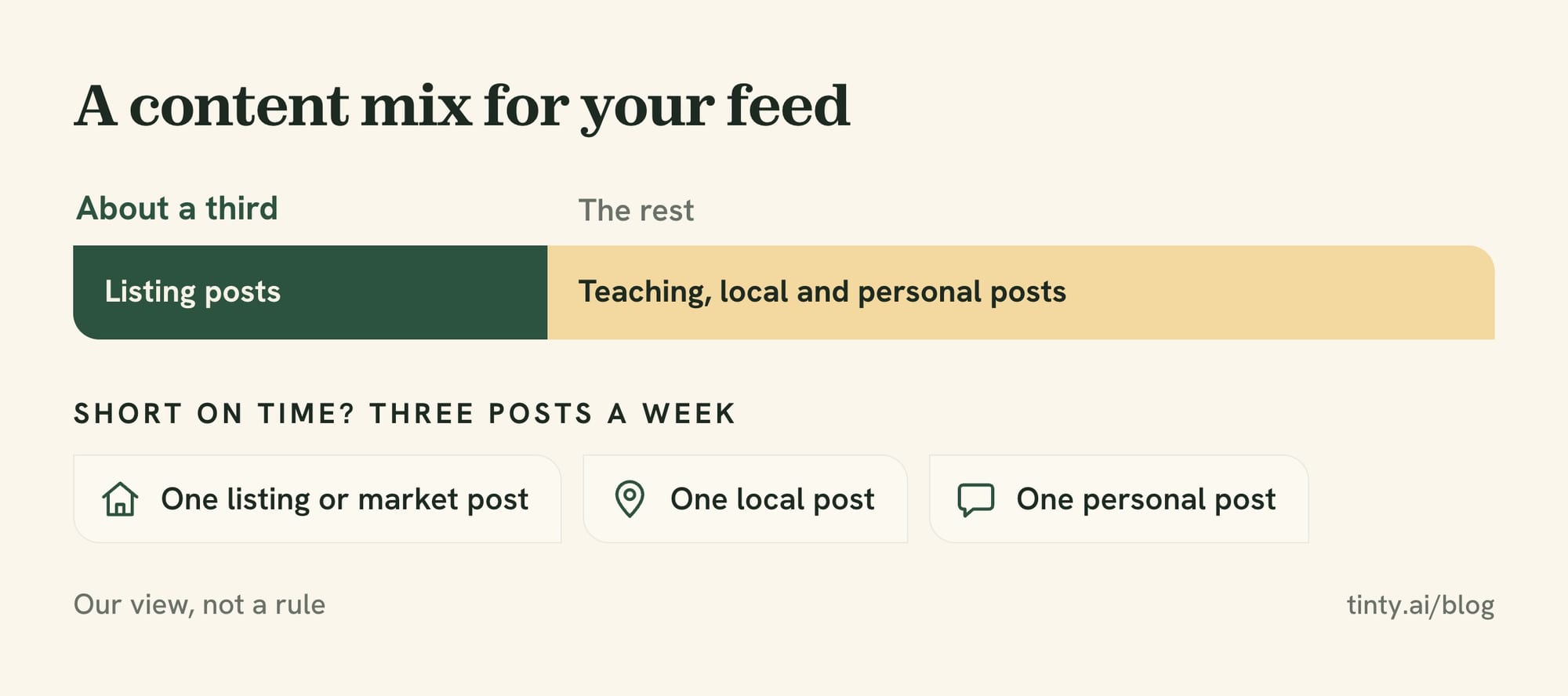
Short on time? Keep three posts a week: one listing or market post, one local post and one personal post. With no listing that week, a neighborhood guide or a market snapshot takes Tuesday’s slot.
As a content mix, we’d keep listing posts to about a third of your feed, so it doesn’t read as ads only (our view). The rest teaches, shows the area or shows you at work.
Tip: batch the work. Shoot a week of local photos in one drive, write the captions on Sunday and schedule them, so a busy closing week doesn’t stop the feed (our tip).
Instagram, Facebook and LinkedIn: how to adapt each post
Write each idea once, then change its shape for each platform. NAR’s 2026 Member Profile lists the platforms Realtors use most for business: Facebook (76%), Instagram (57%), LinkedIn (55%), YouTube (31%) and TikTok (16%).
Instagram: carousels, stories and five hashtags
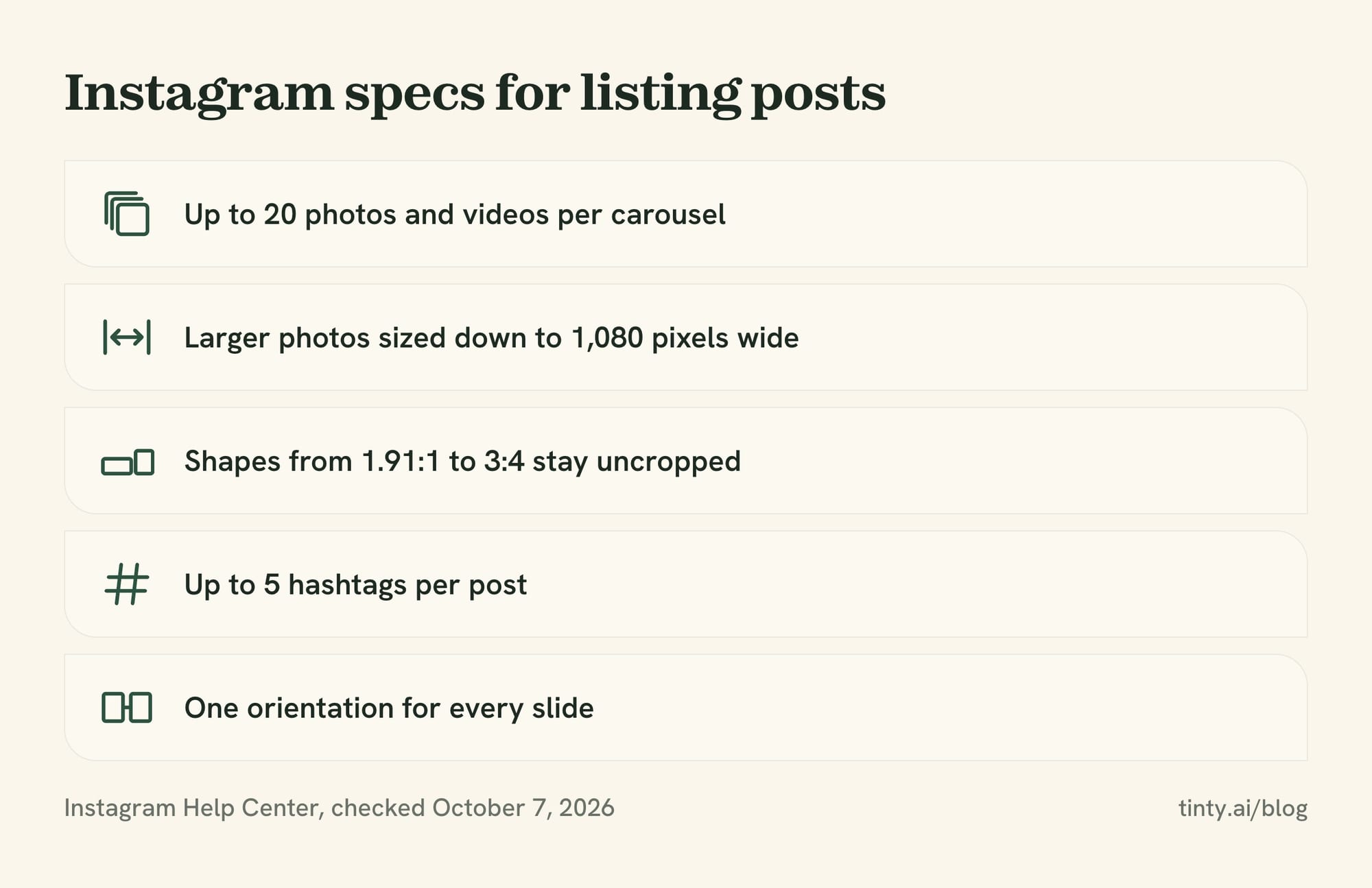
Instagram’s carousel suits a listing tour. Its Help Center says one post holds up to 20 photos and videos, with one caption and one location for the whole carousel. You can tag someone in each photo, which suits local business spotlights.
Instagram’s image resolution page says photos stay uncropped at shapes between 1.91:1 and 3:4. Larger photos are sized down to 1,080 pixels wide. The orientation you choose applies to every slide, so keep before and after photos the same shape. Its hashtag help page caps tags at 5 per post, so pick local tags over generic ones.
Facebook: groups, events and housing ads
Facebook suits longer captions, open house events and local community groups (our view). Read each group’s rules before you share a listing there.
Rule: boosting a listing post turns it into an ad about housing, so choose the Housing category when you set it up. Meta’s Special Ad Category rules for US housing ads limit or remove age, gender, ZIP code, exclusion, lookalike and saved audiences.
LinkedIn: market notes for your referral network
On LinkedIn, your readers are more likely to be lenders, attorneys, relocation managers and past clients at work (our view). Market snapshots, deal stories and sold recaps fit there better than open house promos.
Rules to check before you post
A listing post is an ad, so the rules for a flyer apply to it too. Check these four before a post goes live, and ask your broker about your state’s rules.
Label virtually staged photos in posts too
Label every virtually staged photo in a social post, just as you disclose it in the MLS. NAR’s Standard of Practice 12-10 bars misleading images, and California’s law is the strictest we found.
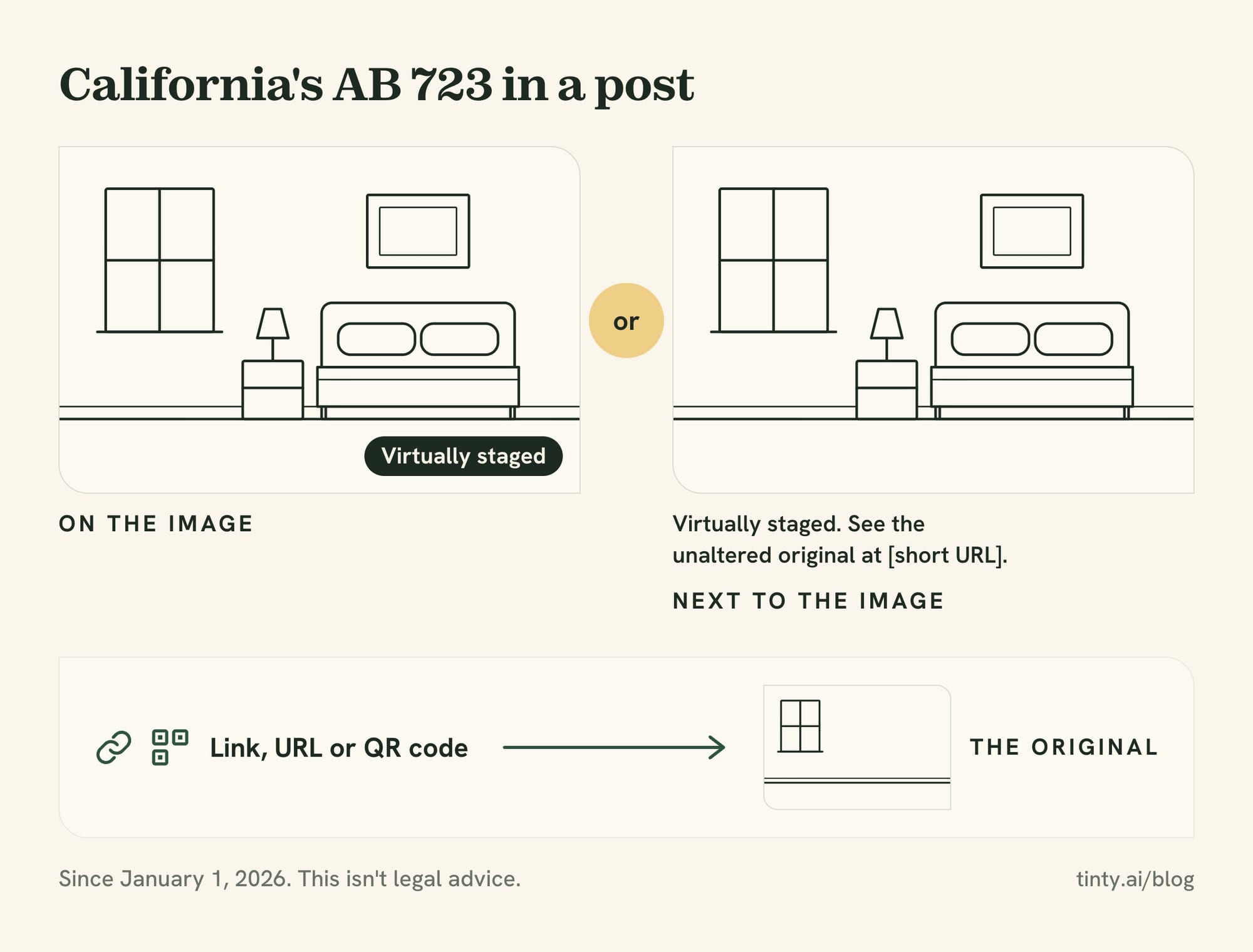
Rule: since January 1, 2026, California’s AB 723 requires an agent or broker who uses a digitally altered image in a sale ad to say so. The statement sits on or next to the image and points to a link, URL or QR code with the original.
Wisconsin adds a disclosure rule for misleading photo edits from January 1, 2027, covered in our Wisconsin Act 69 guide. Our guide to virtual staging disclosure rules covers other states and MLS labels.
Fair Housing in captions and ad targeting
A Department of Housing and Urban Development (HUD) rule, 24 CFR 100.75, bans housing ads that show a preference or limitation based on a protected class. Those are race, color, religion, sex, handicap (disability), familial status and national origin. The rule covers words, phrases and photographs, and also where you choose to advertise.
NAR’s Standard of Practice 10-3 applies the same idea to Realtors’ ads and adds sexual orientation and gender identity. Describe the home, not the buyer you picture. Our examples of home-first wording:
- Not “perfect for a young family”: write “three bedrooms a block from [park].”
- Not “a Christian neighborhood”: write “a quiet street near [park].”
- Not “ideal for able-bodied buyers”: write “three stories, with stairs to every floor.”
Our listing description guide has more phrases to cut and what to write instead.
Your brokerage name on listing and service posts
NAR’s Standard of Practice 12-5 requires Realtors to show their firm’s name in ads “in a reasonable and readily apparent manner.” In electronic ads, a link to a page with the disclosures can do it. State rules can ask for more.
Rule: Texas rule 22 TAC §535.155 wants the broker’s name in each ad to be at least half the size of the largest agent or team contact details. On social media, it may sit on your profile page if a direct link leads there and it’s easy to spot.
Other agents’ listings and photo rights
Don’t post another broker’s listing without permission. NAR’s Standard of Practice 12-4 bars advertising property without authority. NAR’s model MLS rule 2.7 says only the listing broker may advertise a listing, unless that broker consents. In Texas, the post must also name the listing broker, unless that broker waives it in writing (22 TAC §535.155).
NAR’s Code Comprehension note on social media applies both rules to Facebook and other platforms. The same note says linking to the other broker’s website needs no permission.
Photos have owners too. Section 201 of the Copyright Act says copyright starts with the photographer, unless the photos are a work made for hire. Check your photographer’s license before you reuse listing photos in ads or after the listing ends. Our legal guide covers who owns a virtually staged photo.
Social media posts FAQ
What is a good caption for a just listed post?
Name the place, give three facts and end with one next step. For example: “Just listed in [neighborhood]: 3 beds, 2 baths and a fenced yard. Swipe for the tour, then message me to see it.” Add your brokerage name, and check every fact against the listing.
How often should real estate agents post on social media?
Three to six posts a week is enough if you keep it steady (our view). We found no study that sets a right number for agents. A full week mixes teaching, listing, local, personal, event and client posts. In busy weeks, keep three: one listing or market post, one local post and one personal post.
Show 4 more questionsShow fewer questions
How many hashtags should a real estate post use?
Up to five on Instagram, the limit its Help Center gave on October 7, 2026. Use local tags, such as your city and neighborhood, plus one post type like #justlisted. On Facebook and LinkedIn, one or two tags are plenty, in our view.
Can I post another agent’s listing on social media?
Not without the listing broker’s permission. NAR’s Standard of Practice 12-4 and model MLS rule 2.7 both require consent before you advertise another broker’s listing. You can link to the listing broker’s own page, and an Internet Data Exchange (IDX) display that follows your MLS’s rules is a separate option.
Do I need my brokerage name on every social media post?
Yes, on any post that advertises a listing or your services. NAR’s Standard of Practice 12-5 requires your firm’s name in a readily apparent way, and states add their own rules. Texas lets it sit on your profile page if the post links there directly. Ask your broker what your state requires.
Do virtually staged photos need a label on Instagram?
Label them. California’s AB 723 requires a statement on or next to a digitally altered image in an ad, plus a link to the original. Elsewhere, NAR’s Code bars misleading images, so a clear “Virtually staged” label on the photo is the safe habit for social posts. Check your MLS before you reuse a labeled photo there.
How we researched this
On October 7, 2026, we read the top-ranking pages on this topic, including HousingWire, socialrealtr, Coffee & Contracts, Matterport and Ideas for Real Estate. None of them grouped ideas by listing stage with a caption for each and the rules alongside, so we built that.
The rules come from NAR’s 2026 Code of Ethics and its MLS policy pages, HUD’s advertising rule, and Texas and California law. Platform specs come from the Instagram Help Center and Meta’s Business Help Center. NAR data comes from its 2026 Member Profile and 2026 Technology Report releases.
The captions are our own examples, not real listings. TINTY facts come from our live pages, checked October 7, 2026. If something here is wrong, email hello@tinty.ai and we’ll fix it.
Sources
All pages read October 7, 2026, unless a date is given.
Rules and law:
- NAR 2026 Code of Ethics and Standards of Practice (effective January 1, 2026; Article 10 and Standards of Practice 10-1 and 10-3; Article 12 and Standards of Practice 12-4, 12-5, 12-7 and 12-10)
- NAR: Code Comprehension, Article 12, Display of Competitor’s Listings on Social Media Websites (published November 2021; model MLS rule Section 2.7)
Show 13 more sourcesShow fewer sources
- NAR: MLS Clear Cooperation Policy (adopted November 2019)
- 24 CFR 100.75, Discriminatory advertisements, statements and notices (HUD’s Fair Housing Act rule, via Cornell LII)
- 22 Tex. Admin. Code §535.155, Advertisements (Texas Real Estate Commission rule, via Cornell LII)
- California Business and Professions Code §10140.8 (AB 723) (effective January 1, 2026)
- 17 U.S.C. §201, Ownership of copyright (via Cornell LII)
Platforms:
- Instagram Help Center: Share a post with multiple photos or videos
- Instagram Help Center: Use hashtags on Instagram
- Instagram Help Center: Image resolution of photos you share on Instagram
- Meta Business Help Center: How to choose a Special Ad Category
NAR data:
- NAR: REALTORS® Adopt Technology to Save Time and Improve the Client Experience (September 22, 2026; 2026 Technology Report release)
- NAR: Even in a Tougher Market, REALTORS® Are Holding Their Ground (June 25, 2026; 2026 Member Profile release)
TINTY and related guides:
- TINTY AI virtual staging tool · Pricing · Before and after examples · TINTY Studio, done-for-you staging
- Exclusive listings and the MLS · How to sell a stale listing · Staging a house · How to take real estate photos with an iPhone · AI adoption in real estate · Wisconsin Act 69 · Is virtual staging legal? · How to write a listing description