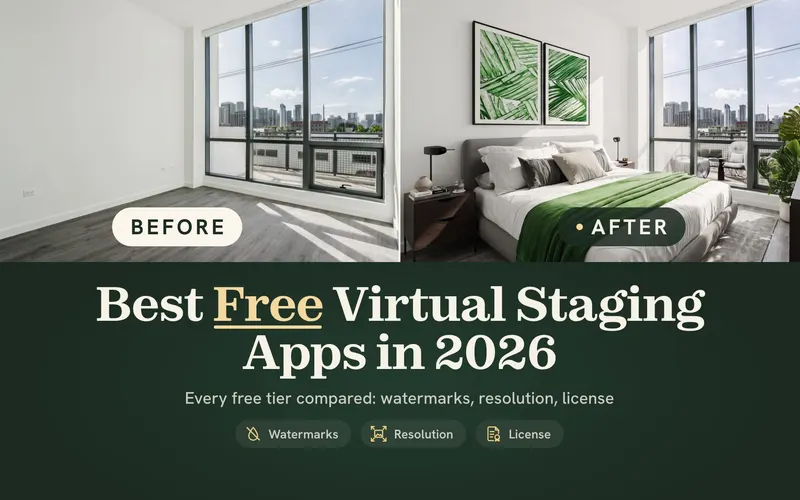
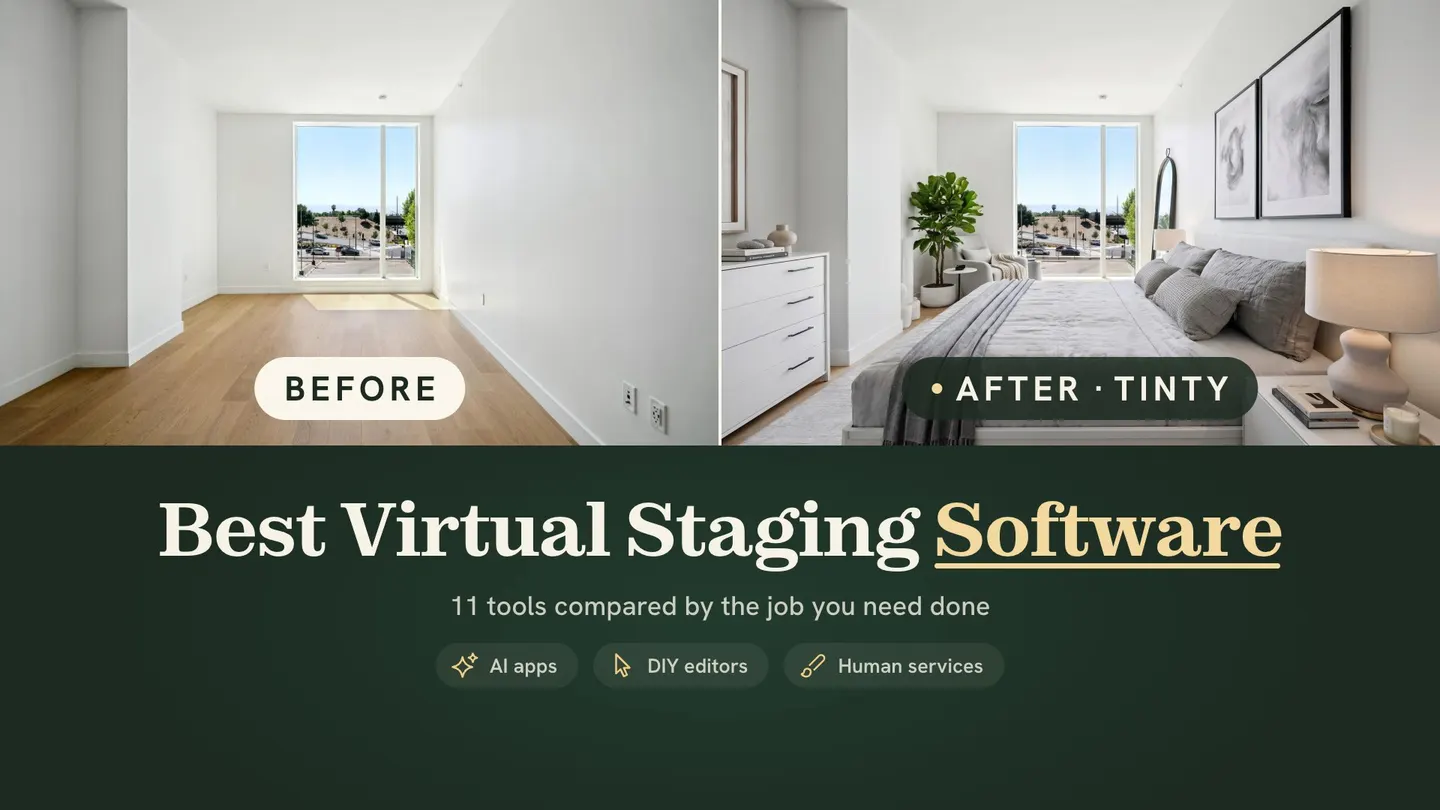
What is the best virtual staging software? It depends on the job. For fast, low-cost previews of empty rooms, pick an AI app such as Virtual Staging AI or TINTY. For a person to do the work, pick a service like VirtualStaging.com or BoxBrownie. For kitchens, exteriors or renovation, pick a tool that lists those rooms.
Vendor pages and terms checked October 3, 2026.
How we made this comparison: we read each vendor’s own live pages and terms on October 3, 2026. Prices also draw on our check of 29 services’ pricing pages on September 30, 2026. We didn’t run competitors’ tools, so nothing below is a test result.
We make TINTY, an AI virtual staging app, so read this knowing we have a stake. TINTY sits in the same lists as everyone else, with its limits next to its strengths. Where another tool covers something TINTY doesn’t, we say so. If you’re new to the topic, start with what virtual staging is and how it works.
Key takeaways
- No single winner: the best virtual staging software depends on your rooms, your volume and whether you want to do the work.
- AI apps: under $1 to about $5 a photo, with results in seconds to minutes, by vendors’ claims.
- Human services: $14.40 to $70 a photo, with revisions handled for you and delivery in hours to two business days.
- Check four limits: room types, output size, multi-angle matching and refund terms. Few vendors state all four.
On this page: Picks by job · At a glance · How to choose · AI vs human · AI apps · Services · Editors and photographers · Kitchens and exteriors · Red flags · Output size · PC and phone · TINTY · FAQ · Our research
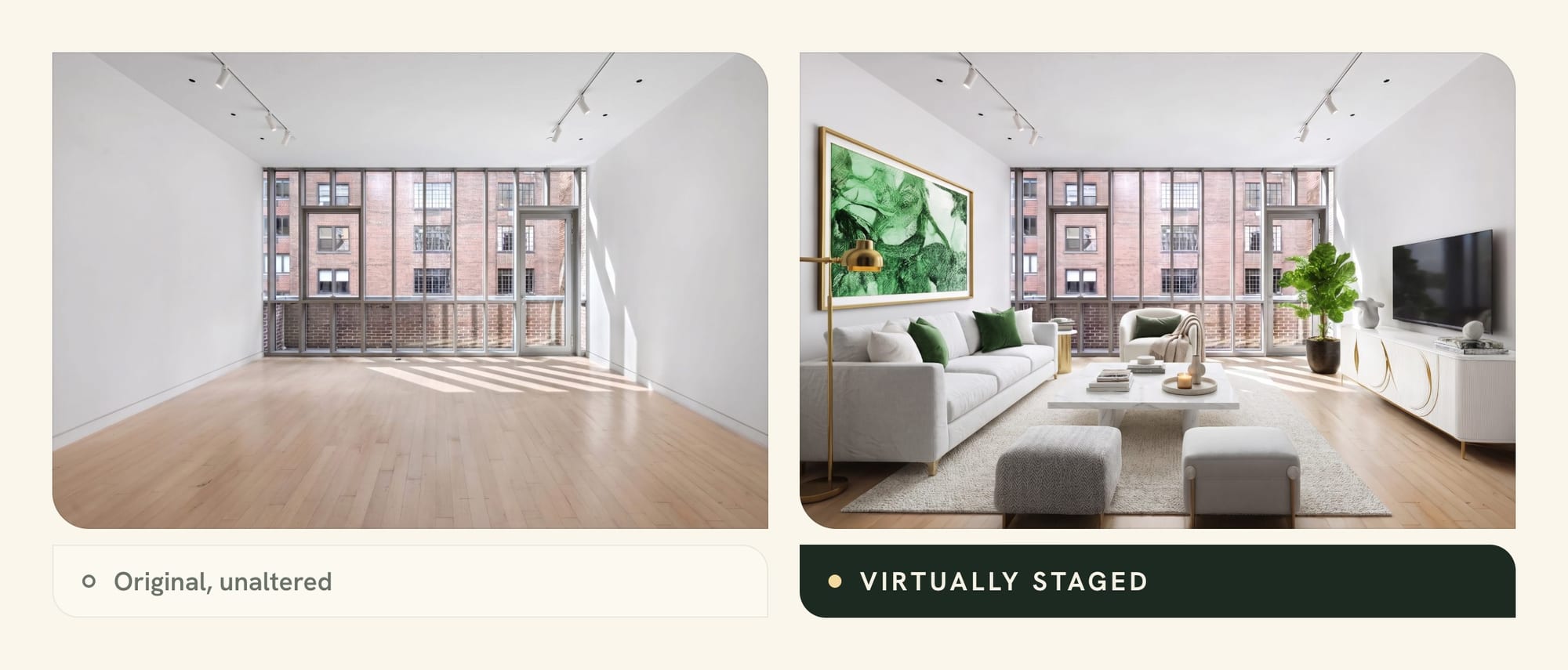
Best virtual staging software by job: our picks
The best virtual staging software is the one that fits the rooms in front of you and how you like to work. These picks are our opinion, built from vendors’ published prices, features and terms. Prices are short here; the virtual staging cost guide has the full numbers.
Here are the picks, one per job:
- Quick AI previews: Virtual Staging AI. Its plan cards claim a 10-second turnaround, and its homepage lets you upload a photo free with no sign-up.
- Done-for-you human service: VirtualStaging.com. It charges $24 a photo, stages your first photo free and offers free 4 to 8 hour rush delivery on weekday orders of up to 15 photos.
- Best free start: a human service’s free first photo, or an AI app’s free previews. Our best free virtual staging apps guide compares 39 free tiers.
- Photographers and volume: PhotoUp bundles AI staging with photo editing and dedicated editors. Virtual Staging AI’s top plans add an API.
- Kitchens, exteriors and renovation: BoxBrownie for kitchens and renovation from human editors. Virtual Staging AI’s room picker lists kitchen and outdoor room types.
- MLS-ready output size: few vendors state a pixel size. TINTY states 2K, about 2,500 px on the long side. Apply Design sells a 4K retouch add-on.
Tip: before you commit to any virtual staging app, run your hardest photo through two tools. Pick a wide room with big windows and a visible door. If a tool handles that, your easier rooms should be fine.
Real estate virtual staging software compared at a glance
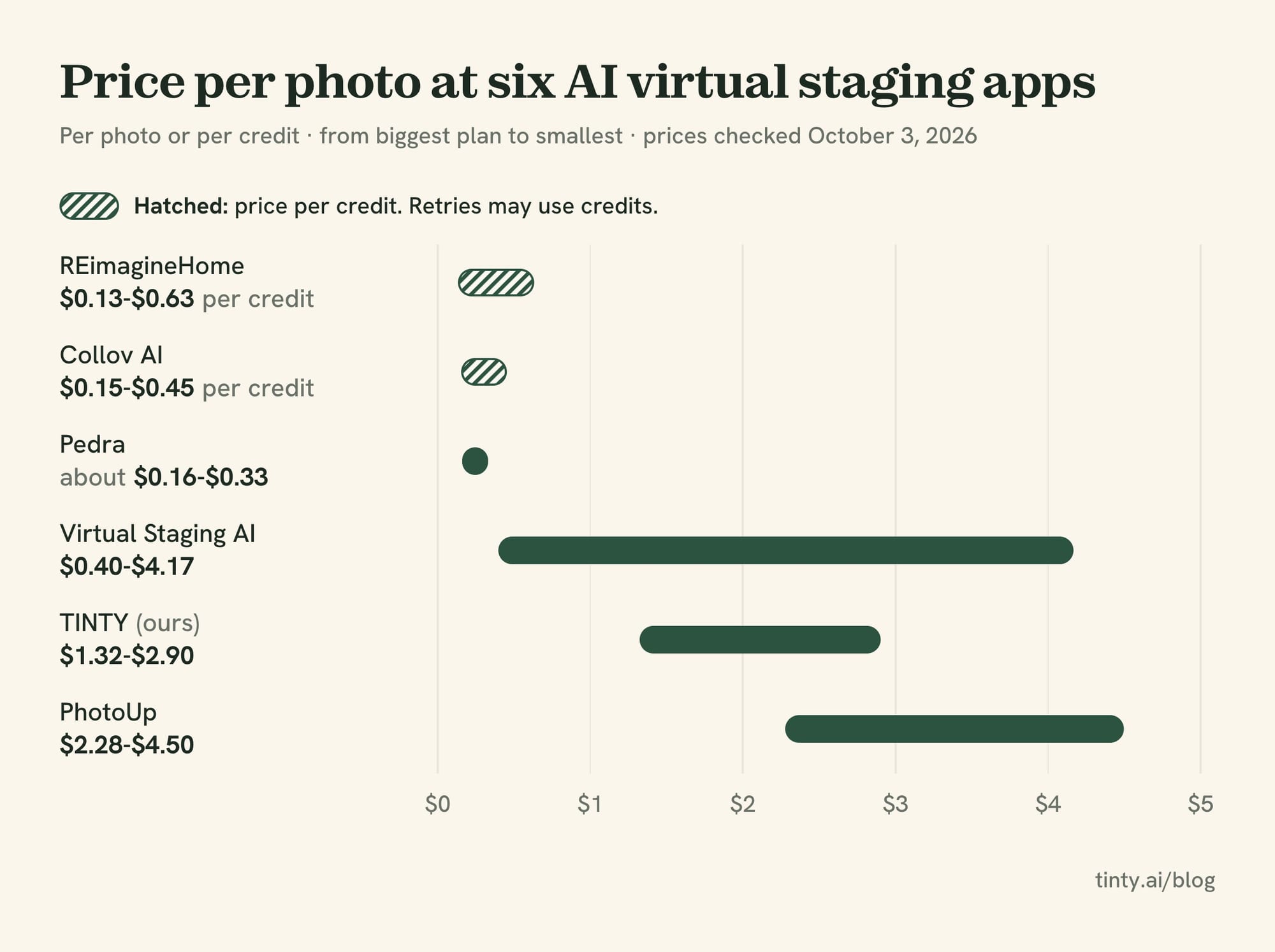
Here are six of the 11 tools, one or two of each type. Price per photo is our arithmetic from each vendor’s own pages, from the biggest plan to the smallest.
Six tools at a glance, in US dollars, prices checked September 30 and October 3, 2026.
| Tool | Type | Price per photo | Best for |
|---|---|---|---|
| Virtual Staging AI | AI self-serve | $0.40-$4.17 | Fast previews, kitchens and outdoor rooms |
| TINTY (ours) | AI self-serve | $1.32-$2.90 | Empty bedrooms and living areas, small listings |
| Apply Design | DIY editor with AI | $7-$15 | Placing furniture yourself, matched angles |
| PhotoUp | AI in an editing service | $2.28-$4.50 | Photographers who also buy editing |
| VirtualStaging.com | Human service | $14.40-$24 | Done-for-you with free weekday rush |
| BoxBrownie | Human service | US$24 | Kitchens, renovation and twilight in one order |
The other five (Collov AI, REimagineHome, Pedra, virtualstaging.ai and Styldod) appear in the sections below. Our full comparison of 29 services adds per-listing budgets, yearly costs and hidden fees.
Example: a five-photo listing costs $25 for one month of Virtual Staging AI’s Basic plan, or $29 for TINTY’s 10-photo pack. The same five photos cost $96 to $120 at VirtualStaging.com and US$120 at BoxBrownie.
How to choose virtual staging software: a 7-question checklist
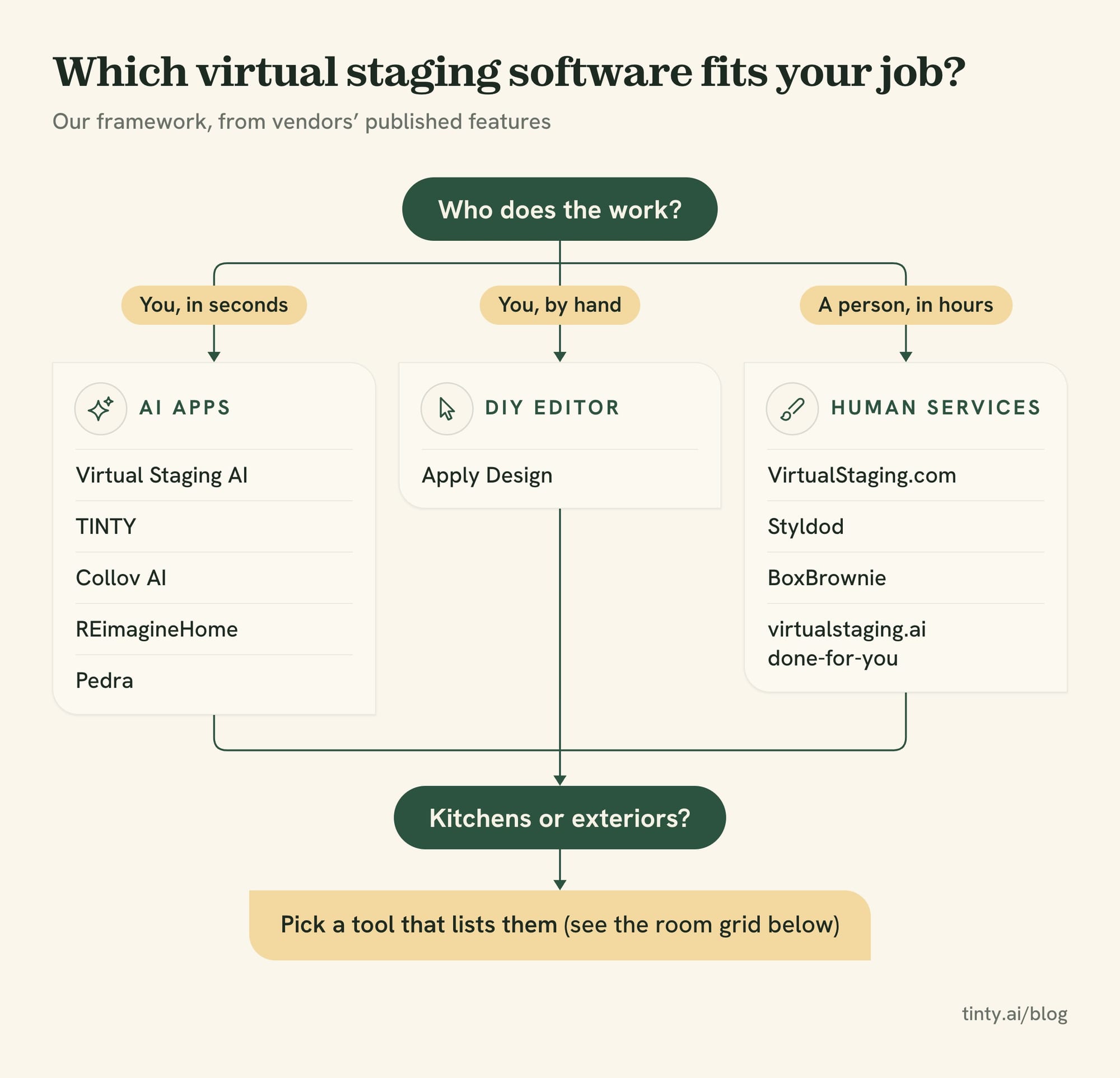
Answer these seven questions before you pay, and the shortlist picks itself. The best virtual home staging software for one agent can be the wrong pick for another. Many comparison lists skip the last four questions, and those are where agents get stuck.
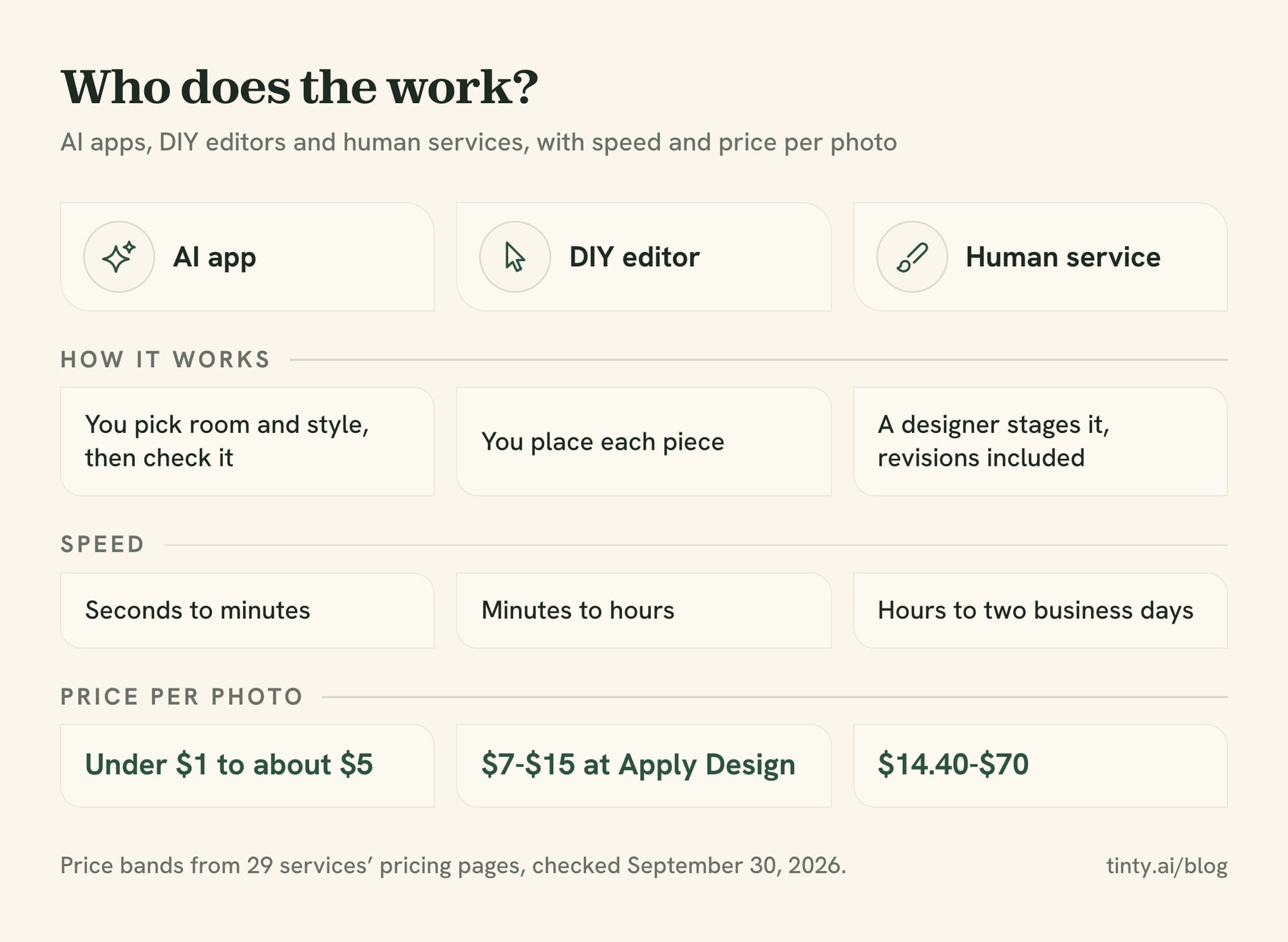
- Who does the work? AI apps give you results in seconds, and you judge them. Human services take hours, and a designer handles revisions.
- How many photos a month? One listing fits a pack or a per-photo order. Ten listings a month fit a plan billed yearly.
- Which rooms? Most AI apps we compared list bedrooms and living areas. Kitchens, bathrooms and exteriors are often missing or cost extra.
- Is the room empty? Furnished rooms need furniture removal first. Some vendors include it, some charge, and some don’t offer it.
- One angle or several? Two photos of one room should show the same sofa. Only some tools say they match furniture across angles.
- What size and license do you get? Check the output size, the watermark rules and whether you can use the photo commercially.
- What if it goes wrong? Read the refund terms. Some vendors make every purchase final.
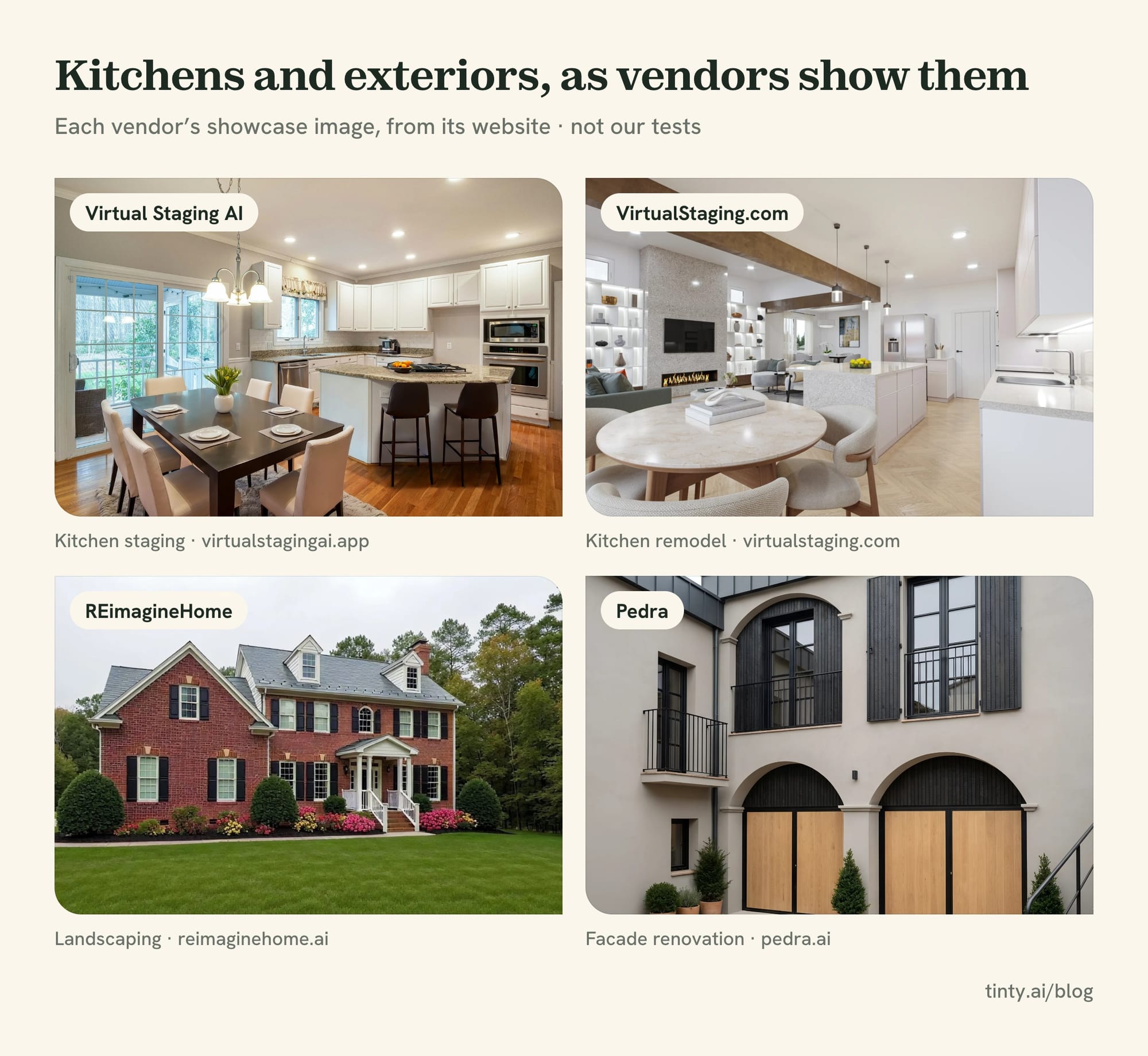
Images: Virtual Staging AI · VirtualStaging.com · REimagineHome · Pedra, from each vendor’s own site.
Pricing-page traps to spot before you subscribe
The headline price is rarely what you pay. Five traps from the pages we read:
- Yearly rates shown as monthly: Collov’s $19 and Virtual Staging AI’s $16 are billed yearly.
- Credits that pay for retries: REimagineHome charges a credit per generation, while Virtual Staging AI’s renders are unlimited.
- No rollover: Virtual Staging AI’s unused photos don’t carry over. TINTY carries up to one month’s allowance.
- Expiring coins or packs: Apply Design’s coins expire a year after purchase, and TINTY’s pack lasts 12 months.
- Minimum orders: virtualstaging.ai’s done-for-you package starts at $99, and Styldod’s 8-photo discount makes seven photos cost more than eight.
Watch out: refund terms vary more than prices. BoxBrownie’s policy says purchases are final. Apply Design’s terms call purchases final, though coin refunds within 30 days “may be considered.” TINTY refunds a first plan payment or pack within 30 days.
AI vs human virtual staging: when each one wins
AI apps lead on speed and price, by vendors’ published figures. Human services lead on hands-off work, with a designer handling revisions. Many agents end up using both on one listing.
Pick an AI app when:
- The rooms are empty, and they’re mostly bedrooms and living areas.
- You want options now: results arrive in seconds to minutes, by vendors’ claims, so a seller can see choices the same day.
- You list often: plans billed yearly bring the price under $1 a photo at several vendors.
- You’ll check every image, because nobody else will.
Pick a human service when:
- The room is furnished or cluttered and needs furniture removed first.
- It’s a kitchen, bathroom or exterior, or it needs renovation.
- You want revisions handled: Styldod includes unlimited revisions, VirtualStaging.com allows unlimited requests for 15 days, and BoxBrownie allows changes for 2 months.
- The listing is high end, and one weak photo costs more than the service.
Example: mix tiers on one listing. A designer stages the lead photo for $23 or $24, and an AI plan does the other four for $9 to $14. Our cost guide puts that listing at about $32 to $38.
For the longer story of how AI changed staging, see our history of home staging and AI virtual staging.
Best AI virtual staging apps: fast previews, low prices
AI apps cost the least per photo: under $1 to about $5, by our September 30 price check, and vendors claim results in seconds. You upload a photo, pick a room and a style, and judge the result yourself. They fit best when rooms are empty.
The trade-off is that nobody checks the image but you. Count the windows, check the doors and floors, and redo any render that moves a wall. These four AI apps sit next to TINTY in this group, and TINTY has its own section below.
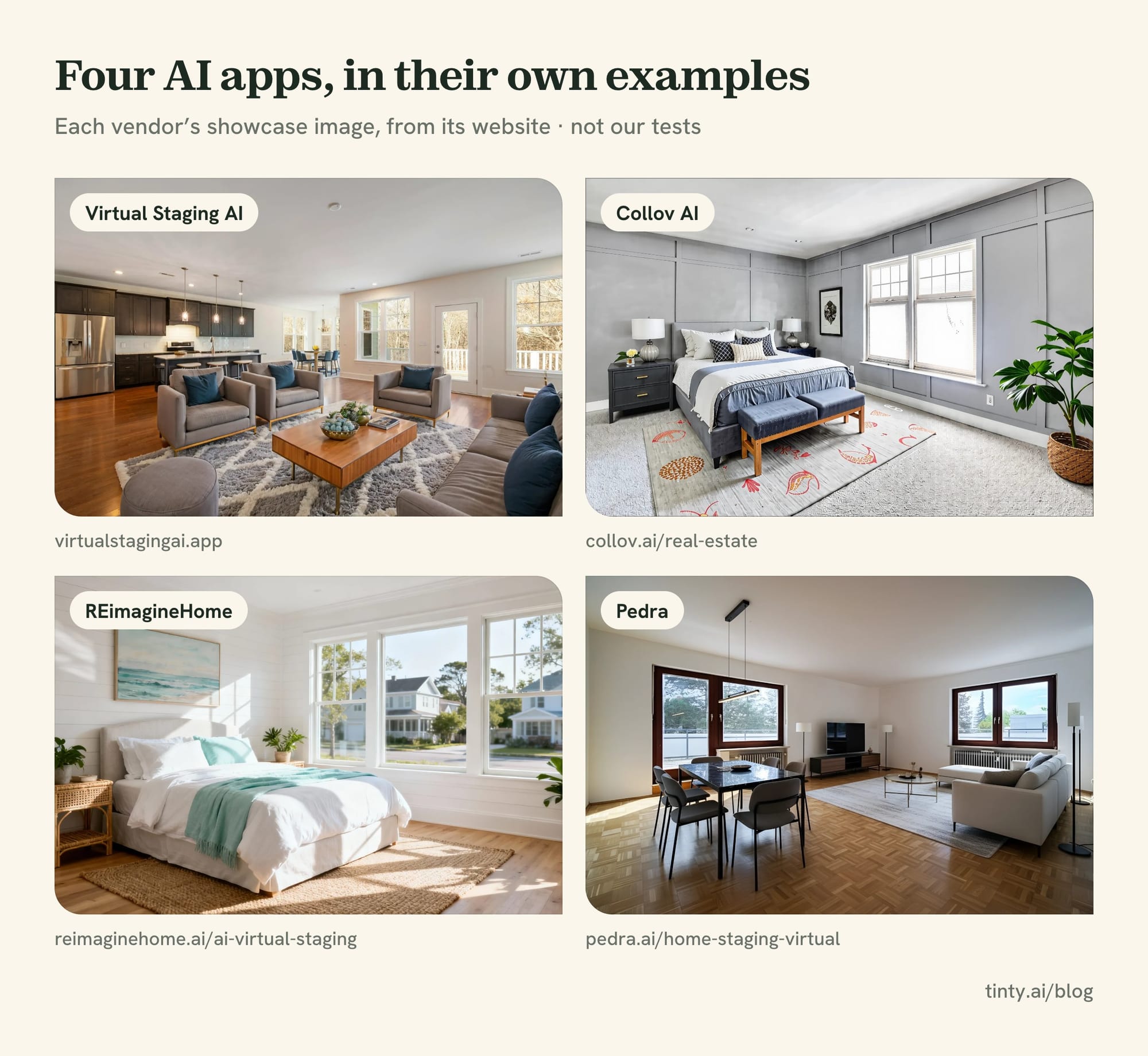
Images: Virtual Staging AI · Collov AI · REimagineHome · Pedra, from each vendor’s own site.
Virtual Staging AI: 10-second claim, kitchen and outdoor rooms
Virtual Staging AI is a virtual staging AI app owned by Zillow, per its terms. Plans start at $25 a month for 6 photos, or $16 a month billed yearly. That works out to $0.40 to $4.17 a photo across plans.
You can upload a photo free on its homepage, with no sign-up and no card. Its plan cards promise a 10-second turnaround, unlimited renders, furniture removal and no watermark. Its room picker lists kitchen and outdoor room types, and the Enterprise plan adds API access. TINTY has no kitchen type, and a terrace is its only outdoor type.
Downside: unused photos don’t roll over, and refunds apply only within 7 days if you’ve uploaded fewer than 10 photos. Its pricing page shows yearly prices first, and it doesn’t state an output size.
Collov AI: AI plus a human-assisted multi-angle option
Collov AI suits agents who want more edits than staging. Its menu lists furniture erasing, decluttering, virtual twilight, lawn replacement and pool water. Standard costs $27 month to month for 60 credits, per Collov’s pricing code.
Its higher plans add AI multi-angle staging. Premium ($79 a month, billed yearly) adds human-assisted multi-angle staging at 20 credits an image. It offers a watermarked free trial and promises high-resolution downloads without a pixel figure.
Watch out: Collov headlines “$19 a month,” but that’s the rate billed yearly ($228).
Downside: you pay in credits, and its pages disagree on whether regenerations are unlimited or cost a credit each.
REimagineHome: renovation and exterior edits from Styldod
REimagineHome comes from Styldod, the human staging service. New users get 5 free designs, and its site says no card is needed. Plan cards run from $19 a month for 30 credits to $119 for 900, while the page’s own summary says $14 to $99.
Its pricing page lists furniture removal, interior renovation and exterior edits such as sky and pool. California Regional MLS (CRMLS) members get 30 free credits a month, and there’s an Android app.
Downside: the $19 Essential plan uses older tools and leaves out high-resolution output. Each generation costs a credit, so retries eat the allowance.
Pedra: staging, renovation and floor plans, billed in euros
Pedra suits agents who want staging, renovation and floor plans in one app. Its Pro plan costs €29 a month (about $33) for 100 credits, and one staging uses one credit. Billed yearly, it’s €239 for 1,200 credits.
It lists property videos, 360 tours and an API on its plans. The free trial gives 7 image credits with no card.
Downside: it bills in euros, so your card may add a currency fee. Its pricing page doesn’t state an output size.
Best virtual staging company for done-for-you work
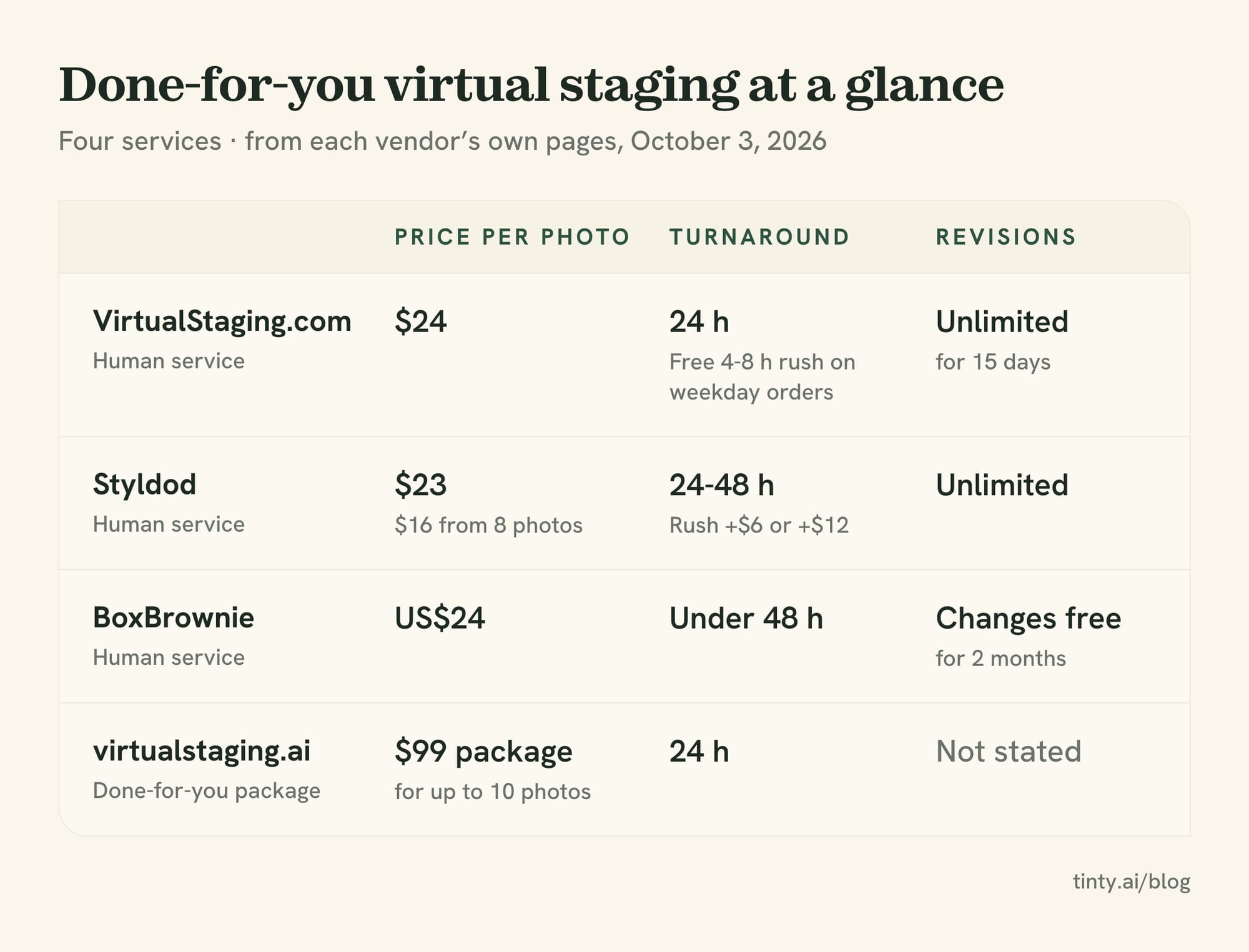
A human service is the pick when you’d rather send photos and get finished files back. Prices run $14.40 to $70 a photo, and most charge $23 to $39 for one photo, per our cost guide. Delivery takes a few hours to two business days, and revisions are included.
These three services, plus one AI vendor’s done-for-you package, are the done-for-you options we compared.
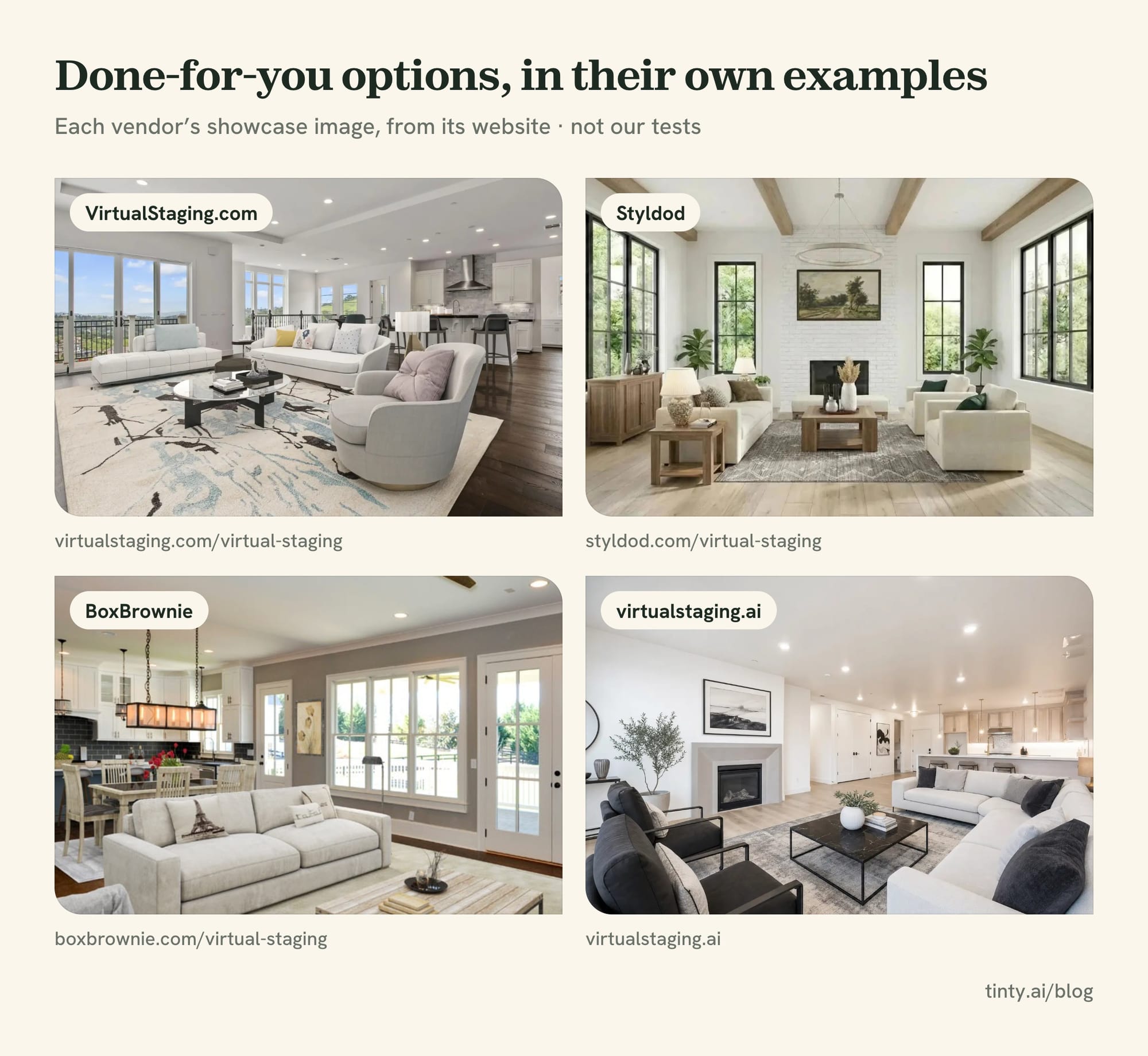
Images: VirtualStaging.com · Styldod · BoxBrownie · virtualstaging.ai, from each vendor’s own site.
VirtualStaging.com: free first photo and free weekday rush
VirtualStaging.com charges $24 a photo, and multi-room orders drop to $19.20. Its homepage says a full 20-photo listing costs $288, or $14.40 a photo. The first photo on a new account is free.
Standard delivery is 24 hours. Upload up to 15 photos before 3pm Pacific time on a weekday, and it promises them back that afternoon, with rush included. Revisions are unlimited for 15 days after delivery, and its FAQ says you own the photos.
Its other services, per its pricing page:
- Virtual renovation: $90 an interior image and $140 an exterior image, in 2 to 5 days.
- Twilight: $4.80 an image.
- 360° staging: $32 an image, in 8 to 24 hours.
Downside: renovation and exteriors cost far more than staging and take days, not hours.
Styldod: volume discount and paid rush
Styldod charges $23 an image under 8 photos and $16 from 8 photos up. Delivery takes 24 to 48 hours. A 24-hour rush adds $6 an image, and a 12-hour rush adds $12.
It offers unlimited free revisions, a money-back guarantee and 10 styles, and its gallery shows a staged kitchen. Add-ons include occupied-to-vacant from $15 and day to dusk from $4.
Downside: the free first image needs a phone number on the form, and Styldod doesn’t state whether a card is needed. Seven photos cost $161, more than eight at $128.
BoxBrownie: kitchens, renovation and twilight in one order
BoxBrownie charges US$24 an image, with the location set to United States. Its editors work around the clock and deliver in under 48 hours. Changes are free within 2 months.
It stages kitchens and commercial spaces and offers 9 styles. One order can also cover day to dusk (US$4), item removal (US$4 to US$8), renovation (US$24 to US$176) and floor plan redraws. Its site links to API documentation.
Downside: its refund policy says purchases are final. Its free account covers photo edits, not staging.
virtualstaging.ai: AI plans with a done-for-you package
virtualstaging.ai calls itself a VirtualStaging.com company, and it isn’t the Zillow-owned tool. Its AI plans start at $25 a month for 20 credits. Its done-for-you packages cost $99 for up to 10 photos or $149 for up to 20, delivered in 24 hours.
Downside: a package is a minimum. Five photos in the $99 package cost $19.80 each.
Watch out: three names look alike. Virtual Staging AI (virtualstagingai.app) is Zillow’s. virtualstaging.ai and VirtualStaging.com are a separate pair. Check the domain before you pay.
DIY editors and tools for photographers
Two tools sit between AI apps and human services. One lets you place the furniture yourself, and one bundles staging with photo editing.
Apply Design: drag-and-drop staging with matched angles
Apply Design suits agents who want control over every piece. It sells coins at $10 each, dropping to $7 at 20 or more. DIY staging in its drag-and-drop editor uses 1 coin a photo, and AI auto-staging uses 1.5. That’s $7 to $15 a photo.
Auto-staging promises a 10-minute turnaround, unlimited revisions, furniture removal and “multi angle consistency”. Its homepage lists over 18,000 furniture pieces. Its gallery includes exteriors and 360° photos, and a 4K retouch add-on gives 10 enhancements per coin.
Downside: its terms call purchases final, and coins expire a year after purchase. It doesn’t state an output size, and placing furniture by hand takes time.
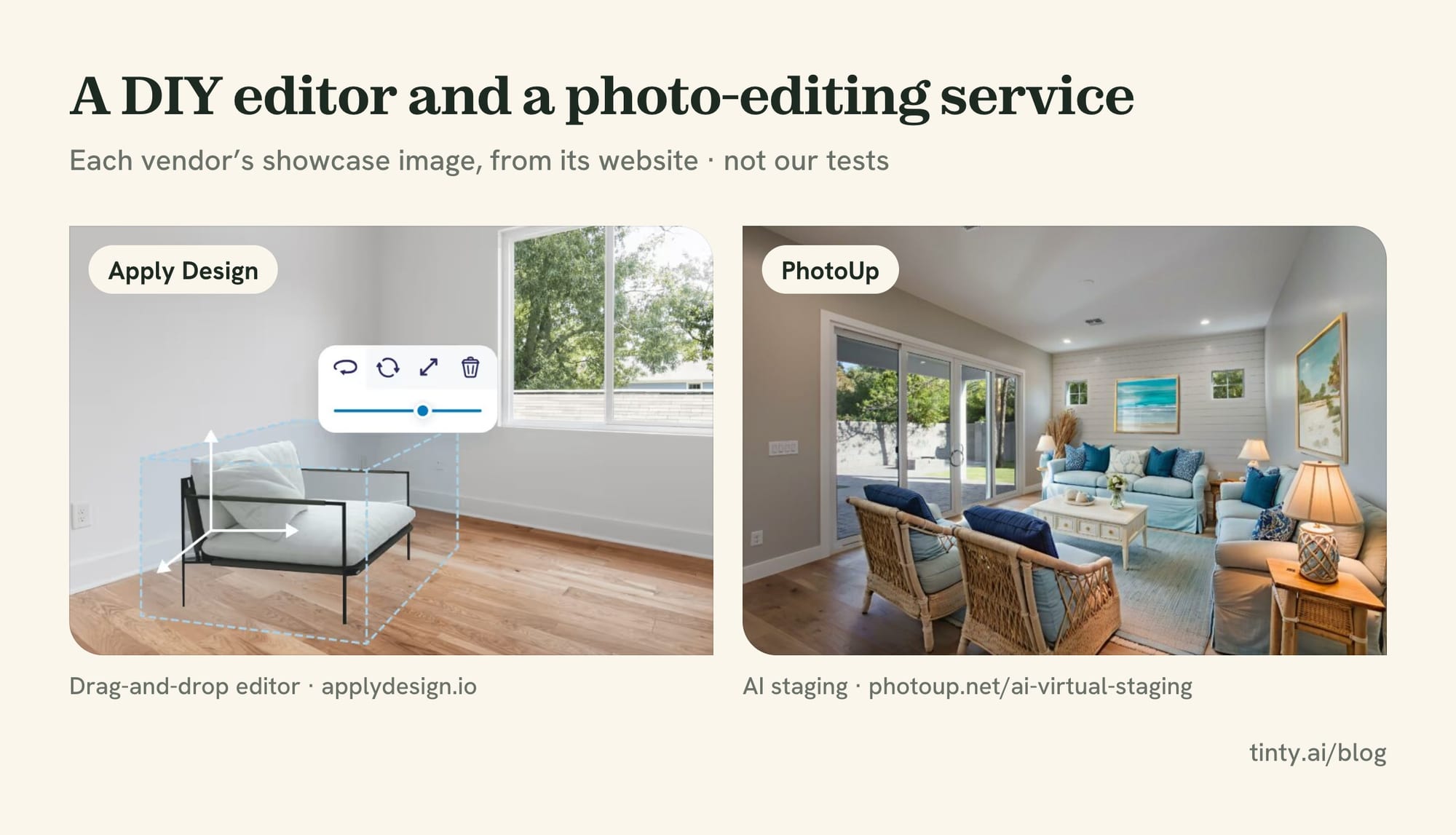
Images: Apply Design · PhotoUp, from each vendor’s own site.
PhotoUp: AI staging inside a photo-editing service
PhotoUp is built for real estate photographers. AI staging uses 3 credits a photo, and on-demand credits cost $1.50, so a photo costs $4.50 on demand. Plans start at $49 a month, or $39 billed quarterly.
The same account buys photo editing, property websites, virtual tours and dedicated editors from $7.94 an hour. New accounts get 5 free credits with no card, enough for one staged photo.
Downside: card payments carry a 3% fee, per its FAQ, and ACH payments avoid it. At $4.50 on demand, it has the highest top price among the AI options here.
Teams and brokerages: what changes at volume
At volume, yearly billing and the per-photo rate decide the bill more than the entry price. In our cost guide, a team listing 10 homes a month pays about $0.38 to $1.58 a photo on AI plans billed yearly.
Volume features on vendors’ own pages:
- Virtual Staging AI: a volume slider down to $0.40 a photo, and API access on Enterprise ($139 a month, or $79 billed yearly, for 150 photos).
- Collov AI: API access and human-assisted multi-angle staging on Enterprise, at $127 a month billed yearly.
- BoxBrownie and Pedra: both list an API, BoxBrownie through API documentation on its site and Pedra on its plans.
- PhotoUp: part-time dedicated editors from $869 a month, on top of AI staging credits.
- TINTY: an Enterprise option with volume pricing, a shared team library and a named contact. Self-serve plans stop at 50 photos a month.
Kitchens, bathrooms and exteriors: which tools cover them
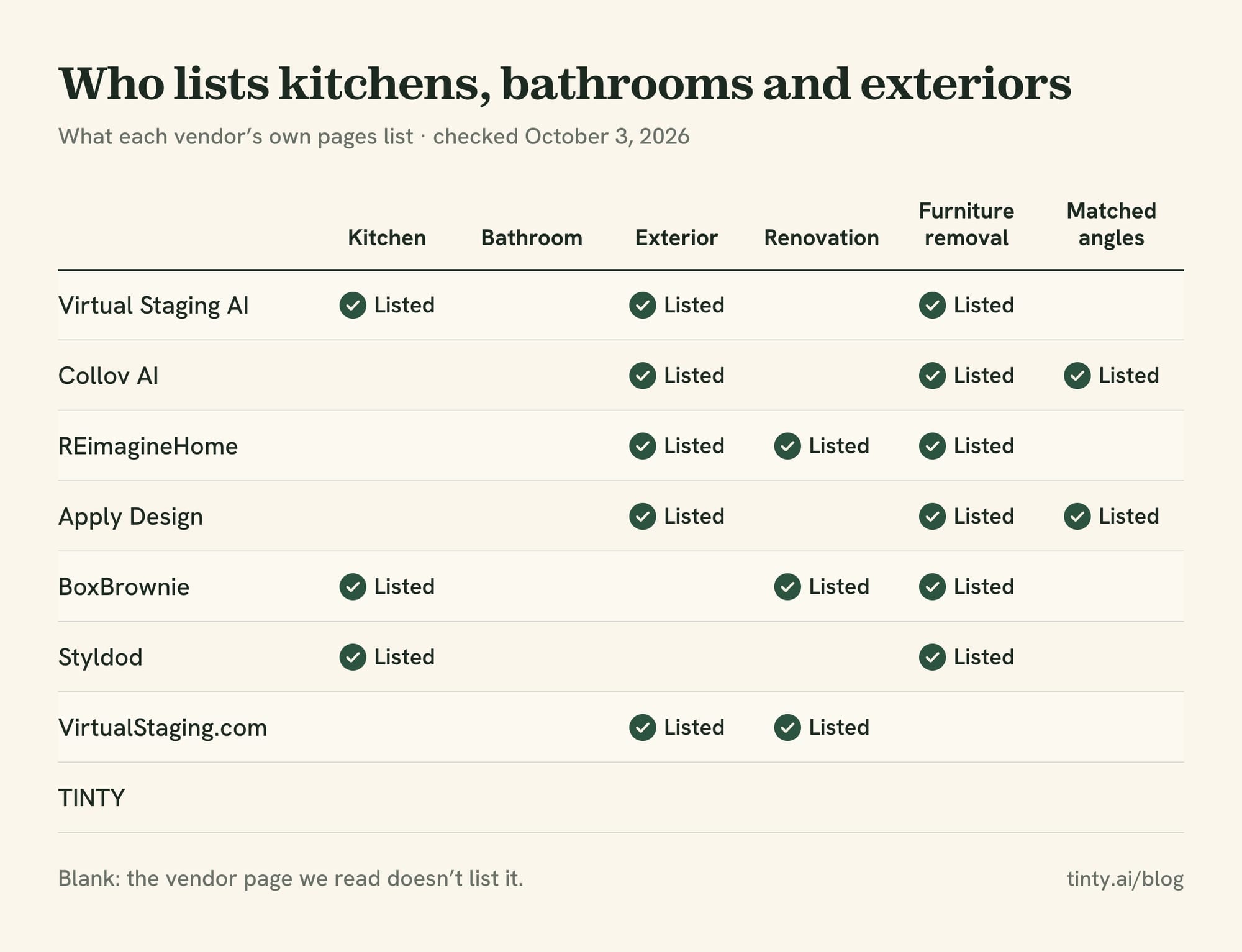
Room coverage is where virtual home staging software differs most, and many lists skip it. Bedrooms and living rooms are listed almost everywhere. Kitchens, bathrooms, exteriors and renovation are not.
From the vendors’ own pages, here’s who covers what:
- Kitchens and bathrooms: Virtual Staging AI’s room picker lists a kitchen. BoxBrownie’s FAQ suggests staging the kitchen, and Styldod’s gallery shows one.
- Exteriors: VirtualStaging.com renovates exteriors at $140 an image. REimagineHome lists exterior edits, Virtual Staging AI lists an outdoor room type, and Collov sells lawn and pool tools.
- Renovation: VirtualStaging.com, BoxBrownie, REimagineHome and Pedra all list it, at very different prices.
- Furniture removal: included at Virtual Staging AI and virtualstaging.ai, and listed by Apply Design and Collov. Styldod and BoxBrownie charge extra.
- Matched angles: Apply Design and Collov say they match furniture across photos of one room.
- 360 photos and tours: VirtualStaging.com stages 360° photos at $32 an image, and Pedra lists 360 tours on its plans. TINTY doesn’t support 360 or 3D tours.
TINTY covers 9 room types, from bedrooms and nurseries to a home office and a terrace. It doesn’t stage kitchens, bathrooms, building exteriors or yards, and it doesn’t match angles yet. For those jobs, pick one of the tools above that lists them.
Rule: check what your MLS lets you change before you buy renovation or exterior edits. California’s AB 723 requires a disclosure and access to the original photo on altered listing images.
Quality red flags to check in any virtual staging app
Price lists don’t show quality, so check every render against the original. These problems come from a forum, a news story and a state regulator.
Look for these four:
- Moved structure: New York’s Department of State tells buyers that inconsistent window views are a sign of AI-altered photos. Count the windows and doors.
- Invented features: Real Estate News reported an AI edit that added a fireplace that doesn’t exist.
- Misplaced furniture: a member of the We Get Around Network, a photographers’ forum, compared Virtual Staging AI and Collov in late 2025. Chairs landed in front of a refrigerator, and some rooms took 10 or more regenerations.
- Wrong scale: oversized pieces make a room look cramped. A standard US interior door is about 80 inches tall, so use it to judge sofas and beds.
Retries affect cost as well. Re-renders are free at Virtual Staging AI and virtualstaging.ai, while REimagineHome charges a credit for each run. At TINTY, previews are free, and re-rendering a finished photo uses one.
MLS-ready output size, labels and licenses
Output size is the spec vendors state least often. Of the 11 tools here, few give a pixel figure on their pricing pages. Ask before you buy if you print flyers or your MLS has a minimum size.
What the pages we read do say:
- TINTY: 2K files, about 2,500 px on the long side in a 3:2 frame. Its page calls them suitable for MLS listings, portals and letter-size flyers. No 4K.
- Apply Design: a 4K retouch add-on, 10 enhancements per coin. Base output size isn’t stated.
- Collov AI: “high-resolution downloads”, with no pixel figure.
- REimagineHome: its $19 Essential plan leaves out high-resolution output.
- Virtual Staging AI, BoxBrownie, Styldod and VirtualStaging.com: no output size stated on the pages we read.
Watermarks matter too. Free output is often watermarked, and many MLSs reject photos with logos or added text. Pay for a clean file before you upload.
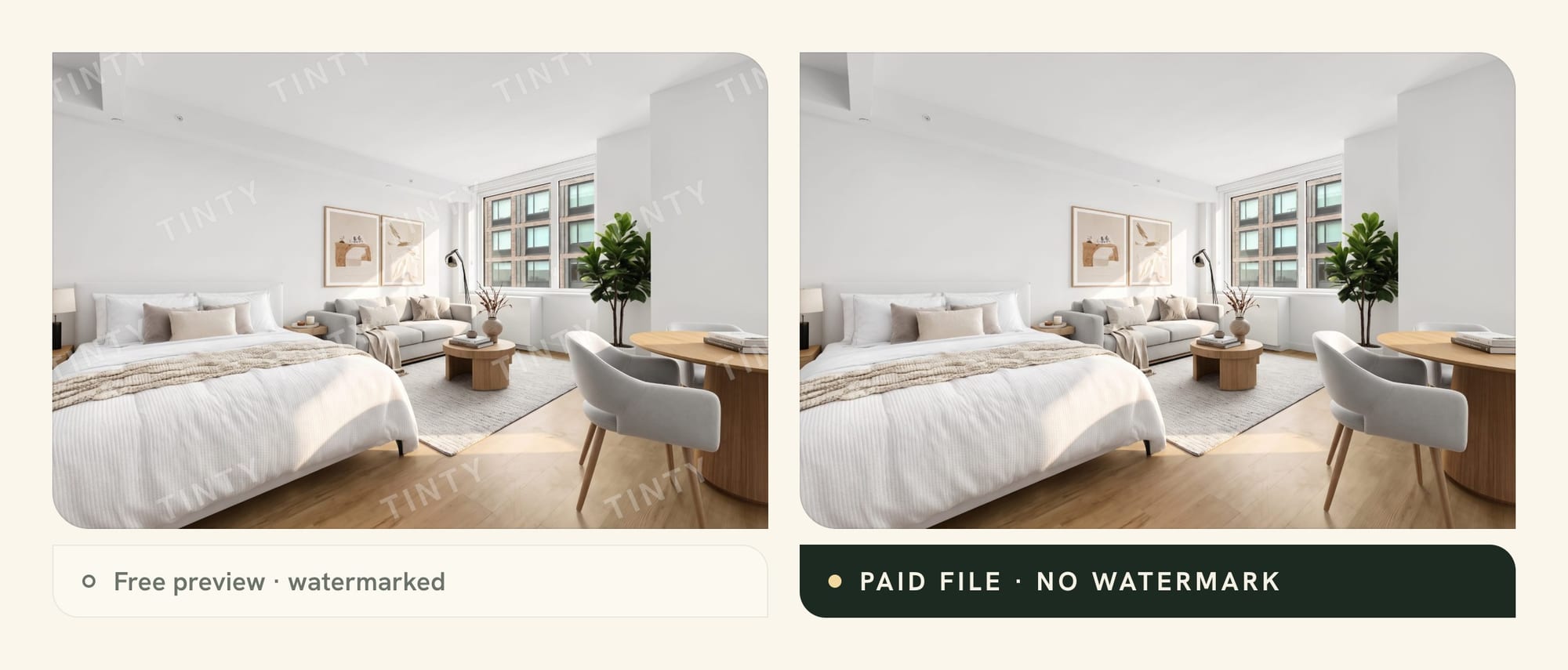
Label every staged photo. A vendor’s watermark isn’t a disclosure label. TINTY lets you add a “Virtually staged” label when you download, as an option. Our guide on whether virtual staging is legal covers MLS rules and state laws.
On licenses, VirtualStaging.com’s FAQ says you own the photos. If a photographer stages for you, the rights must reach you, because you vouch for the image at upload.
Virtual staging software for PC, Mac and phone
You don’t need to install anything. Every tool in this comparison runs in a web browser, so the same virtual staging software works on a PC or a Mac.
A few add phone options. REimagineHome has an Android app, and Pedra’s annual plan includes iPhone and Android apps for videos and 360° photos. Human services take uploads through their websites.
If you search for virtual staging software for PC because you want a download, you probably mean 3D software. Blender is free and powerful, but you place and light every piece yourself, which takes hours per room. Our free virtual staging apps guide covers Blender, SketchUp and free furniture models.
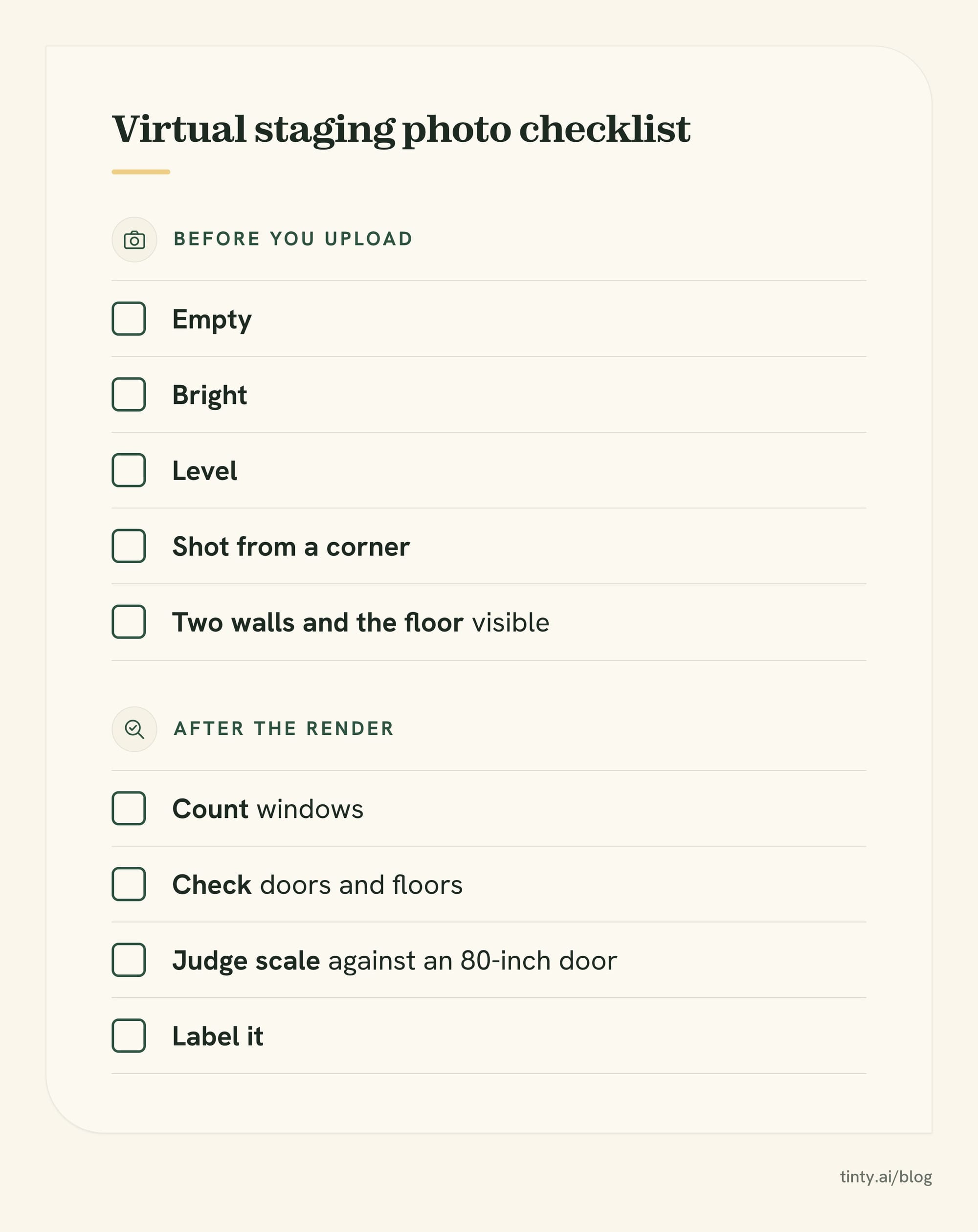
Tip: shoot for staging, whatever the tool. Shoot the room empty, bright and level, from a corner, so the floor and two walls show.
TINTY: where it fits and where it doesn’t (we make it)
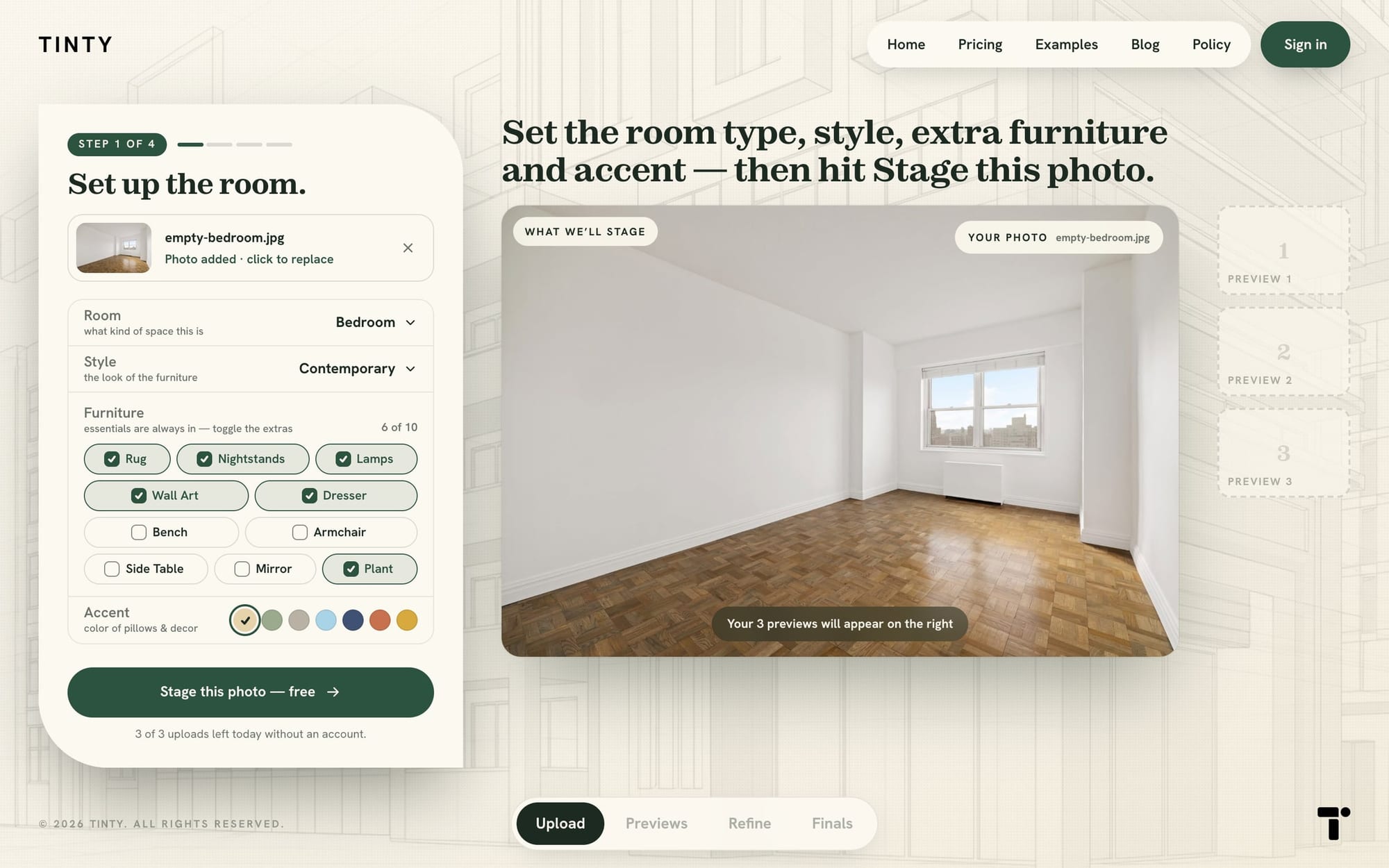
TINTY is an AI self-serve app for empty bedrooms and living areas. You upload a photo, set the room, style, furniture and accent color, and get three previews in about 30 seconds. You render the preview you like as a finished photo.
What you get:
- Rooms and styles: 9 room types (bedroom, kids room, nursery, living room, dining room, living-dining, studio, home office, terrace) and 6 styles, plus accent colors.
- Free start: 3 watermarked finished photos once, plus 6 previews per photo, up to 20 a month. No card.
- Plans: Base $9 a month for 4 photos, Standard $39 for 20, Professional $79 for 50. Yearly billing gives two months free.
- Listing pack: $29 once for 10 finished photos, valid 12 months. That works out to $1.32 to $2.90 a finished photo.
- Refunds: your first plan payment or pack has a 30-day money-back guarantee.
Our pricing page labels these prices “Launch pricing · locked in for early users,” so they may change. See TINTY’s plans and prices.
Now the limits. Output is 2K, not 4K, and TINTY doesn’t stage kitchens, bathrooms or building exteriors. It doesn’t declutter, renovate or do day to dusk, and furniture removal is coming soon, not live.
It doesn’t match furniture across angles, and there’s no API. At team volume, several AI plans cost less per photo than ours.
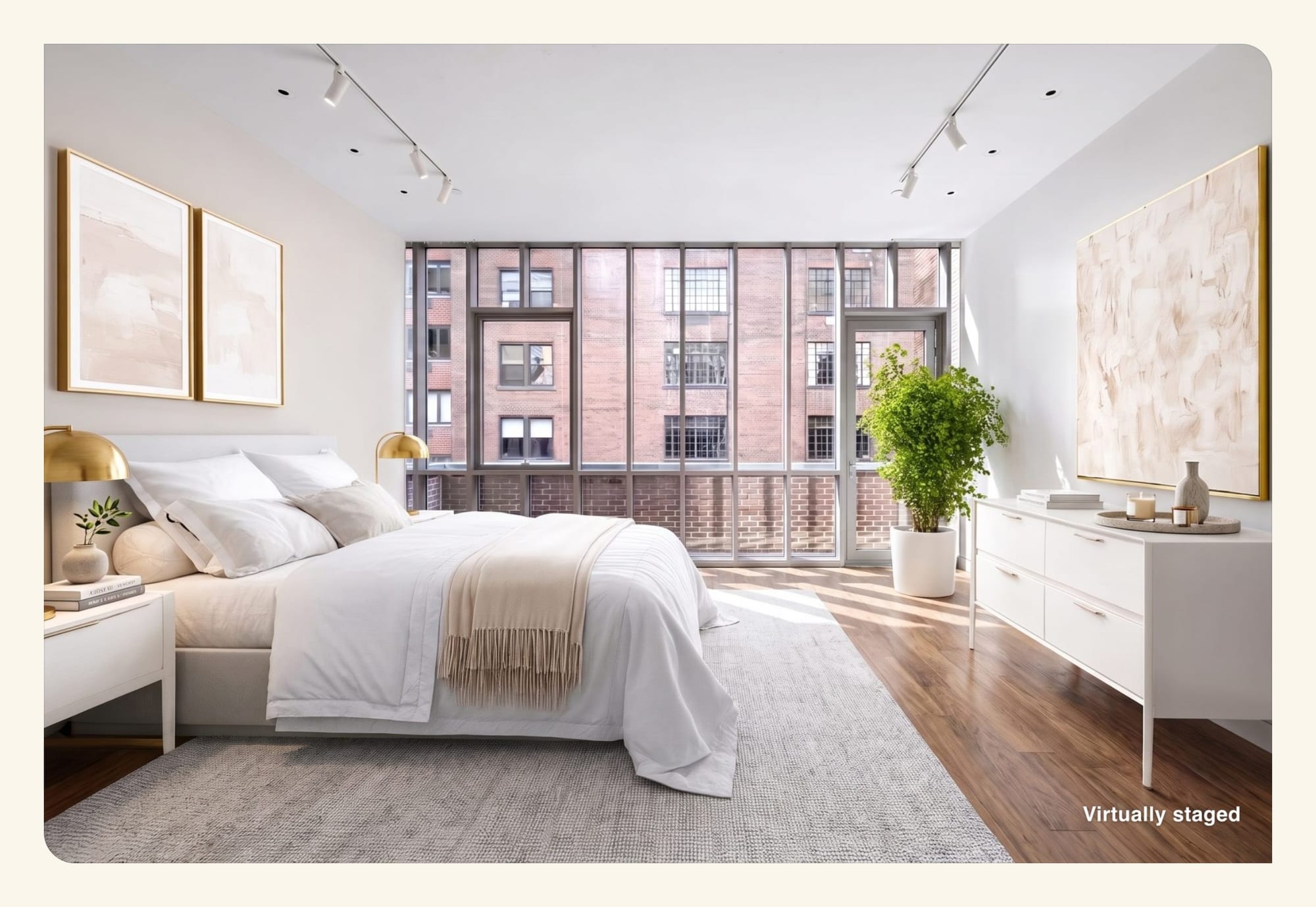
Too busy to stage photos yourself? TINTY Studio does it for you. Email the empty-room photos to hello@tinty.ai with the style you want and what each room is for.
Our team stages them with TINTY’s AI tools and finishes each by hand, in 2 to 24 hours. It’s $10 a photo, from 3 photos, with no account or prepayment: you pay only if you’re happy. Here’s how TINTY Studio works.
See how TINTY stages your own photo, free. Browse TINTY examples by room and style.
Best virtual staging software FAQ
What is the best virtual staging software for realtors?
It depends on the listing. For empty bedrooms and living areas on a budget, an AI app like Virtual Staging AI or TINTY costs a few dollars a photo or less. For kitchens, renovation or a person to handle revisions, a service like VirtualStaging.com, Styldod or BoxBrownie fits better.
What is the best virtual staging app for agents in a hurry?
An AI app. Virtual Staging AI’s plan cards claim a 10-second turnaround, and TINTY shows three previews in about 30 seconds. Both let you try a photo free. Human services take hours, though VirtualStaging.com promises same-afternoon delivery on weekday uploads before 3pm Pacific.
Show 6 more questionsShow fewer questions
Which virtual home staging software handles kitchens and exteriors?
Among the tools we compared, Virtual Staging AI lists kitchen and outdoor room types. Styldod’s gallery shows a staged kitchen, and BoxBrownie’s FAQ suggests staging one. VirtualStaging.com renovates exteriors at $140 an image. TINTY doesn’t stage kitchens, bathrooms or building exteriors, and a terrace is its only outdoor room type.
Can I try virtual staging software before I pay?
Yes. Most AI apps give a few watermarked images, and VirtualStaging.com and Styldod stage your first photo free. Free output is for trying a tool, not for your listing. Our best free virtual staging apps guide compares 39 free tiers.
What is the best virtual staging company to do it for me?
A human design service. VirtualStaging.com charges $24 a photo, with a free first photo and free weekday rush. Styldod charges $23, or $16 from 8 photos, and BoxBrownie charges US$24 and stages kitchens. All three include revisions.
Can I use virtual staging software on a PC?
Yes. Every tool in this comparison runs in a web browser on a PC or a Mac, with nothing to install. Downloadable options like Blender are 3D programs where you place every piece yourself, which takes hours per room.
Is AI virtual staging as good as a human service?
We didn’t compare output, so we don’t rank them on quality. The difference we can show is who checks the work: you with an AI app, or a designer who also handles revisions. The human services here list furniture removal and renovation as extras. Our virtual staging cost guide compares prices for both.
Do I have to disclose virtually staged photos?
In practice, yes, and the rules vary by MLS and state. California’s AB 723 requires a disclosure plus access to the original photo. A vendor’s watermark doesn’t count as a disclosure. Label each staged photo and keep the original.
How we researched this
On October 3, 2026, we read each vendor’s own pricing pages, feature pages, FAQs and terms. Where prices load by script, we read the data the page loads. Prices also come from our check of 29 services on September 30, 2026, and we found no price changes between the two checks.
We didn’t create accounts, upload photos, run renders or place orders. Stuccco’s pricing page blocked our check, so it’s left out. We also left out Spacely AI, whose plan cards we couldn’t read clearly, and smaller DIY options already in our cost guide. Other lists also name roOomy, AI HomeDesign, Trolto and Stageflow, which we didn’t review this round.
Pricing pages change often and can run tests, so your view may differ. If something has changed, email hello@tinty.ai and we’ll fix it.
Sources
All vendor pages read October 3, 2026, unless a date is given.
AI apps
- Virtual Staging AI: pricing · homepage · terms of service
- Collov AI: pricing (monthly price from the page’s pricing code)
Show 22 more sourcesShow fewer sources
- REimagineHome: pricing · homepage · CRMLS member offer · Google Play listing
- Pedra: pricing
- virtualstaging.ai: pricing
Human services
- VirtualStaging.com: pricing · homepage FAQ · FAQ · revisions policy
- Styldod: virtual staging · free trial
- BoxBrownie (US location selected): pricing · virtual staging · refund policy
Editors and photographer tools
- Apply Design: pricing · homepage · terms of service (last updated August 16, 2026) · 4K AI Retouch help article (December 1, 2025)
- PhotoUp: pricing · FAQ
Quality reports and rules
- New York Department of State trend alert on AI-generated listings (November 13, 2025)
- Real Estate News on AI-modified listing photos (September 8, 2026)
- We Get Around Network thread: Virtual Staging AI vs Collov (forum)
- California AB 723, bill text
Showcase images (each vendor’s own examples, October 3, 2026)
- AI apps: virtualstagingai.app · collov.ai/real-estate · reimaginehome.ai/ai-virtual-staging · pedra.ai/home-staging-virtual
- Done-for-you: virtualstaging.com/virtual-staging · styldod.com/virtual-staging · boxbrownie.com/virtual-staging · virtualstaging.ai
- Editors: applydesign.io · photoup.net/ai-virtual-staging
- Kitchens and exteriors: virtualstaging.com/virtual-renovation · reimaginehome.ai/ai-landscaping · pedra.ai
TINTY and our own guides
- TINTY (ours): tinty.ai · pricing · refund policy · terms (last updated September 25, 2026)
- Virtual staging cost: 29 services compared (prices checked September 30, 2026)
- Best free virtual staging apps
- Is virtual staging legal?
- What virtual staging is
- History of home staging and AI virtual staging