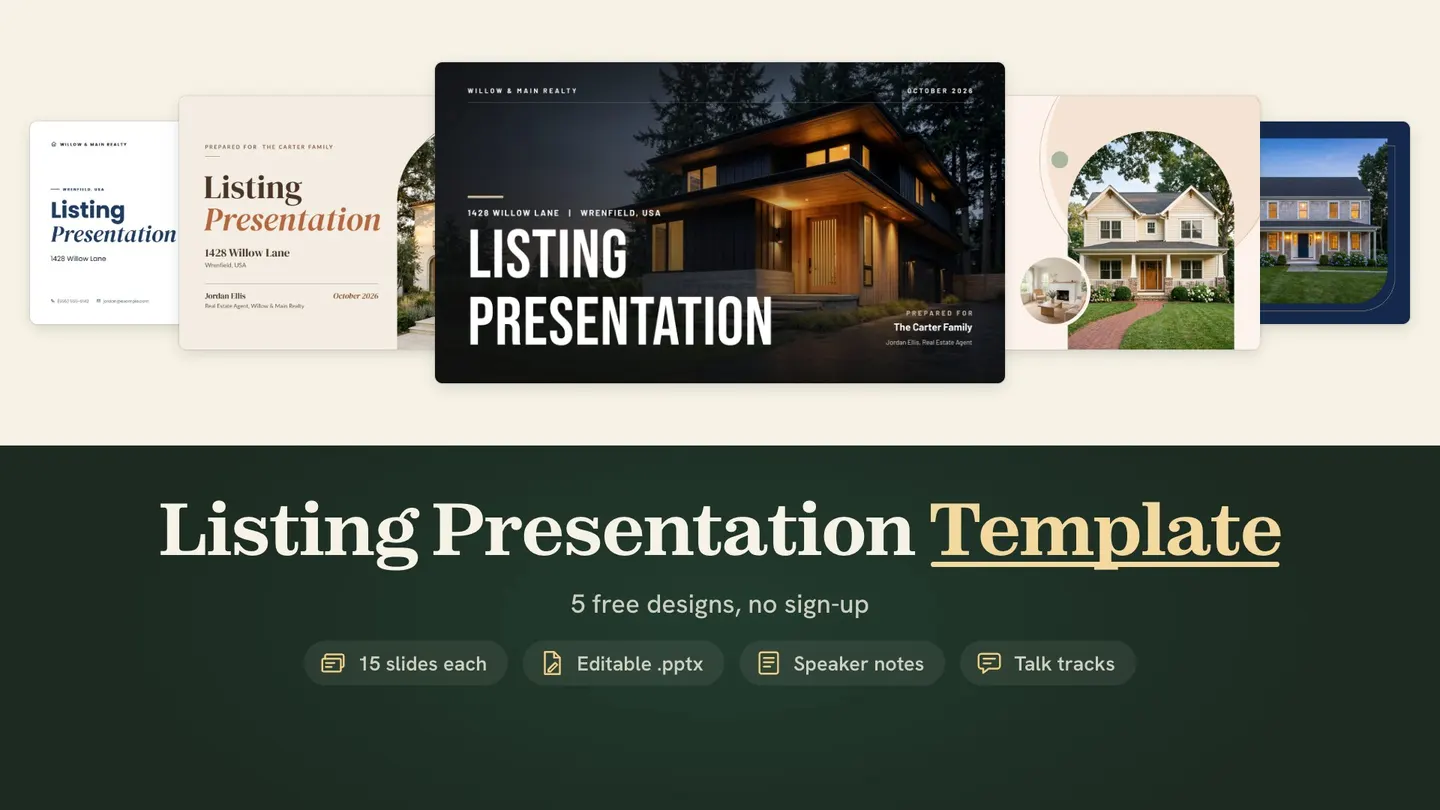
What is a listing presentation? It’s the meeting where you show a home seller how you’d price, market and sell their home, then ask to list it. A real estate listing presentation usually runs 45 to 60 minutes. Below are 5 free templates you can download with no sign-up or email, plus what to say on each slide.
We make TINTY, an AI virtual staging app, and we built these templates. Slide 9 in each one shows a real room virtually staged with TINTY, and our before and after examples show more. Download one, then use the guide below to fill it in and run the meeting. Notes on pricing and commission are general information, not legal advice.
Key takeaways
- Free templates: 5 designs with 15 slides each, no sign-up. You get an editable PowerPoint file that opens in Keynote and Google Slides, a PDF, fonts and speaker notes.
- Most sellers call one agent: 81% contacted only one, per a 2025 report from the National Association of Realtors (NAR). Your meeting decides whether they sign.
- Prepare first: ask questions on the first call, pull a comparative market analysis (CMA) and send a short pre-listing packet.
- Never promise a price or a date: show a range from sold comparables. A CMA is not an appraisal.
- Commission is negotiable: explain your fee and what it covers. Since August 17, 2024, compensation offers to buyer agents stay off multiple listing services (MLSs) covered by NAR’s settlement.
On this page: Templates · What to say · Staging slide · Price and commission · Examples · What sellers want · Preparation · Pre-listing packet · Meeting flow · Objections · Digital or print · Follow-up · FAQ
Listing presentation template: 5 free designs to download
Each real estate listing presentation template below has the same 15 slides in 16:9 widescreen. Only the design changes, so pick the look that fits you and the home. Every download is free, with no email and no sign-up.
Each ZIP holds an editable .pptx that opens in PowerPoint, Keynote and Google Slides. It also has a PDF, the free Google Fonts the design uses and a text file of speaker notes for every slide. Open the PDF preview first if you want to see all 15 slides before you download the ZIP.
Clean White: bright and universal
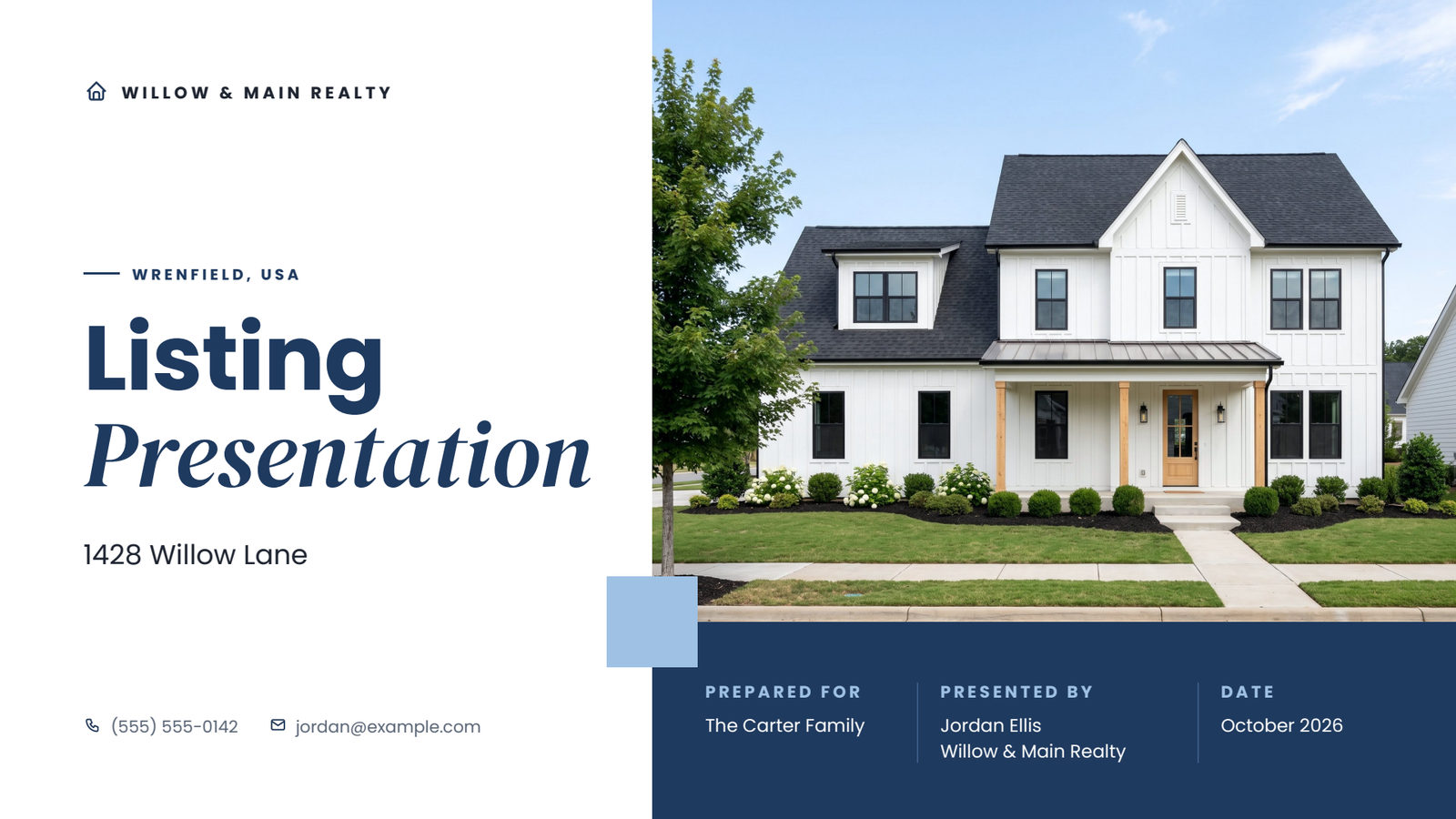
White slides, navy accents and crisp Poppins type, with DM Serif Display italics in the headings. A clean look that suits any agent and almost any home.
Download Clean White (ZIP, about 11 MB) · Clean White PDF preview
Warm Neutral: editorial and warm

Cream, sand and terracotta tones with an editorial pairing of DM Serif Display and Lato. Made for agents who list upscale, character-rich or design-forward homes.
Download Warm Neutral (ZIP, about 12 MB) · Warm Neutral PDF preview
Navy Modern: confident and classic
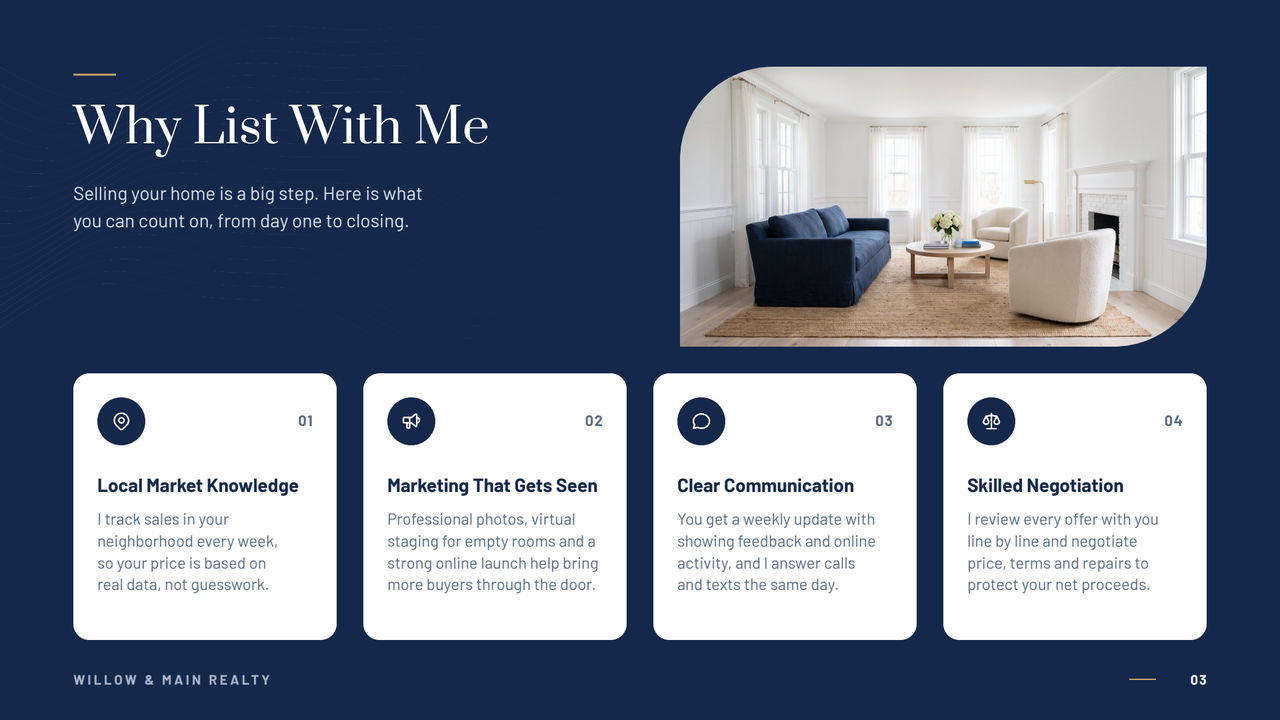
Deep navy and white with brass details, Prata headings and Barlow text. A trustworthy look for established agents and traditional or coastal homes.
Download Navy Modern (ZIP, about 10 MB) · Navy Modern PDF preview
Bold Black: high contrast for luxury listings
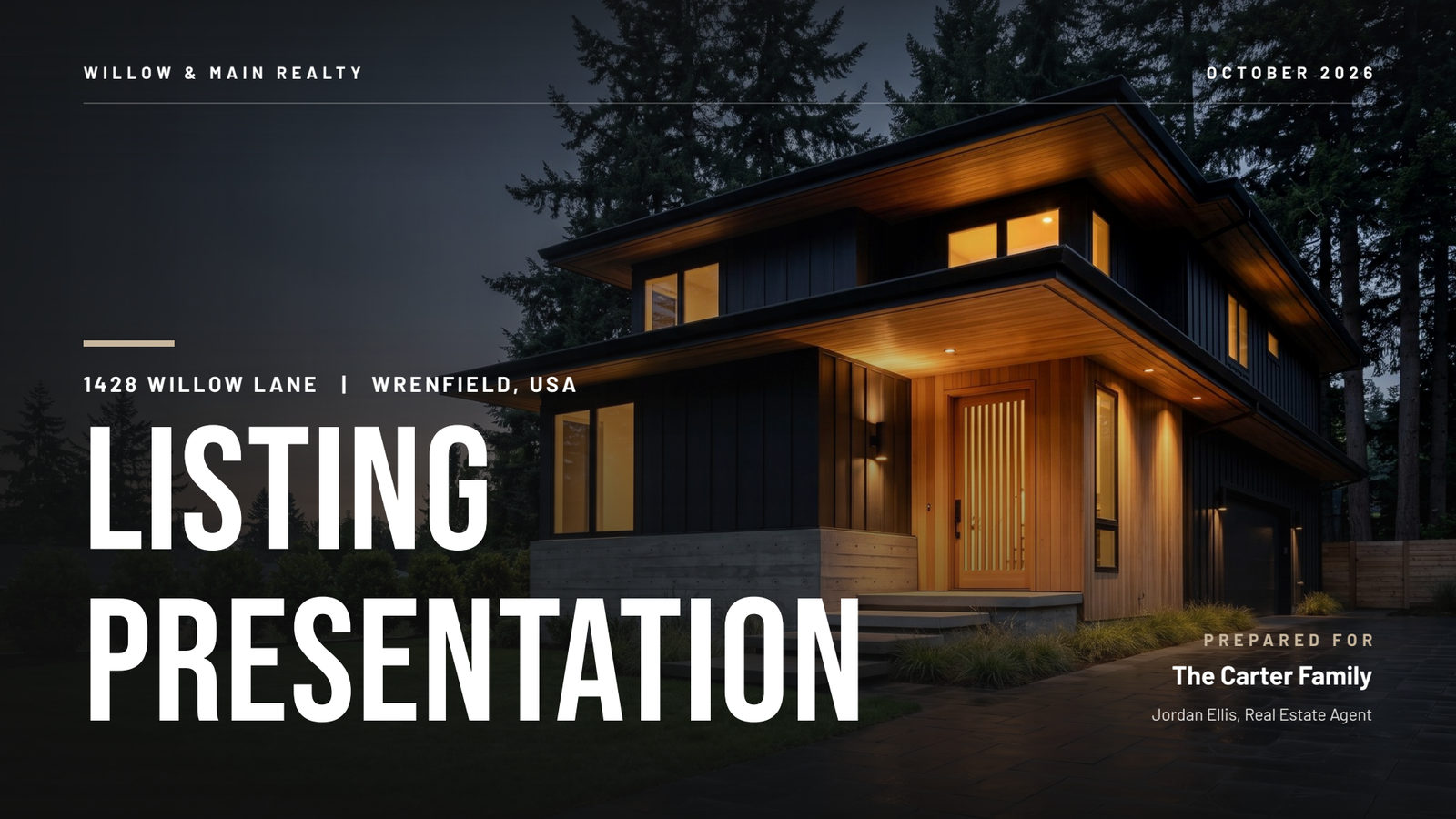
Black slides, big condensed Bebas Neue headlines with Barlow text, and dusk photography. Built for agents who list luxury, modern and urban homes.
Download Bold Black (ZIP, about 11 MB) · Bold Black PDF preview
Soft Peach: friendly and welcoming
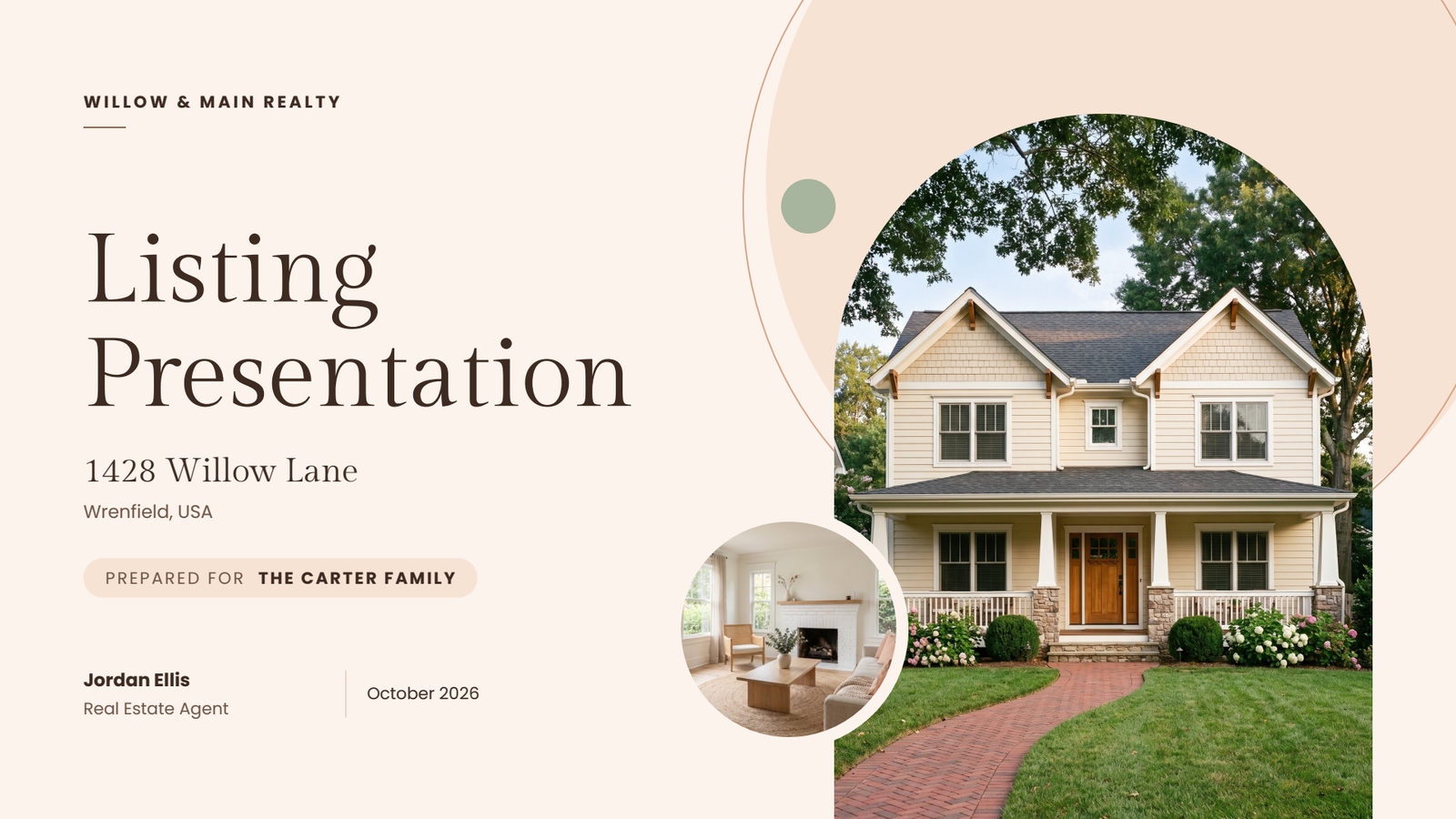
Soft peach and blush tones, rounded shapes and an elegant Gilda Display serif with Poppins. A warm look for newer agents and family homes.
Download Soft Peach (ZIP, about 13 MB) · Soft Peach PDF preview
Watch out: the sample photos are AI-generated, except the slide 9 before and after, a real room virtually staged with TINTY. Every number, address, name and review is a placeholder. Replace them with your MLS data and real client reviews.
What’s in every template
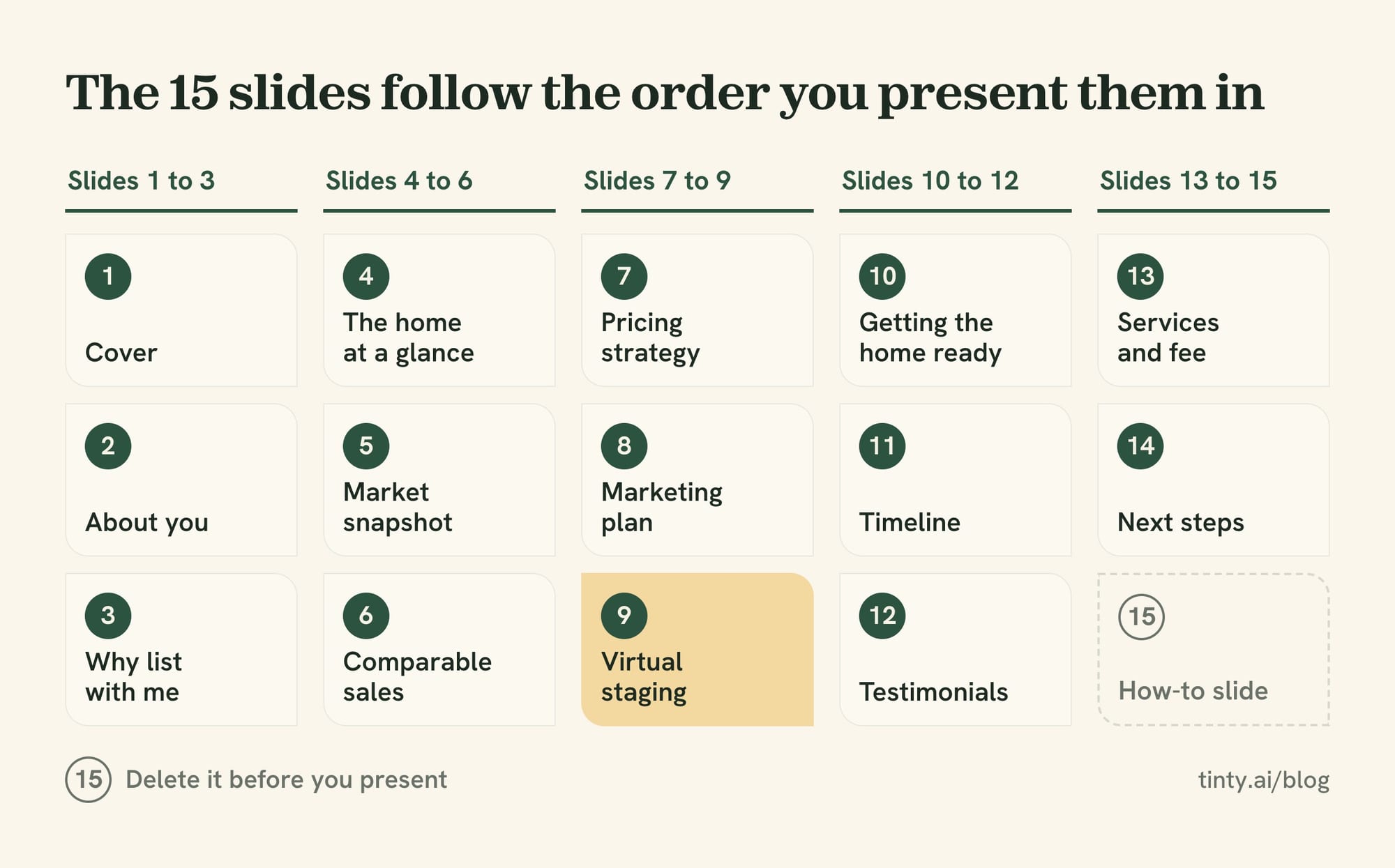
The 15 slides follow the order you present them in:
- Slides 1 to 3: cover, about you and why list with me.
- Slides 4 to 6: the home at a glance, a market snapshot and comparable sales.
- Slides 7 to 9: pricing strategy with a price-per-square-foot chart, your marketing plan and a virtual staging before and after.
- Slides 10 to 12: getting the home ready, a timeline from listing to closing and testimonials.
- Slides 13 to 15: services and fee, next steps with a thank-you, and a how-to slide you delete.
How to edit the template
Unzip the download, then:
- PowerPoint or Keynote: install the fonts from the Fonts folder, then open the .pptx. In Keynote, choose File > Open.
- Google Slides: upload the .pptx to Google Drive and open it with Google Slides. Nothing to install. If a heading looks off, pick its font under More fonts.
- Photos: right-click a photo and choose Change Picture (PowerPoint) or Replace image (Google Slides). In Keynote, use Replace in the Format sidebar.
- Speaker notes: paste each one from the notes file into that slide’s notes area to see it in presenter view.
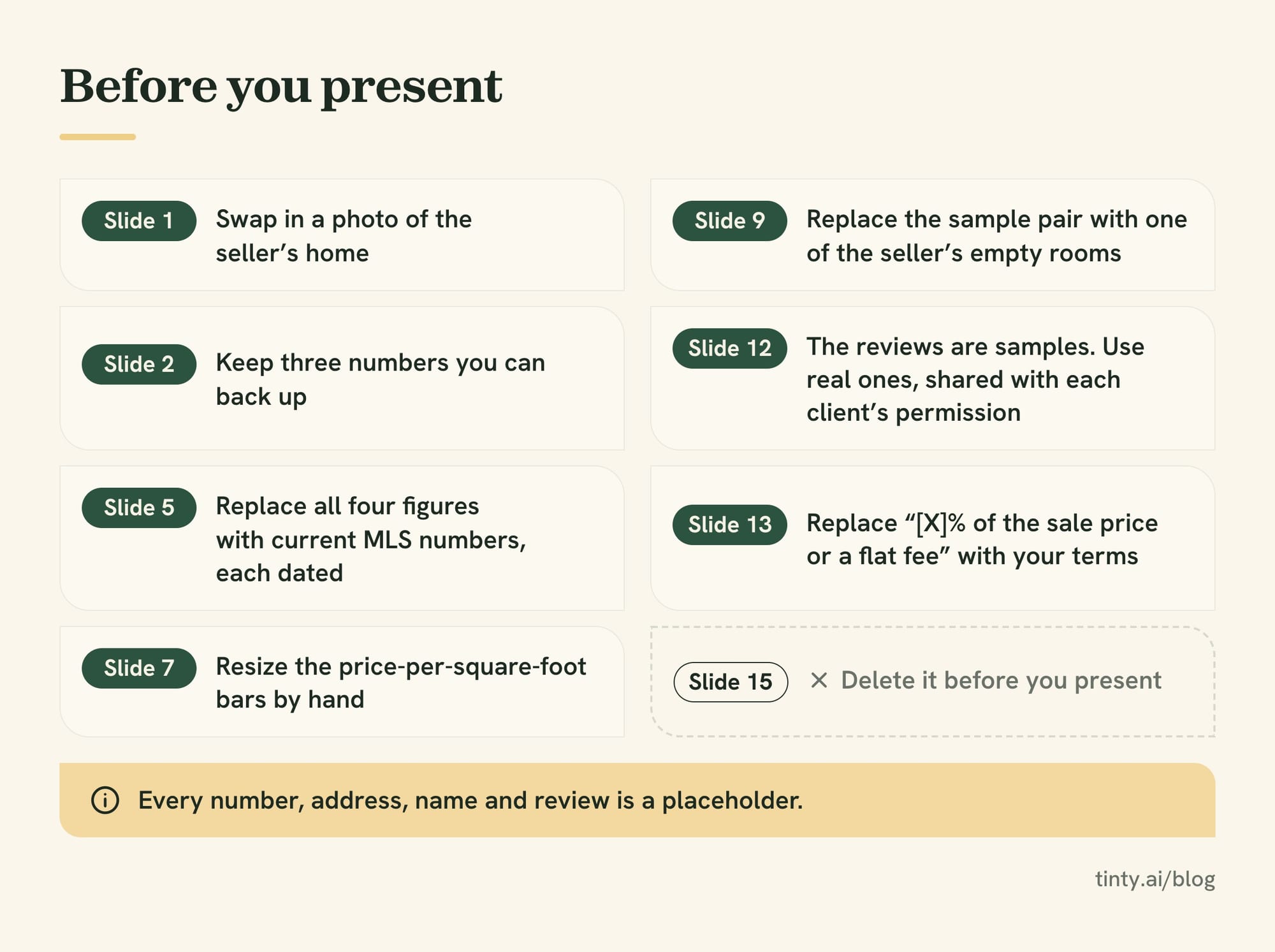
- Slide 15: delete it before you present.
Canva can import a .pptx too, in a desktop browser. Canva’s PowerPoint import page calls the feature a beta and warns that fonts may not match exactly, so check every slide.
What to say on each slide of the template
A real estate presentation template gives you the slides; the words are yours. These talk tracks are examples, not a script. Replace every bracket with your facts and say it your way.
Slides 1 to 3: cover, about you and why list with me
Slide 1. Cover. Swap in a photo of the seller’s home. Say: “Thanks for having me. We’ll cover your home, the market, pricing and my plan to sell it.”
Slide 2. About you. Keep three numbers you can back up with MLS or brokerage records. Say: “Here’s what working with me looks like, week to week.”
Slide 3. Why list with me. Rewrite the points in the seller’s own words from the first call. It proves you listened. Say: “You said [their goal]. Here’s how I’d handle it.”
Slides 4 to 6: the home, the market and the comps
Slide 4. The home at a glance. Confirm the facts with the sellers. Describe the home, never the kind of buyer it would suit. Say: “Did I miss anything you’ve updated?”
Slide 5. Market snapshot. Replace all four figures with current MLS numbers, each dated. Say: “Here’s what buyers in [area] are doing right now.”
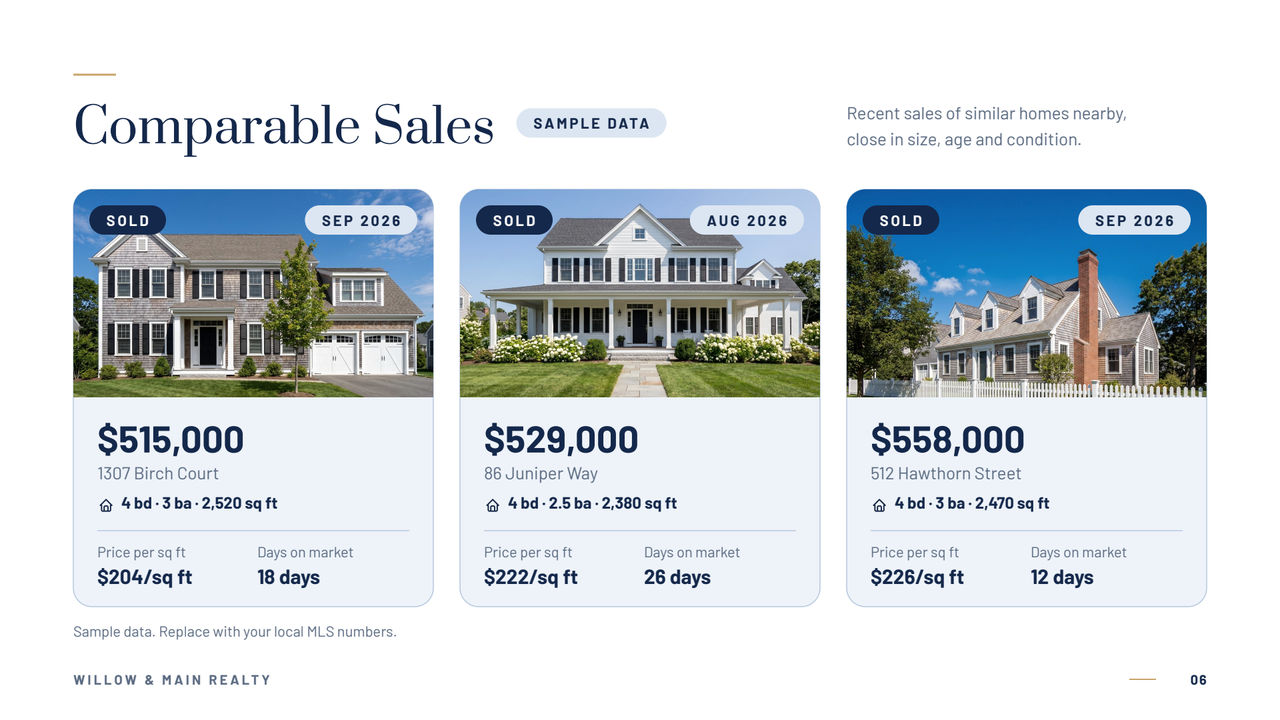
Slide 6. Comparable sales. Show recent sales close in size, age and condition. Say: “These are the homes buyers will compare yours to.”
Slides 7 to 9: price, marketing and staging
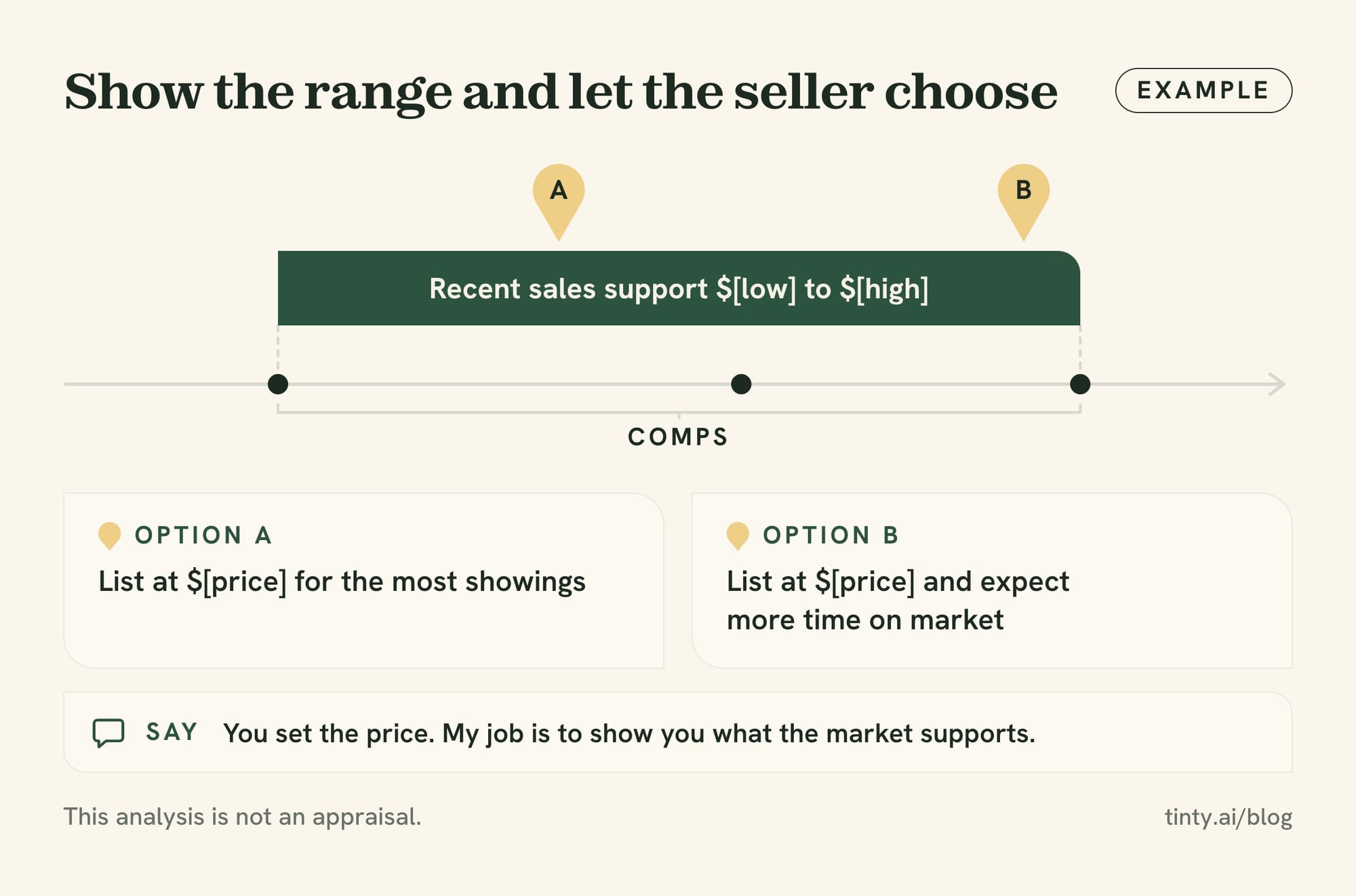
Slide 7. Pricing strategy. Show the range the comps support. Resize the price-per-square-foot bars by hand. Add “This analysis is not an appraisal.” Say: “You set the price. My job is to show you what the market supports.”
Slide 8. Marketing plan. Delete anything you don’t offer, and add launch-week dates. Say: “Here’s what happens in the first two weeks.”
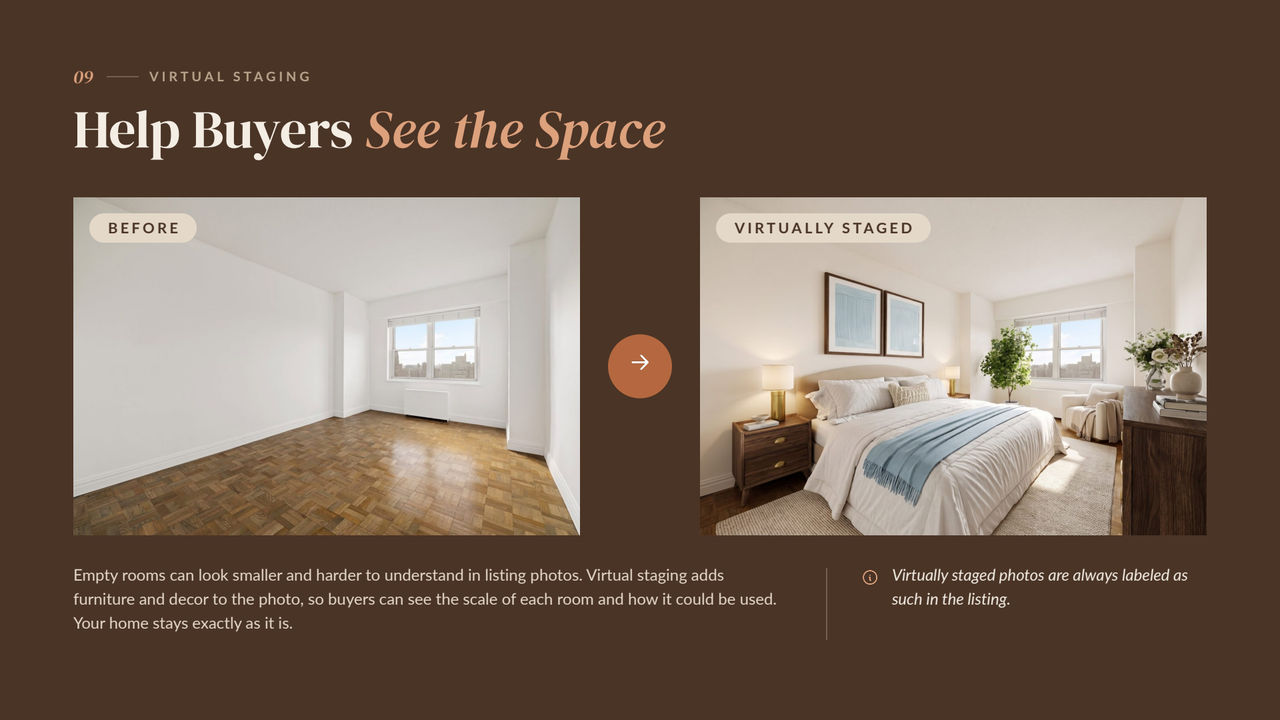
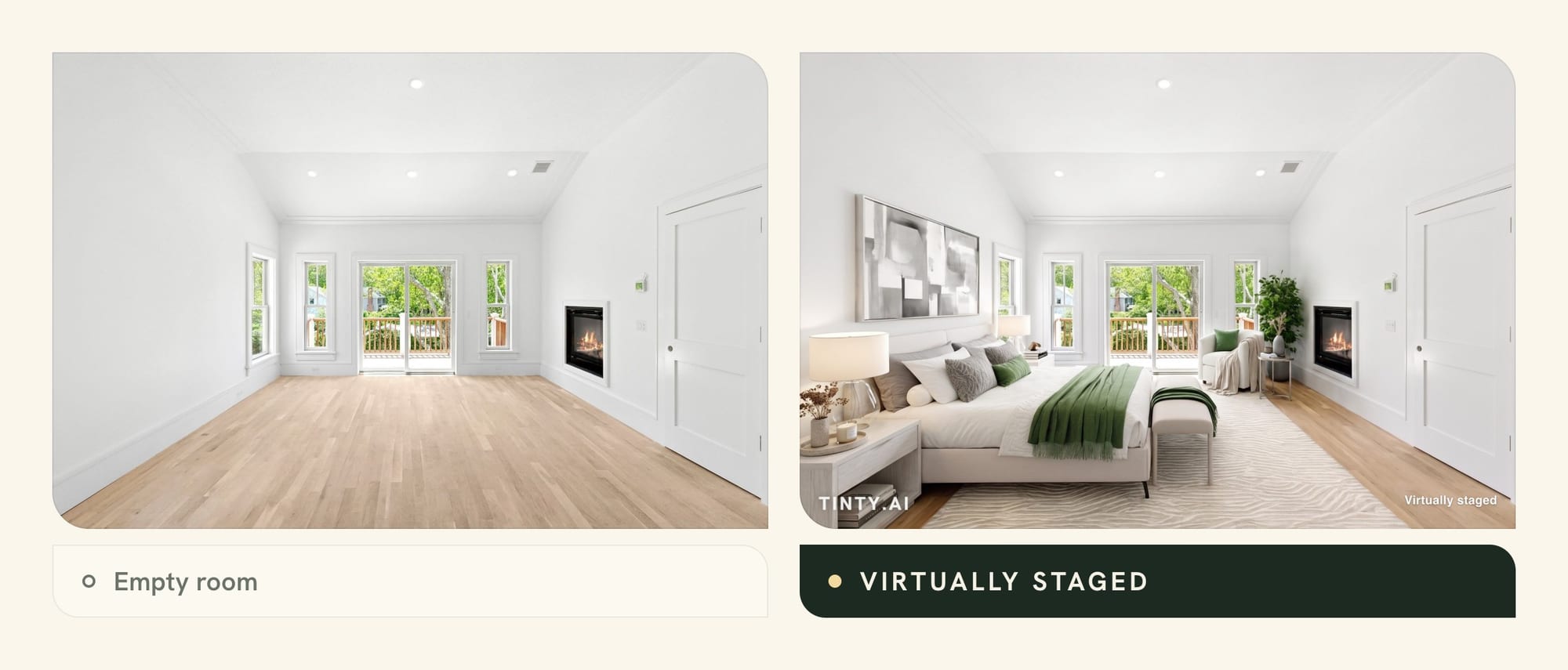
Slide 9. Virtual staging. Replace the sample pair with one of the seller’s empty rooms. Say: “This is one way your empty [room] could look online. We’d label it in the listing.”
Slides 10 to 14: prep, timeline, reviews, fee and next steps
Slide 10. Getting the home ready. Agree on what to finish before photo day. Say: “Which of these can you finish before [date]?”
Slide 11. Timeline. Adjust the weeks to your market. Say: “Here’s what you’ll do and what I’ll handle. Closing depends on the buyer’s financing.”
Slide 12. Testimonials. The reviews are samples. Use real ones, shared with each client’s permission, or delete the slide.
Slide 13. Services and fee. Replace “[X]% of the sale price or a flat fee” with your terms. Say: “Commissions aren’t set by law, and mine is negotiable.”
Slide 14. Next steps. Add dates to the three steps. Say: “Would you like to list with me? If so, here’s what happens this week.”
Cut any slide this seller doesn’t need.
Slide 9: show an empty room virtually staged
For a vacant home, slide 9 can show instead of tell. Put one of the seller’s empty rooms next to a virtually staged version, labeled “Virtually staged.” Ask permission before you stage their photo, and keep it out of public posts until they sign.
In NAR’s 2025 Profile of Home Staging, 83% of buyers’ agents said staging made it easier for buyers to picture a home as their future home. Sellers’ agents most often staged the living room (91%), primary bedroom (83%) and dining room (69%).
How to make the preview during the visit
Here’s how to do it with TINTY, our app, in a few minutes:
- Shoot: take one level photo of the empty room on your phone during the tour, or use a photo the seller sent.
- Stage: pick the room type and a style. TINTY’s free virtual staging previews need no card and arrive in about 30 seconds, on a phone or a laptop.
- Swap: right-click the two sample photos on slide 9 and replace them with the original and the preview.
- Say it: tell the seller the furniture is virtual and doesn’t convey, and that the listing will label it.
Free previews carry a light TINTY watermark, fine for a meeting but not for the MLS. If the seller signs, render a paid final without the watermark. In the Refine step you can type a note such as “add plants.” When you download, you can add a “Virtually staged” label.
What TINTY can’t do, and a done-for-you option
TINTY stages nine living spaces, such as bedrooms, living rooms, dining rooms and home offices. It doesn’t stage kitchens, bathrooms or exteriors, and it doesn’t remove furniture yet, so occupied rooms aren’t a fit.
Short on time? Email photos of empty living spaces to hello@tinty.ai with each room type and style. TINTY Studio, our done-for-you virtual staging service, returns them in 2 to 24 hours, at $10 a photo from 3 photos, per TINTY’s pricing page. You pay only if you’re happy.
Watch out: a staged preview shows furniture that isn’t there. Label it on the slide and in the listing. MLS and state rules differ, and California also requires a link to the original photo; our virtual staging disclosure guide covers them.
How to present price and commission
Price and fees sit on slides 7 and 13: show your evidence and say nothing you can’t back up.
Price: show the range and let the seller choose
No agent can guarantee a sale price or a sale date. Show the comps, the range they support and what each list price is likely to mean for showings.
Rule: NAR’s 2026 Code of Ethics says Realtors, when trying to secure a listing, “shall not deliberately mislead the owner as to market value” (Standard of Practice 1-3).
A number you can’t support, quoted just to win the listing, is what that rule targets (our reading). If the seller wants a higher price than the comps support, agree on a review date before you list. Our guide to selling a stale listing has a script for that talk.
Commission: negotiable, and explained plainly
Say what you charge, what it covers and that the fee is negotiable. NAR’s Code requires Realtors to tell sellers that broker compensation “is not set by law and is fully negotiable” (Standard of Practice 1-12). Slide 13 says the same.
Some practices changed on August 17, 2024, after NAR’s settlement. Per NAR’s settlement FAQ, here’s what it means for sellers:
- Off the MLS: offers of compensation to buyer agents can’t appear on Realtor MLSs or on other MLSs that opted into the settlement. A seller can still make one, shared off-MLS.
- Seller approval: the listing agent must disclose any payment to a buyer’s agent in advance and in writing, with the amount or rate, and get the seller’s approval.
- Concessions: a seller can still offer buyer concessions on the MLS, such as help with closing costs.
- Buyer agreements: buyers sign a written agreement with their own agent, covering how that agent is paid, before touring a home.
Present these as options, not advice. Your broker and state may add rules.
Listing presentation examples: slide text, before and after
The best listing presentation slides fit one house and one seller. These examples are ours, with brackets where your facts go. For designed examples, see the five templates above.
1. Pricing: a range and options, not one big number
Weak slide: “Your home is worth $[high number]. I’ll get you top dollar!”
Better slide: “Recent sales support $[low] to $[high]. Option A: list at $[price] for the most showings. Option B: list at $[price] and expect more time on market.”
Why it works: it shows the evidence and leaves the choice with the seller.
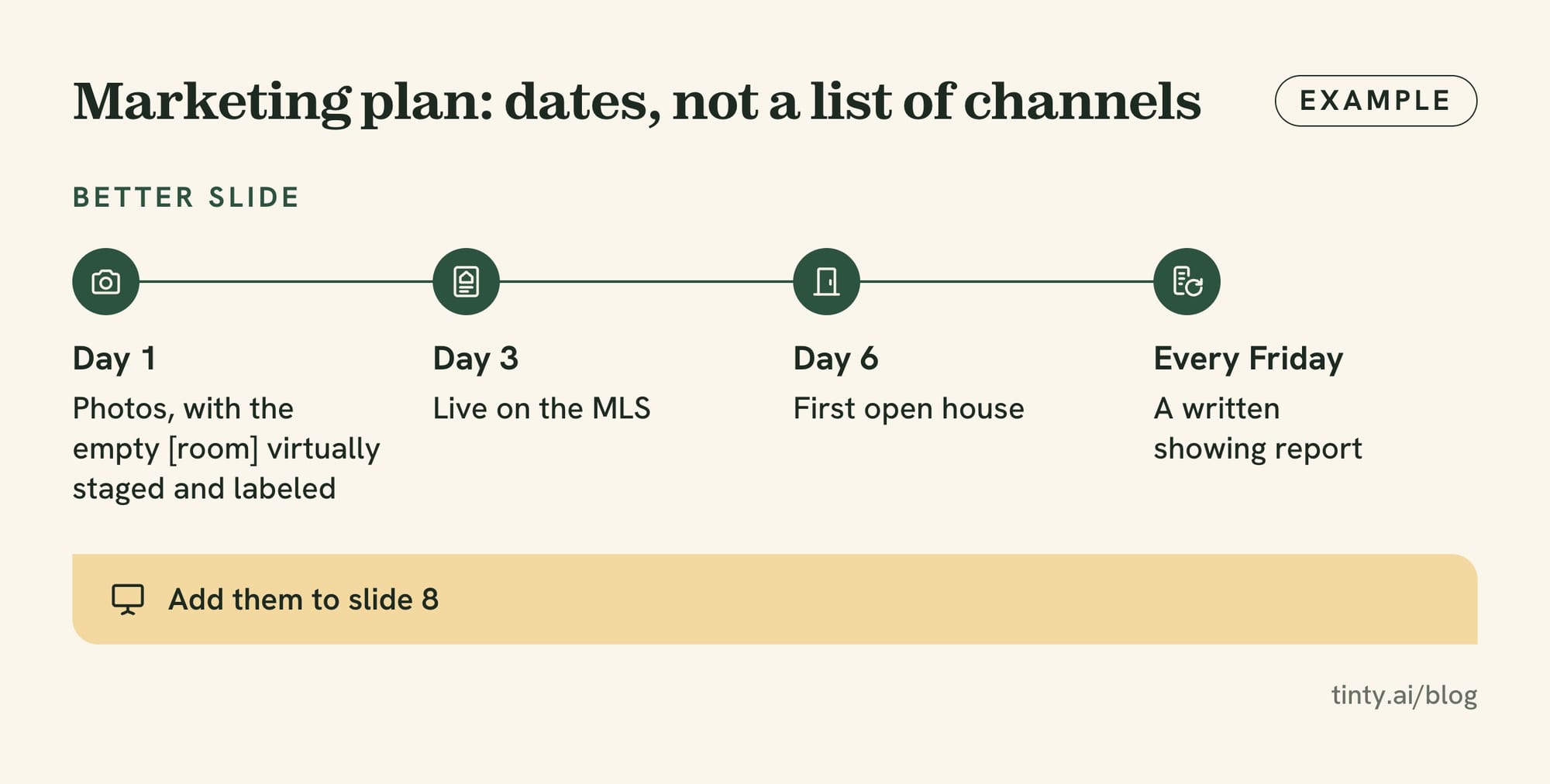
2. Marketing plan: dates, not a list of channels
Weak slide: “MLS. Zillow. Social media. Open houses.”
Better slide: “Day 1: photos, with the empty [room] virtually staged and labeled. Day 3: live on the MLS. Day 6: first open house. Every Friday: a written showing report.”
Why it works: dates show the work, so add them to slide 8. The Friday report answers a common seller question, “what’s happening?” (our view).
What sellers want from a listing presentation
Most sellers don’t hold a contest. In NAR’s 2025 Generational Trends report, 81% of sellers contacted only one agent.
Sellers’ top four wants from their agent:
- Marketing: 22% wanted help marketing the home to buyers.
- Pricing: 20% wanted help pricing it competitively.
- Timing: 18% wanted to sell within a specific timeframe.
- Preparation: 15% wanted help fixing up the home to sell it for more.
Only 4% named the agent’s commission as the top factor in choosing an agent. Reputation (35%) and honesty (21%) came first. So the meeting is usually a test, not a race: does this agent know the market and have a plan? Our guide to how to get listings covers winning the appointment in the first place.
How to prepare for a listing presentation
Most of the meeting is won before you arrive.
Questions to ask on the first call
Market Leader’s guide suggests asking about motivation, timeline, price expectations and the home’s history. Our list:
- Motivation: “What’s prompting the move?”
- Timing: “When do you need to be out, and is there a date that matters?”
- Next home: “Do you need to buy before you sell?”
- Price hopes: “What do you think the home is worth, and why?”
- Decision makers: “Who else decides, and can everyone attend?”
- Empty rooms: “Could you send photos of any empty rooms?” You can stage one for slide 9 before you arrive.
Research the home and build your CMA
Check public records for lot size, year built and the last sale, plus past listings and price changes. Then visit nearby active listings and drive past recent sales, as Market Leader’s guide suggests.
Pull recently sold, pending and active homes that match on size, age, condition and location. Add expired and withdrawn listings, because they can show prices that didn’t sell (our view). Slides 6 and 7 turn this into comps and a price range.
Rule: a CMA is not an appraisal. The Maryland Real Estate Commission requires a licensee’s CMA to carry a set disclosure, unchanged, on its first page. It begins: “This analysis is not an appraisal.” Other states differ, so check yours.
Rehearse and pack the bag
Rehearse the pricing and fee slides out loud. Then pack:
- The deck: on a charged tablet or laptop, plus a printed copy for each owner.
- Your CMA: printed, with the comps you plan to discuss.
- A net sheet: estimated proceeds at two or three prices, with your fee shown (our suggestion).
- The paperwork: your brokerage’s listing agreement and the disclosure forms your state requires.
Pre-listing presentation packet: what to send first
A pre-listing packet introduces you before the meeting, so the meeting can focus on the house. Market Leader’s guide says to send it as a hard copy or an emailed PDF after you book. Follow Up Boss’s guide suggests sending it 3 to 5 days before you meet.
Our checklist, built from the guides we read:
- Cover letter: one page confirming the date, the time and who will attend.
- About you: your experience, your brokerage and client reviews used with permission.
- Local snapshot: a few recent figures, each with a date and source.
- Selling process: the steps from listing agreement to closing.
- Your marketing: photos, staging and ads from past listings.
Leave the list price out (our view). A number sent before you’ve seen the home can anchor the seller high or low.
The meeting: a 45-to-60-minute flow
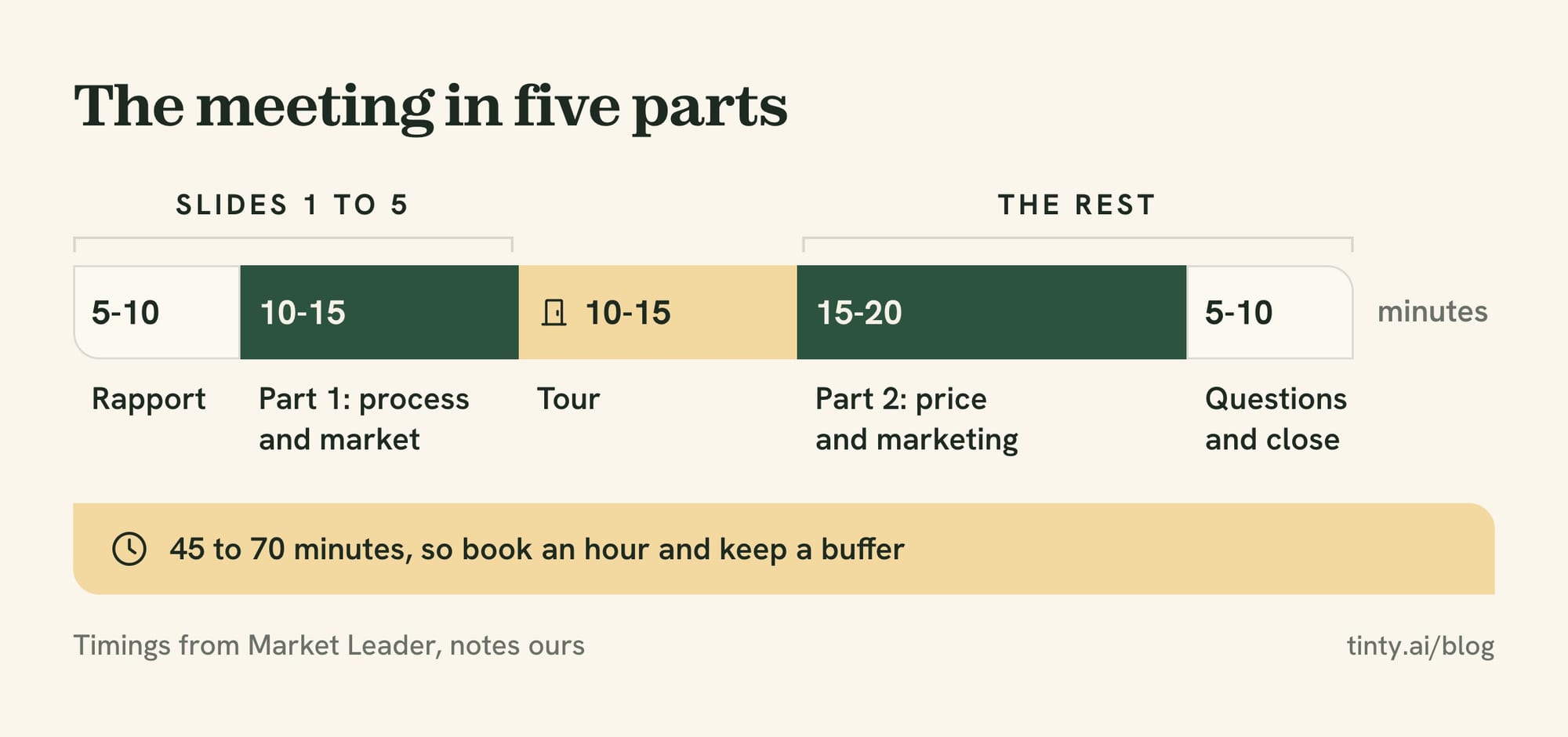
Plan for about an hour. Market Leader’s guide puts a typical meeting at 45 minutes to an hour and splits it into five parts. Matterport’s guide allows 30 to 90 minutes, depending on the seller.
The meeting in five parts (timings from Market Leader, notes ours)
| Part | Minutes | What you do |
|---|---|---|
| Rapport | 5-10 | Sit down, restate their goals, confirm the time |
| Part 1: process and market | 10-15 | Selling steps, today’s market, your approach |
| Tour | 10-15 | Walk every room and the outside, take notes |
| Part 2: price and marketing | 15-20 | CMA, price options, marketing plan, fees |
| Questions and close | 5-10 | Answer questions, ask for the listing |
The ranges add up to 45 to 70 minutes, so book an hour and keep a buffer. Show slides 1 to 5 before the tour and the rest after it (our suggestion).
What to look for on the tour
Let the seller lead the tour. Note what will move the price or the plan (our list):
- Updates: what was replaced, and when, so you can adjust the comps.
- Condition: repairs a buyer’s inspector is likely to flag.
- Empty living spaces: bedrooms, living rooms or dining rooms for slide 9.
At the end, ask plainly whether they’d like to list with you. Market Leader calls this the close.
Seller objections, with example answers
Expect a few objections, and answer them with facts, not pressure. These answers are examples, not scripts to recite:
- “Another agent said it’s worth more.” “Maybe it is. Let’s put their comps next to mine and pick the price the evidence supports.”
- “Will you cut your commission?” “Fees are negotiable. Here’s what mine covers. If we change the fee, let’s look at what changes in the plan.”
- “We need to buy before we sell.” “Let’s look at the options, such as a rent-back after closing.” Market Leader suggests a concurrent close or a rent-back.
- “The house is empty. Why stage it?” “Empty rooms are hard to judge online. Here’s your bedroom virtually staged and labeled, for far less than renting furniture.”
- “We need to think about it.” “Of course. What would you need to see to decide? I’ll send a recap tonight.”
Digital or printed: how to deliver it
Bring both. Present on a tablet or laptop and keep printed copies for each owner. HousingWire’s guide says to carry hard copies even when you plan to present on a screen.
Export your edited deck as a PDF, then pick the format for the seller:
- On a screen: a tablet works at a kitchen table.
- On paper: a printed deck with the CMA attached suits sellers who like to make notes.
- On a video call: share your screen for out-of-town owners, and email the PDF before you start.
Some agents skip slides entirely. In a December 2025 r/realtors thread, one top reply described arriving empty-handed, asking about the sellers’ plans and then walking through comps. Another agent replied that sellers often say no other agent showed them adjusted comps and net sheets.
If you build the deck with AI, check every figure against your MLS. One agent there uses AI for house-specific decks, but studies the market in the MLS and proofreads before presenting.
Follow up after the meeting
Follow up the same day, whether or not they signed. Here’s a simple sequence (our plan):
- Same day: send a thank-you email with a short recap, the deck as a PDF and the listing agreement if it’s unsigned. Matterport’s guide suggests attaching the contract to the thank-you.
- Next day: call to answer open questions and explain how to sign and return the agreement.
- If they signed: send the prep list from slide 10, book the photos and confirm the launch date.
- If they chose another agent: ask what decided it, thank them and stop pitching.
- If they’re still deciding: set a check-in date that matches their timeline.
A recap email can be this short. Our template:
Subject: Your plan for [address]. Thanks for your time today. Attached are the slides and the price options we discussed. I’ll call tomorrow at [time] to answer anything else.
Once they sign, our guide to writing the listing description helps with the remarks.
Rule: once a seller signs with another broker, stop pitching. NAR’s Code bars Realtors from soliciting a listing that is “currently listed exclusively with another broker” (Standard of Practice 16-4). General mailings to a whole area are still allowed (Standard of Practice 16-2).
Listing presentation FAQ
Are these listing presentation templates free?
Yes. All five are free to download, with no sign-up and no email. Each ZIP has an editable .pptx for PowerPoint, Keynote and Google Slides, a PDF, the fonts and speaker notes. The sample photos, numbers and reviews are placeholders you replace.
What should a listing presentation include?
Who you are, the home, the market, comparable sales, a pricing strategy, a marketing plan, photos and staging, prep, a timeline, your fees and next steps. Our templates cover each one in 15 slides, including a how-to slide you delete.
Show 6 more questionsShow fewer questions
How long should a listing presentation be?
About 45 to 60 minutes, including a 10- to 15-minute tour, per Market Leader’s guide. Matterport’s guide allows 30 to 90 minutes and suggests no more than a dozen slides. Let the seller’s questions set the pace.
What is a pre-listing packet?
A short packet you send after booking the appointment: who you are, client reviews, a market snapshot, the selling process and your marketing. Follow Up Boss suggests sending it 3 to 5 days before the meeting. We’d keep the list price out until you’ve seen the home.
Is a CMA the same as an appraisal?
No. A CMA is an agent’s comparison of similar homes, made to help pick a list price. An appraisal is a licensed appraiser’s opinion of value. Maryland, for one, requires a licensee’s CMA to carry a set disclosure on its first page that begins “This analysis is not an appraisal.”
Is real estate commission negotiable?
Yes. NAR’s Code of Ethics requires Realtors to tell sellers that broker compensation is not set by law and is fully negotiable. Since August 17, 2024, offers of compensation to buyer agents can’t appear on MLSs covered by NAR’s settlement, though a seller can still make one off-MLS.
Can you show virtual staging to a seller?
Yes, with the seller’s permission and a clear “Virtually staged” label. Show the preview next to the original photo and say the furniture is virtual. Rules for labeling staged photos in the listing itself vary by MLS and state. If they ask what it costs, our virtual staging cost guide compares 29 services.
What if the seller wants a price the comps don’t support?
Show the comps, give two or three options and let the seller decide. Never promise a price to win the listing. If they choose to list high, agree on a review date first.
How we researched this
On October 8, 2026, we read the pages that rank in Google for “listing presentation” and checked which pages rank for “listing presentation template.” The sources include guides from Market Leader, Matterport, HousingWire and Tom Ferry, ShowingTime’s template page and an r/realtors thread. We viewed Canva’s template gallery in a browser but don’t cite it.
For pre-listing packets, we also read Follow Up Boss and an article on the Greater Boston Real Estate Board’s site. Seller data comes from NAR’s 2025 Generational Trends report, which covers sales from July 2023 to June 2024. The 2026 edition is free only to NAR members, so we didn’t use it.
Here’s what is ours and where the rest comes from:
- Templates: we designed all five. Each slide 9 pair is a real TINTY result from our examples page; the other sample photos are AI-generated.
- Talk tracks and examples: ours, and we didn’t test them in real meetings.
- Rules: NAR’s 2026 Code of Ethics, NAR’s settlement FAQ and the Maryland Real Estate Commission.
- TINTY facts: our live pages, checked October 8, 2026.
If something here is wrong, email hello@tinty.ai and we’ll fix it.
Sources
All pages read October 8, 2026. Dates in parentheses are publication or update dates.
NAR data and rules:
- NAR 2025 Home Buyers and Sellers Generational Trends (PDF) (April 2025; Exhibits 7-2, 7-6 and 7-7)
- NAR 2025 Profile of Home Staging (PDF) (May 2025)
Show 14 more sourcesShow fewer sources
- NAR 2026 Code of Ethics and Standards of Practice (Standards of Practice 1-3, 1-12, 16-2 and 16-4)
- NAR Settlement FAQs (PDF) (last updated September 5, 2024)
State rule:
- Maryland Real Estate Commission: Competitive Market Analysis (regulation effective July 19, 2004)
Listing presentation guides:
- Market Leader: The Best Listing Presentation Guide for 2026 (November 3, 2025)
- Follow Up Boss: How top agents prepare for and win listing presentations (August 18, 2026)
- Matterport: Perfecting Your Real Estate Listing Presentation (undated)
- HousingWire: How to compete and win with your listing presentation (updated September 16, 2025)
- Tom Ferry: How to Do a Listing Presentation (September 19, 2025)
- ShowingTime: Ultimate Real Estate Listing Presentation Template (undated; download behind a form)
- Greater Boston Real Estate Board: 10 Essentials to Include in a Powerful Pre-Listing Package (undated; URL path 2019; courtesy of RISMedia)
Editing tools:
- Canva Help Center: Import PowerPoint presentations (undated; describes the import as a beta)
Agent discussion:
- r/realtors: What does a listing presentation look like nowadays? (December 2, 2025)
TINTY and related guides: